
Complete WordPress Management for CyberPanel
Install, stage, backup, and manage WordPress sites with enterprise-grade tools. One-click staging environments, automated updates, and instant admin access.
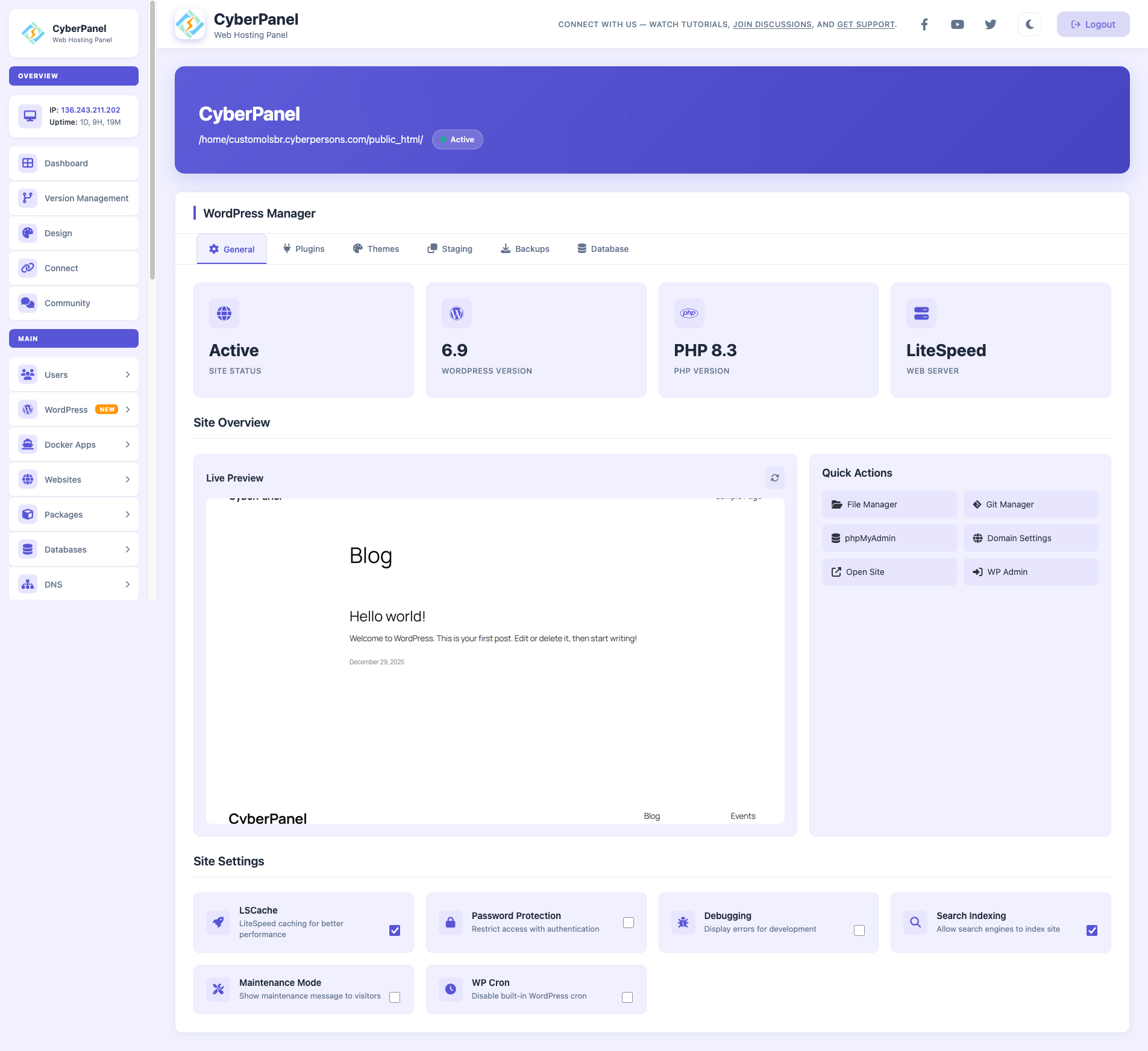
Everything You Need to Manage WordPress
From installation to production deployment, WordPress Manager handles every aspect of your WordPress sites.
One-Click Installation
Install WordPress instantly with configurable PHP versions, database setup, and optional plugin packages pre-installed.
Staging Environments
Clone your production site to an isolated staging environment. Test changes safely before deploying to live.
Automated Updates
Keep WordPress core, plugins, and themes up-to-date automatically. Choose minor-only or full auto-updates.
Plugin Management
Install, update, enable, or disable plugins across all your WordPress sites from a single dashboard.
Theme Management
Manage themes with bulk updates, activation controls, and easy removal. Keep your sites looking fresh.
Data Integrity Check
Verify WordPress core files against official checksums. Detect unauthorized modifications instantly.
Safe Testing with Staging Environments
Never break your live site again. Create isolated staging environments to test updates, new plugins, or design changes before going live.
- Complete site clone with separate database
- Test plugins and themes without risk
- One-click deploy to production
- Automatic URL replacement on deployment
Production Site
Your live WordPress installation
Create Staging
Clone site with isolated database
Deploy to Production
Push changes live with URL sync
Local Backups
Store backups on your server
SFTP Remote
Secure file transfer to remote servers
Amazon S3
Cloud storage with unlimited scale
Scheduled Backups
Automated backup with retention policies
Never Lose Your WordPress Data
Comprehensive backup system with multiple destinations. Backup files only, database only, or complete site snapshots with one-click restore.
- Files-only, database-only, or full backups
- Remote backup to SFTP, S3, Google Drive
- Flexible scheduling and retention policies
- One-click restore from any backup
Instant Admin Access with Auto-Login
Access your WordPress admin panel with a single click. No passwords to remember, no login forms to fill.
View Premium PlansSecure Token Auth
Temporary secure tokens for each login session. No credentials exposed.
Instant Access
One click from CyberPanel dashboard directly to WordPress admin.
Multi-Site Support
Manage multiple WordPress sites from one unified dashboard.
CyberPanel Core and Premium Add-ons
CyberPanel Core is free. WordPress Manager, including one-click installation, is part of the paid add-ons package.
CyberPanel Core
- Website management
- Database and PHP management
- Email and DNS management
- Basic SSL management
- File and FTP management
- WordPress Manager requires a paid add-on
- Advanced WordPress tools require a paid add-on
Premium Add-ons
- One-click WordPress installation
- Auto-login and plugin/theme management
- Staging and deploy to production
- Remote backups (SFTP, S3, GDrive)
- Scheduled backup automation
- WP-CLI integration
- Priority email support
Perfect For Every WordPress User
Whether you manage one site or hundreds, WordPress Manager scales with your needs.
Freelancers & Consultants
Manage multiple client WordPress sites from one dashboard. Quick deployments and easy handoffs.
Digital Agencies
Staging environments for client approvals. Deploy to production with confidence after sign-off.
Hosting Providers
Offer WordPress management as a value-add service. Automated backups and updates reduce support tickets.
Start Managing WordPress Sites Like a Pro
Install CyberPanel Core for free. Activate the premium add-ons package for WordPress Manager features, including one-click installation, staging and backups.