On this page
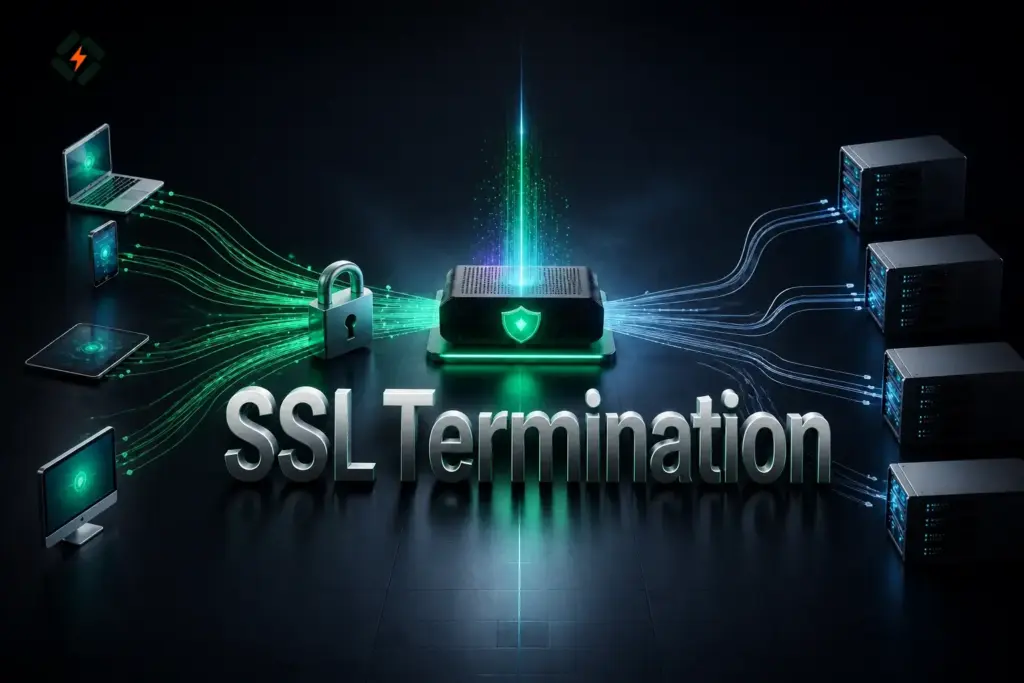
SSL termination is the process of decrypting HTTPS traffic at a server, reverse proxy, load balancer, or other network endpoint before forwarding the request to its destination. It allows one component to handle TLS encryption and certificate management instead of making every backend server perform the same work. Although the term SSL termination remains widely used, modern systems should use TLS because older SSL protocols are obsolete.
SSL termination can simplify infrastructure management, improve traffic handling, and support security tools that need to inspect HTTP requests. However, the connection between the termination point and the backend must be designed carefully to avoid exposing sensitive information.
What Is SSL Termination?
SSL termination is the point in a network connection where encrypted HTTPS traffic is decrypted and processed. The component performing this task presents an SSL/TLS certificate to the client, establishes a secure connection, and decrypts the incoming traffic.
After decryption, the component can forward the request to an application server over HTTP or establish a separate HTTPS connection to the backend.
For example, a website might receive traffic through an NGINX reverse proxy. NGINX handles the visitor’s HTTPS connection, decrypts the request, and forwards it to an application running on another server.
This setup separates two responsibilities:
- TLS handling: Managing certificates, encryption, and decryption.
- Application processing: Running the website, application, or API that handles the request.
SSL termination is commonly used with reverse proxies, load balancers, API gateways, and web application firewalls.
How Does SSL Termination Work?
SSL termination follows a straightforward process. A client establishes an HTTPS connection with an intermediary, which decrypts the request and forwards it to the backend.
The exact architecture depends on whether the backend connection uses HTTP or HTTPS.
Step 1: The client connects over HTTPS
A visitor opens a website using an HTTPS URL. The browser connects to the server or intermediary listening for HTTPS traffic, usually on TCP port 443.
During the TLS handshake, the server presents its certificate and proves possession of the corresponding private key. The client validates the certificate and negotiates the connection’s cryptographic settings.
Step 2: The termination point decrypts the request
Once the secure connection is established, the proxy or load balancer can read the incoming HTTP request.
The component can then apply routing rules, inspect headers, enforce access policies, or forward the request to the appropriate application server.
Step 3: The request reaches the backend
The intermediary forwards the decrypted request to the backend server.
In a basic setup, the internal connection uses HTTP. In a more security-conscious setup, the intermediary creates a separate TLS connection to the backend.
Step 4: The application returns a response
The backend processes the request and sends its response to the intermediary. The intermediary returns the response to the client through the established HTTPS connection.
The visitor continues to see a secure HTTPS website, even if the internal connection uses HTTP. However, the browser’s secure connection alone does not guarantee that traffic remains encrypted throughout the entire infrastructure.
SSL termination traffic flow
Visitor's Browser
        |
        | HTTPS / TLS
        v
Reverse Proxy or Load Balancer
        |
        | TLS termination
        | Decrypt HTTP request
        v
Backend Application Server
        |
        | Application response
        v
Reverse Proxy
        |
        | HTTPS / TLS to visitor
        v
Visitor's BrowserThe diagram shows the request and response path. The connection between the proxy and backend may use HTTP or HTTPS, depending on the configuration.
SSL Termination vs. TLS Passthrough
SSL termination and TLS passthrough are two different ways to handle encrypted connections at an intermediary.
With SSL termination, the intermediary decrypts the traffic. With TLS passthrough, the intermediary forwards the encrypted connection to the backend without decrypting its application traffic.
| Feature | SSL Termination | TLS Passthrough |
|---|---|---|
| Decryption | Occurs at the intermediary | Occurs at the backend |
| Certificate management | Usually handled at the intermediary | Usually handled at the backend |
| HTTP request inspection | Possible after decryption | Not available to the intermediary without terminating TLS |
| Backend workload | Can reduce TLS processing on backend servers | Backend handles TLS processing |
| Routing options | Can use HTTP paths, headers, and other request details | Generally limited to connection-level information such as IP addresses, ports, and available TLS metadata |
| Backend connection | HTTP or a separate HTTPS connection | Original encrypted TLS connection continues to the backend |
| Typical use case | Web applications, API gateways, and HTTP load balancing | Applications requiring end-to-end TLS termination at the backend |
Neither approach is universally better. SSL termination provides more control over HTTP traffic, while TLS passthrough keeps decryption at the backend. The right choice depends on the security requirements and the capabilities of the intermediary.
Where Is SSL Termination Used?
SSL termination is useful in infrastructure where a central component needs to manage encrypted connections before forwarding requests to application servers.
1. Reverse proxies
A reverse proxy receives requests on behalf of backend servers. It can terminate TLS, route requests, apply access rules, and distribute traffic to different applications.
For example, NGINX can accept HTTPS traffic for a domain and forward requests to an application running on an internal port. The application does not necessarily need to manage the public TLS certificate itself.
2. Load balancers
A load balancer distributes incoming requests across multiple backend servers. When it also performs SSL termination, it can decrypt incoming HTTPS traffic and forward requests to healthy backend instances.
This can centralize certificate management and reduce repeated TLS processing across application servers. Backend encryption may still be required for sensitive or regulated workloads.
3. API gateways
API gateways manage access to APIs and often apply authentication, routing, rate limiting, and request policies.
TLS termination allows an API gateway to process HTTP-level information before forwarding requests to the relevant service. This makes it easier to enforce policies at a central point.
4. Web application firewalls
A web application firewall, or WAF, needs access to HTTP requests to inspect application traffic for malicious patterns.
When HTTPS traffic reaches a WAF, the system must be able to decrypt it before performing ordinary HTTP-level inspection. SSL termination can provide that access.
The exact architecture depends on the WAF product. Some products integrate directly with a reverse proxy, while others use a separate proxy or traffic-redirection mechanism.
What Happens to Traffic After SSL Termination?
After SSL termination, the next connection determines whether the traffic remains encrypted.
There are two common approaches.
HTTP between the proxy and backend
In this configuration, the intermediary decrypts HTTPS traffic and forwards the request to the backend over HTTP.
Advantages include simpler backend configuration and lower TLS processing requirements. However, the internal traffic is no longer encrypted.
This may be acceptable in a tightly controlled, isolated environment with appropriate access restrictions. It is risky when traffic crosses public networks, shared infrastructure, or untrusted network segments.
HTTPS between the proxy and backend
In this configuration, the intermediary decrypts the visitor’s connection and establishes a new HTTPS connection to the backend.
The traffic is encrypted on both network segments, although the intermediary can read the HTTP request between them.
For stronger protection, configure the intermediary to validate the backend certificate and verify that it matches the expected hostname. Simply enabling HTTPS to the backend without certificate validation can leave the connection vulnerable to interception.
| Consideration | HTTP to Backend | HTTPS to Backend |
|---|---|---|
| Internal encryption | No | Yes |
| Certificate on backend connection | Not required | Required |
| TLS configuration | Simpler | Requires additional configuration |
| Suitable for sensitive traffic | Only with a justified, controlled design | Generally preferable across less-trusted networks |
| Certificate validation | Not applicable | Should be enabled |
For production systems, choose the backend connection based on the sensitivity of the data, network boundaries, compliance requirements, and available security controls.
How to Configure SSL Termination with NGINX
NGINX can terminate SSL/TLS connections by listening on port 443, loading a certificate and private key, and forwarding requests to an application server.
The following example assumes that:
example.compoints to the NGINX server.- A valid certificate and private key already exist.
- The backend application listens on
127.0.0.1:3000. - NGINX is installed and has permission to read the certificate files.
Replace the example domain, certificate paths, and backend address with values from your own environment.
Step 1: Prepare the certificate
Make sure you have the certificate chain and the matching private key. Your certificate authority or certificate management system may provide these files.
The certificate is public information, but the private key must remain confidential. Store it in a protected location and grant access only to the processes that require it.
Step 2: Configure the HTTPS server
Add a server block to the appropriate NGINX configuration file:
server {
    listen 443 ssl;
    server_name example.com www.example.com;

    ssl_certificate /etc/letsencrypt/live/example.com/fullchain.pem;
    ssl_certificate_key /etc/letsencrypt/live/example.com/privkey.pem;

    ssl_protocols TLSv1.2 TLSv1.3;

    location / {
        proxy_pass http://127.0.0.1:3000;

        proxy_set_header Host $host;
        proxy_set_header X-Real-IP $remote_addr;
        proxy_set_header X-Forwarded-For $proxy_add_x_forwarded_for;
        proxy_set_header X-Forwarded-Proto $scheme;
    }
}This configuration enables HTTPS on port 443. NGINX handles the TLS connection and forwards requests to the application over HTTP.
The proxy_set_header directives preserve useful information about the original request. The application can use the forwarded protocol header to determine whether the visitor connected using HTTPS.
Only trust forwarded headers from known proxies. Otherwise, clients may be able to supply misleading values. Configure the backend to accept traffic only from authorized sources, and make sure the application interprets proxy headers securely.
Step 3: Test the configuration
Before reloading NGINX, run:
sudo nginx -tIf the test succeeds, reload the service:
sudo systemctl reload nginxThe service name and reload behavior may differ depending on the operating system and installation method.
Step 4: Verify the HTTPS connection
Use the following command to inspect the public HTTPS connection:
curl -I https://example.comYou can also inspect the certificate and TLS handshake using OpenSSL:
openssl s_client -connect example.com:443 -servername example.comCheck that the certificate matches the domain, the certificate chain is valid, and the application responds as expected. Review the NGINX error log if the connection fails.
For more details, consult the official NGINX SSL termination documentation.
How BitNinja Uses SSL Termination
BitNinja provides server security features that can inspect and respond to potentially malicious traffic. HTTPS creates an additional challenge for inspection tools because the HTTP request is encrypted while travelling between the client and the server.
SSL termination can make the decrypted request available to compatible security components.
BitNinja’s documentation describes an older SslTerminating module that used a bundled HAProxy installation to offload HTTPS connections and support its CAPTCHA and WAF modules. The documentation also states that this HAProxy-based module became obsolete starting with BitNinja version 3.16.0, when WAF Pro using Caddy Server took over HTTPS handling for the relevant CAPTCHA functionality.
This distinction matters when troubleshooting older deployments or following instructions found in legacy guides. Do not assume that every BitNinja installation uses the same SSL termination architecture.
If a certificate is not detected correctly, the issue may relate to certificate paths, web server configuration, or the security product’s certificate-discovery process. Check the documentation for the installed version before changing configuration files or running module-specific commands.
See the official bitninja-ssl-termin documentation for module details and version-specific notes.
SSL Termination Security Risks and Best Practices
SSL termination can simplify infrastructure, but incorrect configuration may create gaps between the public connection and internal application.
Follow these practices to keep the setup secure.
Protect private keys
Store private keys in restricted locations and allow access only to the required services. Avoid placing private keys in public web directories, source repositories, or publicly accessible backups.
If a key is exposed, replace it and assess whether the corresponding certificate needs to be revoked.
Use modern TLS protocols
Configure supported modern TLS versions, typically TLS 1.2 and TLS 1.3, according to the requirements of your environment. Avoid obsolete SSL versions and weak cipher configurations.
Review the TLS settings whenever the proxy software or operating system is upgraded.
Encrypt sensitive backend connections
Do not assume that traffic is safe merely because the browser displays HTTPS. If the proxy forwards requests across a network that is not fully trusted, use HTTPS to the backend and validate its certificate.
Restrict backend access
Backend application ports should not be unnecessarily exposed to the public internet. Use firewall rules, private networking, or security groups to allow connections only from authorized intermediaries.
This helps prevent attackers from bypassing the proxy’s access controls or security inspection.
Configure forwarded headers correctly
Reverse proxies commonly add headers such as X-Forwarded-For and X-Forwarded-Proto. These can help applications identify the original client address and protocol.
However, applications must trust these headers only when they come from configured, trusted proxies. Incorrect trust settings can lead to inaccurate client IP information, insecure redirects, or authentication problems.
Monitor certificates and proxy health
Track certificate expiry dates, TLS handshake errors, proxy availability, and backend response failures. Renew certificates before they expire and verify that renewals reach the component terminating TLS.
Monitoring also helps distinguish certificate problems from backend connectivity issues.
How CyberPanel Fits Into an SSL Termination Setup

CyberPanel is a free and open-source web hosting control panel powered by OpenLiteSpeed. It helps administrators manage websites, hosting configurations, and SSL certificates in supported hosting environments.
In an architecture where a separate reverse proxy or load balancer handles public SSL termination, CyberPanel may manage the backend hosting environment. The proxy and backend configuration must agree on the domain, destination port, certificate responsibilities, and expected forwarded headers.
For example, a proxy might accept public HTTPS requests and forward them to a website hosted on a CyberPanel-managed server. If the proxy forwards traffic over HTTPS, the backend must be configured to accept and validate that connection appropriately.
CyberPanel does not automatically become the SSL termination point simply because it manages the website’s hosting. The actual termination point is the component that accepts the TLS connection and decrypts the traffic.
Learn more about CyberPanel and its role in web hosting management.
Frequently Asked Questions
Does SSL termination improve performance?
It can improve performance by centralizing TLS processing and reducing the work required from backend application servers. The actual benefit depends on traffic volume, hardware, connection reuse, and the proxy’s configuration. The intermediary also introduces its own processing overhead and should be sized accordingly.
Is traffic encrypted after SSL termination?
Not necessarily. If the intermediary forwards requests over HTTP, the traffic is unencrypted on that network segment. If it establishes a new HTTPS connection to the backend, traffic is encrypted again between the intermediary and backend.
Can a reverse proxy perform SSL termination?
Yes. A reverse proxy such as NGINX can accept HTTPS connections, decrypt requests, apply routing rules, and forward them to backend servers. It can also establish a separate HTTPS connection to the backend when required.
Is TLS passthrough more secure than SSL termination?
Neither is automatically more secure in every situation. TLS passthrough keeps decryption at the backend, while SSL termination gives the intermediary access to the decrypted request. SSL termination can support centralized security inspection, but it requires careful protection of private keys and backend connections.
Does SSL termination require a separate certificate for every backend server?
No. A central termination point can use a certificate that covers the public domain or domains it serves. Backend servers may still require their own certificates if the proxy establishes separate HTTPS connections to them. Certificate requirements depend on the domains, hostnames, and TLS architecture.
Conclusion
SSL termination allows a reverse proxy, load balancer, or other intermediary to handle HTTPS encryption and decrypt requests before forwarding them to an application. It can simplify certificate management, reduce TLS processing on backend servers, and enable HTTP-level routing and security inspection.
The most important decision is what happens after termination. Use a properly secured backend connection, protect private keys, validate certificates, and restrict direct access to application servers. With these controls in place, SSL termination can be a practical part of a secure and maintainable web infrastructure.