
On this page
Ever think about a single stable and clean Linux distribution? You are in the right place. We have found that. It’s Linux Slackware. It has been famous for many years, as it keeps things simple and fast. However, if new users appear, they find it different from modern Linux systems. Slackware Linux gives you full control, fewer automatic changes, and a solid base to learn real Linux skills.
In this guide, we will discover Slackware Linux, how to download it, and how it compares with Arch Linux.
Grab your cup of tea and start exploring with us!
What is Slackware Linux?
Slackware Linux is a very old Linux system. But it still maintains its importance. It focuses on simple tools, fast performance, and a clean structure. It does not possess any heavy layers or auto-config tools. This is what advanced users love. It helps you understand Linux the right way.
Key Features
Here is why it stands out:
- Very stable
- Clean file structure
- No hidden changes
- Great for learning real Linux
Who Should Use Slackware Linux?
- Students learning Linux commands
- Developers who want a clean system
- System admins
- People who want full control
- Users who prefer stable tools
Arch Linux vs Slackware: Key Differences
| Feature | Slackware Linux | Arch Linux |
|---|---|---|
| Updates | Stable, slower | Rolling, frequent |
| Installation | Manual, traditional | Manual but guided with scripts |
| Package Management | pkgtools | pacman |
| Target Users | Stability-focused | Cutting-edge software seekers |
| Learning Curve | Moderate | High |
Takeaway: Choose Slackware for a stable and educational experience. Choose Arch if you want the latest packages and are okay with troubleshooting.
Why Do People Still Use Slackware Linux Today?
- Stability: Ideal for servers and development
- Learning: Teaches real Linux commands and structure
- Performance: Works well on old and new hardware
- Customizable: Full control over packages and environment
How to Download Linux Slackware
You can get Slackware directly from the official site. Here’s how:
Steps:
- Visit the official Slackware website.
- Select the latest version compatible with your system.
- Download the ISO file.
- Burn the ISO to a USB drive.
- Boot your computer and follow the installer.
System Requirements
| Feature | Minimum Requirement |
|---|---|
| CPU | 64-bit processor |
| RAM | 2 GB |
| Storage | 15 GB free space |
| USB | 4 GB or more |
Role of CyberPanel
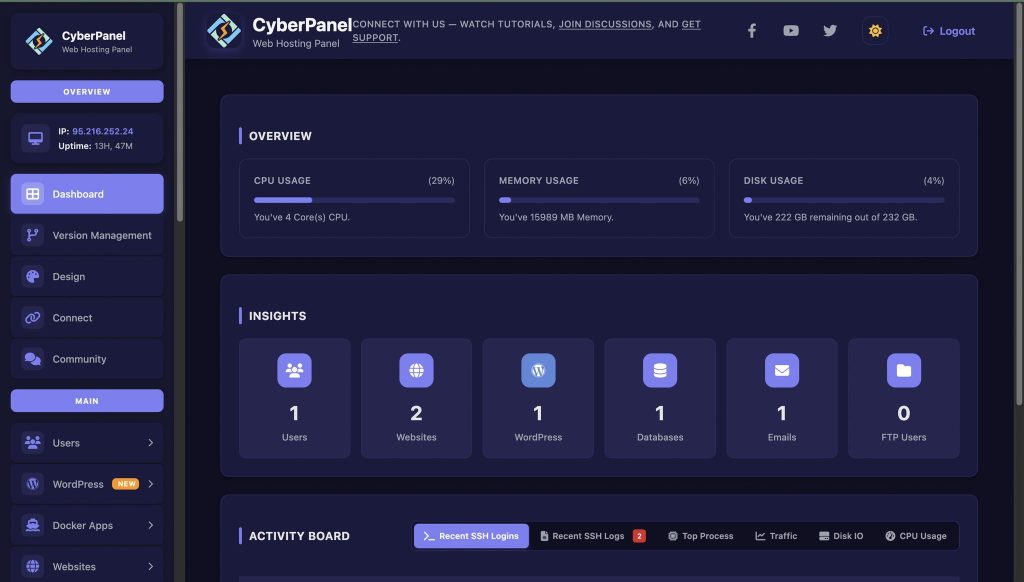
CyberPanel is a next-gen web hosting control panel. When you run websites or servers on Slackware, CyberPanel is here to make life easy. Here is how:
- Manage websites and files effortlessly
- Automate backups to prevent data loss
- Control databases and emails from one dashboard
- Secure server access with simple clicks
- Improve hosting performance for Linux systems
CyberPanel turns Slackware from a powerful OS into a manageable hosting environment, perfect for beginners and advanced users.
Final Thoughts!
To sum up, Slackware Linux is a reliable and powerful choice for you. It teaches real Linux skills and provides stability for servers. Moreover, it has a clean base for development. When you combine it with CyberPanel, you can easily manage servers, websites, and backups.
Ready to get on the Slackware Linux journey? Download the ISO, install it on your system, and use CyberPanel to manage your website or server securely!
People Also Ask
Can beginners use Slackware Linux safely?
Yes. While it is manual, its clean design and community support make it approachable for learners who want to understand Linux deeply.
Is Slackware good for virtualization?
Yes. It works well as a VM guest or host for testing and learning purposes.
How does Slackware handle security?
Slackware’s minimal setup reduces attack surfaces. Security depends on package updates and careful configuration.
Does Slackware get updates?
Yes. Updates are steady and safe, but not too frequent, which keeps the system stable.
Does Slackware support gaming?
Yes. With tools like Steam and Proton, gaming is possible on Slackware if your hardware supports it.


