

On this page
Need secure cloud storage on Linux, but reluctant to use it because of the hassle? Dropbox Linux is simply just right. Experience new ways of working with Dropbox: Whether you’re a beginner or it’s your go-to, sync, share, and manage files the way you want. Here we’ll show you how to install Dropbox on Linux system, set up Dropbox for Linux, and learn how Dropbox works with Ubuntu-like systems.
By the time you reach here, you’ll have a perfect understanding of how Dropbox works on Linux and also how to use it efficiently in conjunction with CyberPanel for web hosting or backup purposes.
What Is Dropbox on Linux?
Dropbox on Linux is a cloud storage service that works smoothly on Linux desktops and servers. It allows users to sync files, share data, and collaborate with others in real-time.
Key benefits include:
- Fast and lightweight syncing on Linux
- Secure file storage with AES-256 encryption
- Easy sharing and collaboration features
- Works with multiple desktop environments
How to Install Dropbox on Linux
Dropbox installation is simple and supports most Linux distributions. Here is how to download it on different Linux distros:
Ubuntu/Debian
sudo apt update
sudo apt install nautilus-dropbox
dropbox start -i
Fedora
sudo dnf install nautilus-dropbox
dropbox start -i
Arch Linux
sudo pacman -S dropbox
dropbox start -i
After installation, you have to do the following things:
- Launch Dropbox from the applications menu
- Log in with your account
- Select folders to sync
- Dropbox starts syncing automatically
Dropbox and Linux make syncing your files simple, secure, and fast, no matter your level of experience.
Dropbox Linux vs Other Cloud Services
| Feature | Dropbox Linux | Google Drive | Nextcloud |
|---|---|---|---|
| Official Linux Client | Yes | Partial | Yes |
| File Sync | Real-time | Limited | Real-time |
| Encryption | AES-256 | AES | AES-256 |
| Collaboration Features | Yes | Yes | Yes |
| Offline Access | Yes | Partial | Yes |
How Dropbox Works on Linux
Dropbox works on Linux on both desktops and servers. Files are synced client-side, and the command-line interface is available for task automation and scripting.
Best practices:
- Use the selective sync to save some local disk space
- Keep Dropbox updated for security
- Run Dropbox as a non-root user.
- Leverage CLI resources for server automation.
CyberPanel & Dropbox
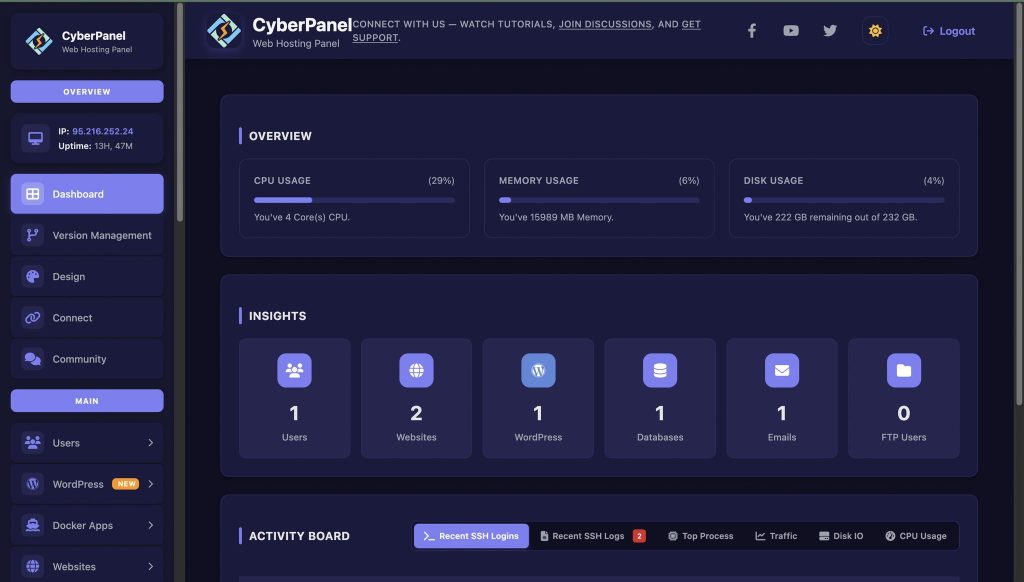
If you run a Linux server, Dropbox can be integrated with CyberPanel, a free and open-source web hosting control panel. CyberPanel makes it easy to host websites and manage backups.
CyberPanel Benefits:
- Deploy websites quickly
- Manage databases and DNS
- Automate backups with Dropbox
- Improve server security and file organization
Dropbox and CyberPanel together create a secure, lightweight, and efficient cloud solution for personal or business needs on Linux.
Conclusion
Dropbox Linux is stable, efficient, and secure. Novices will find it easy to set up, while others might take advantage of the command line for automations. It makes more sense to have CyberPanel on top of it, with which web hosting, backup, and file management facilities will be available, suitable for personal needs as well as businesses.
Get Dropbox on your Linux machine now for safe syncing and use CyberPanel to manage website, hosting, or server backups!
Frequently Asked Questions
Is Dropbox safe on Linux?
Yes. With AES-256 encryption and CyberPanel integration, Dropbox provides a secure cloud backup solution for Linux servers.
Can Dropbox run on Raspberry Pi or ARM Linux?
Yes, community builds, or CLI tools, allow Dropbox to work on ARM-based devices like Raspberry Pi. It’s ideal for lightweight file syncing.
Can I automate backups with Dropbox CLI on Linux?
Absolutely. You can use CLI scripts and cron jobs to schedule automatic uploads and backups.
Does Dropbox integrate with Linux containers or VMs?
Yes. Dropbox can run inside containers or virtual machines as long as network access is enabled and storage paths are correctly mapped.
How much storage does Dropbox use on Linux?
The Dropbox client uses about 150 MB. The storage required depends on your synced files. Selective sync helps reduce local usage.


