
Add Destination: Scheduled Local/SFTP Remote Backups
CyberPanel allows you to schedule and send backups to remote locations (local/sftp) (Daily/Weekly).
Note: if you are using storage boxes from providers like Hetzner, you need to enable SSH support, otherwise SFTP backups will not work.
Add/Delete Destination
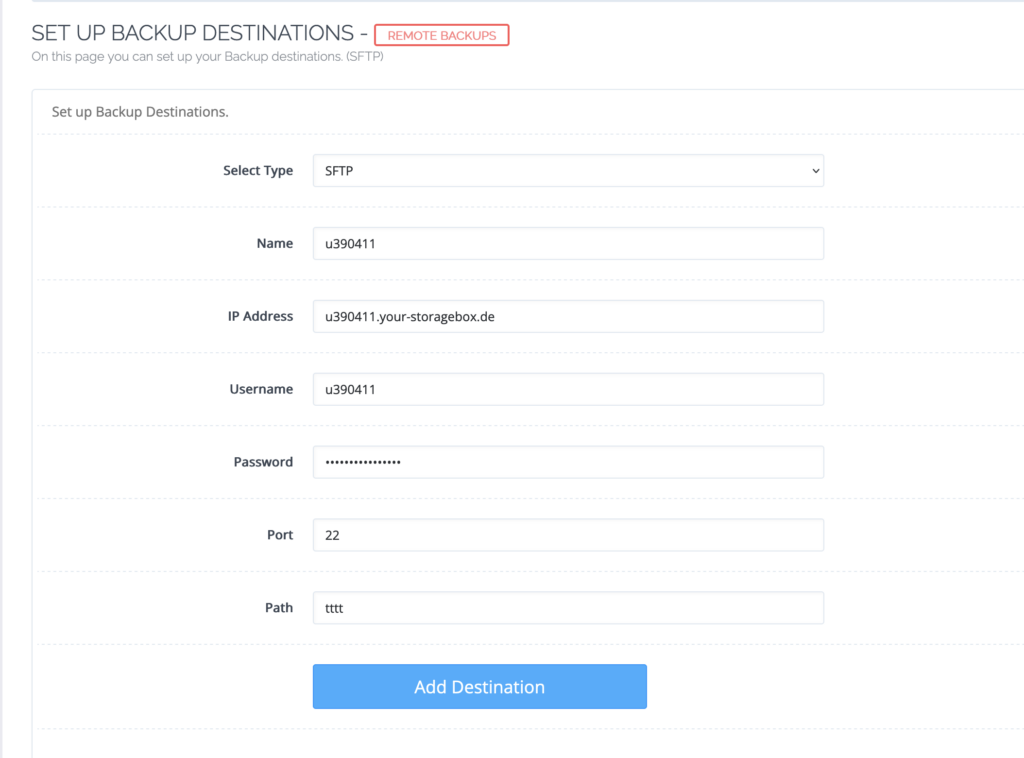
SFTP Destination
Backups -> Add/Delete Destination
- Name: This can be anything you can remember.
- IP Address: This can either be IP address or hostname of the remote SFTP server.
- Username: username of your sftp server
- Password: password of your sftp server
- Port: default ssh port is 22, if it is anything else do specify
- Path: thats the custom path where CyberPanel will store backups
Local Backups
Backup > Add/Delete Destination
- Name: This can be anything you can remember.
- Path: If you are selecting local backups, CyberPanel will store backups in this path.
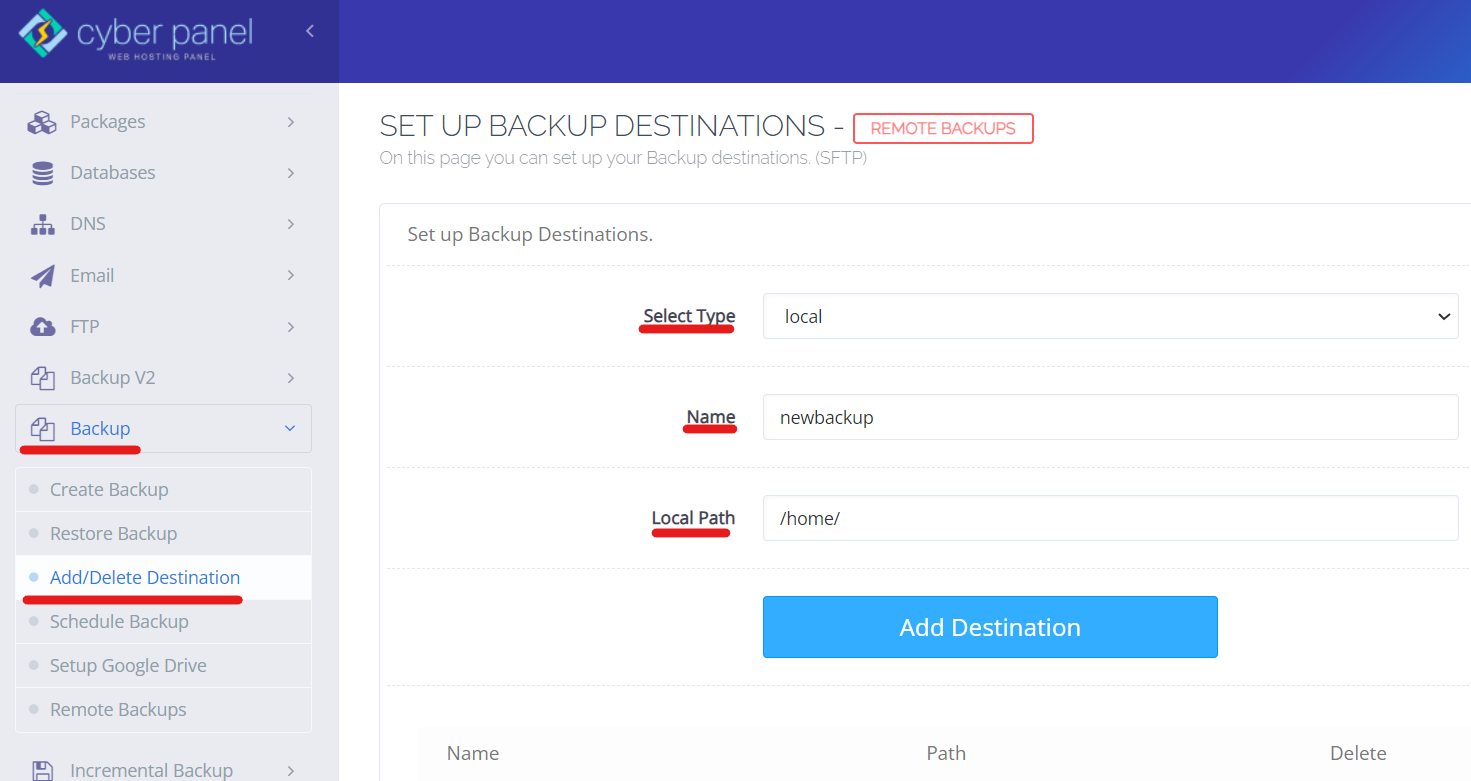
Once the destination is added, you can schedule either daily or weekly backups to this destination.