On this page
The use of automated systems is a must in today’s world of information technology. System administrators (or system administration) and DevOps engineers all rely on automation tools to quickly use automation systems for managing servers, configuring applications, and deploying environments.
Ansible is one of the best automation tools available, providing users with the ability to automate simple and complex tasks through the use of configuration files. It takes time to develop custom solutions from scratch, which is where Ansible Galaxy comes in.
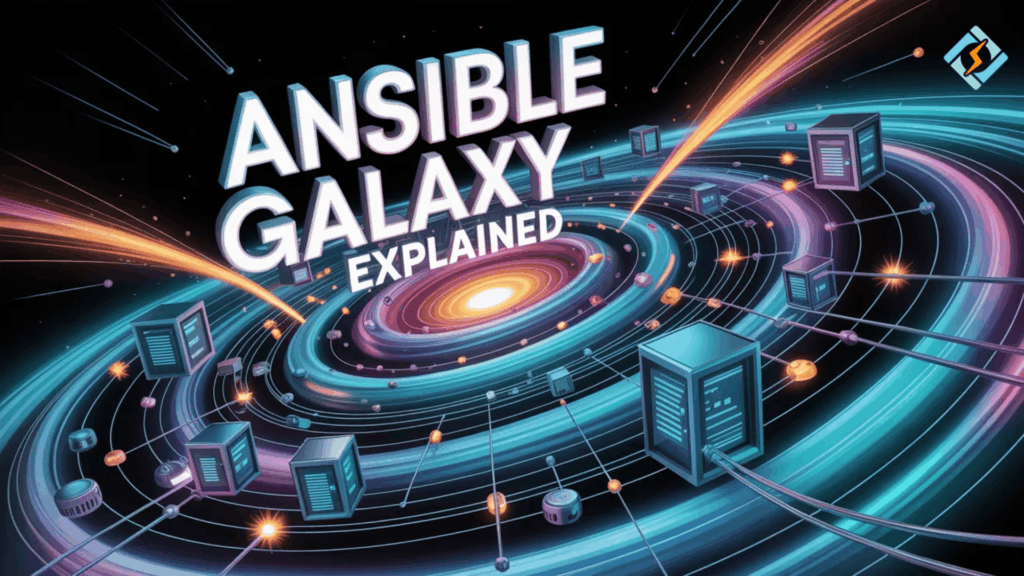
Ansible Galaxy is an online community that allows developers to share and find pre-created automation roles/collections. By using samples from the Ansible Galaxy site, you can easily download automation components and have them available to use right away.
Through this guide, you will learn about what Ansible Galaxy is, how it works, how to install Ansible Galaxy collections, and how it helps simplify automation systems in your Infrastructure.
What Is Ansible Galaxy?
Ansible Galaxy is a platform for communities to distribute Ansible roles and collections.
It forms part of the Red Hat community of Ansible, and its users work through the Ansible automation platform.
Ansible Galaxy enables:
- the ability to download automation roles,
- the ability to install re-usable collections,
- the ability to share automation content,
- the ability to manage dependencies,
- the ability to simplify infrastructure deployment.
Users can leverage pre-existing community modules instead of having to build automations from the ground up.
What Is ansible-galaxy?
ansible-galaxy is a command-line tool used to interact with Ansible Galaxy.
It allows administrators to download and manage automation content directly from the terminal.
Example command:
ansible-galaxy role install geerlingguy.nginxExpected output:
Downloading role 'nginx', owned by geerlingguy
Installed role successfully
Understanding Ansible Galaxy Collections
Ansible Galaxy collections are repositories of different types of automation resources. It is possible to upload collections that contain a wide variety of items, including:
- modules
- plugins
- roles
- documentation
- playbooks
Collections can be used by Ansible developers to package together multiple pieces of automation functionality in one place. This command installs a ready-made Nginx role that can be used in Ansible playbooks.
Collection Structure Example
| Component | Description |
|---|---|
| Modules | Perform automation tasks |
| Roles | Reusable automation templates |
| Plugins | Extend Ansible functionality |
| Playbooks | Define automation workflows |
Installing an Ansible Galaxy Collection
To install an Ansible Galaxy collection, use the following command:
ansible-galaxy collection install community.dockerOutput:
Downloading collection 'community.docker'
Installing collection
Installation completed
After installation, the collection becomes available in Ansible playbooks.
The Advantages of Using Ansible Galaxy
There are numerous benefits to utilizing Ansible Galaxy.
Increased Speed of Automated Processes
Taking advantage of roles that have already been created saves on build times.
Shared Contributions from the User Community
The automation community has made thousands of modules available.
Consistency in System Deployments
Using roles that are reused guarantees a consistent infrastructure.
Seamless Integration
The collections of roles can be easily integrated into existing Ansible playbooks.
Due to these benefits, Ansible Galaxy resources are extensively utilized in DevOps environments.
The Most Common Ansible Galaxy Collections
Many great Ansible Galaxy collections can help improve your infrastructure automation.
Some examples include:
- Collections for managing Kubernetes clusters.
- Collections for automating Docker containers.
- Modules for deploying cloud infrastructure.
- Roles for automating databases.
These collections make it much easier to automate very complex systems.
Best Practices when Using Ansible Galaxy
In order to achieve the best results with Ansible Galaxy, you should follow the practices listed below.
Validate the Quality of the Role
Read the documentation and check the community rating of the role.
Version Control
Use a version control system for the role to prevent any unwanted changes.
Review the Source Code of the Role
Make sure your automation scripts are secure.
Always Test Roles in Staging
Be sure to test any automation you create prior to deploying it in production.
Following these best practices will ensure that your automation workflows continue to be dependable.
Automation Infrastructure Role of CyberPanel

CyberPanel is a free and open-source web hosting control panel. It is highly compatible with Linux server environments that are constantly automated by way of automation.
CyberPanel can assist in managing the following areas of website hosting when paired with an Ansible Automation platform:
- Website Hosting Environment
- Domain Configuration
- SSL Installation
- DNS Settings
- Server Monitoring
Administration of server applications is achieved by automating server installations through the use of Ansible and utilizing CyberPanel to manage the application post-deployment.
Common Issues with Ansible Galaxy
There are several problems users may face while utilizing ansible-galaxy.
Dependency Conflicts
Your collection may depend upon specific versions.
Network Restrictions
Firewall rules may prevent the download of the collection.
Role Compatibility
The new version of Ansible may be incompatible with some older roles.
Typically, the resolution of issues encountered with the execution of ansible-galaxy will be to update the version of Ansible you are currently using or review the documentation pertaining to the associated ansible-galaxy role.
Summary
Automation has a vital place within contemporary infrastructure management, and Ansible Galaxy simplifies this process with a collection of prebuilt roles and collections provided by members of the international DevOps community.
Through ansible-galaxy, administrators may easily install reusable automation content to their systems and incorporate it into their workflows very quickly. With robust Ansible Galaxy collections at their disposal, it is much quicker, much more consistent, and easier to deploy infrastructure.
Start using Galaxy Ansible today! Look through the useful roles and collections located in ansible-galaxy and begin to make your infrastructure automation workflows more manageable!
FAQs
Can Organizations Create Private Collections?
Yes, companies can create collections and distribute them internally.
Is Ansible Galaxy Free?
Yes, Ansible Galaxy is free to use and contains thousands of free automation roles and collections.
What is Ansible Galaxy used for?
The purpose of Ansible Galaxy is to provide reusable automation roles and collections that can be downloaded and shared.