On this page
A Redis Cluster is a distributed Redis deployment that spreads data across multiple nodes, allowing applications to handle larger datasets and more traffic than a single Redis server can comfortably manage. It also supports automatic failover when a primary node becomes unavailable, and the cluster has the required healthy nodes to recover.
Redis Cluster is useful when a single Redis instance reaches its memory or throughput limits, or when an application needs distributed data storage with built-in availability features. However, clustering adds network, deployment, and application requirements that a standalone Redis server does not have.
This guide explains how Redis Cluster works, how its architecture distributes data, how replication and failover operate, and when to choose Redis Cluster over Redis Sentinel.
What Is Redis Cluster?
Redis Cluster is a distributed deployment mode in which multiple Redis nodes work together to store and serve application data. Instead of keeping the entire dataset on one primary server, Redis Cluster divides the keyspace into smaller portions and assigns them to different primary nodes.
Each primary can have one or more replicas. Replicas copy data from their associated primary and can be promoted if that primary fails and the cluster can authorize a failover.
Consider an application that stores millions of user sessions, frequently accessed product records, or real-time application data. A single Redis server may eventually run short of memory or become a processing bottleneck. Redis Cluster allows the application to distribute that workload across multiple nodes.
Its main benefits include:
- Horizontal scaling: Distribute data across multiple primary nodes instead of relying on one server’s memory capacity.
- Replication: Keep copies of primary data on replica nodes.
- Automatic failover: Promote an eligible replica when a primary fails, and the cluster’s failure conditions are met.
- Online resharding: Move hash slots between nodes to rebalance the dataset.
- Distributed workload: Allow clients to communicate with the nodes responsible for their keys.
Redis Cluster is not a guarantee against every outage or data loss. It uses asynchronous replication, and acknowledged writes can be lost under certain failure conditions. Applications must account for those tradeoffs when choosing their architecture.
How Does Redis Cluster Architecture Work?
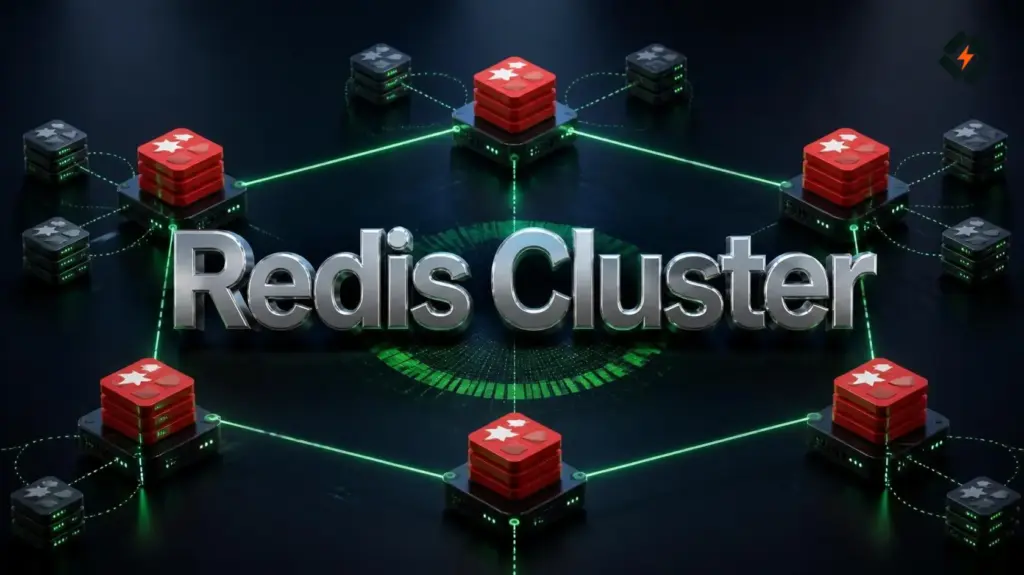
Redis Cluster consists of primary nodes, replica nodes, a distributed hash slot map, and communication between cluster members.
A typical production design might use three primary nodes and three replicas, with each replica placed on a different server from its primary.
Example Redis Cluster architecture
                 Application
                      |
              Redis Cluster Client
                      |
          +-----------+-----------+
          |           |           |
       Primary A   Primary B   Primary C
          |           |           |
        Replica A  Replica B  Replica C
In this simplified design, each primary owns a portion of the dataset. Each replica copies the data belonging to its corresponding primary.
The client determines which primary owns a particular key and sends the request to that node. If a primary fails, an eligible replica can be promoted through the cluster’s failover process.
This arrangement avoids depending on one Redis primary for the entire dataset. However, it does not eliminate every single point of failure automatically. The nodes must be distributed appropriately, and the network, application clients, and hosting infrastructure must also be considered.
For production, avoid placing every primary and replica on the same physical server if your goal is to survive server failure. Separate failure domains where your infrastructure allows it.
What Are the 7 Key Redis Cluster Architecture Concepts?
Understanding these seven concepts makes it easier to design, operate, and troubleshoot a Redis Cluster.
1. Primary and Replica Nodes
Redis Cluster uses primary nodes to accept writes for their assigned hash slots. Replica nodes copy data from their associated primaries and can be used for read operations where the application can tolerate potentially stale data.
For example:
Primary A
   |
   +---- Replica A1
   |
   +---- Replica A2
Both replicas follow Primary A. If Primary A becomes unavailable, the cluster can promote an eligible replica if the necessary conditions are met.
Having multiple replicas can improve resilience, but it does not guarantee that every acknowledged write will survive a failure. Redis replication is asynchronous, so a primary can acknowledge a write before a replica has received it.
Architecture tip: Place replicas on separate machines or failure domains from their primaries. Two Redis processes on the same VPS do not provide protection against that VPS failing.
2. Hash Slots and Data Sharding
Redis Cluster uses hash slots to determine where keys belong. The keyspace is divided into exactly 16,384 hash slots.
Redis calculates a key’s slot using a CRC16-based hash function. Each primary owns a subset of the slots, and keys assigned to those slots are stored on that primary.
For example, a cluster could distribute slots across three primaries:
| Primary node | Illustrative slot range |
|---|---|
| Primary A | 0 to 5,000 |
| Primary B | 5,001 to 10,500 |
| Primary C | 10,501 to 16,383 |
These ranges are illustrative, not the default allocation for every cluster.
When an application requests a key, a Redis Cluster-aware client determines the responsible node using the slot map. If the request reaches the wrong node, Redis can return a redirection response so the client can retry against the correct node.
Sharding is what allows Redis Cluster to distribute a dataset across several primary nodes instead of storing all the data on one machine.
3. Replication and Automatic Failover
Replication keeps copies of data on replica nodes. Failover allows a replica to take over when its primary becomes unavailable and the cluster can authorize the change.
The general process looks like this:
- Cluster nodes detect that a primary is not responding.
- Nodes exchange failure information.
- The cluster determines whether the failure can be acted on under its quorum rules.
- An eligible replica is elected and promoted.
- The cluster updates its topology, and clients discover or follow the new primary.
Failover is not the same as a backup. A replica may copy accidental deletions or unwanted updates from its primary. Replication alone does not protect against every form of data loss.
For applications that require stronger recovery guarantees, plan for appropriate persistence, backups, monitoring, and tested restoration procedures.
4. Redis Cluster Bus and Node Communication
Redis Cluster nodes communicate with each other to exchange topology information, detect failures, and coordinate cluster operations.
Each node has a regular Redis client port, commonly 6379, and a cluster bus port. By default, the bus port is the client port plus 10000, making it 16379 when the client port is 6379.
| Port | Purpose |
|---|---|
6379 | Example Redis client port |
16379 | Default cluster bus port when the client port is 6379 |
Actual ports depend on your configuration.
The client port handles Redis commands from applications and administrative tools. The cluster bus port is for communication between cluster nodes; ordinary application clients should not use it.
Firewalls must allow the required traffic between trusted cluster nodes. Do not expose Redis or its cluster bus publicly without a specific, secured network design. Prefer private networking, appropriate authentication, and restrictive firewall rules.
5. Hash Tags and Multi-Key Operations
Redis Cluster distributes keys across slots. This affects commands that operate on more than one key.
Some multi-key commands, transactions, and scripts require the relevant keys to belong to the same hash slot. If the keys map to different slots, the operation may fail with a cross-slot error.
Hash tags let you control which part of a key is used to calculate its slot. Redis hashes the substring inside the first valid pair of braces when a hash tag is present.
For example:
user:{123}:profile
user:{123}:settings
user:{123}:ordersThese keys share the hash tag {123} and therefore map to the same slot.
This can make multi-key operations possible when the keys are designed to belong together.
However, hash tags need careful planning. If too many keys share one tag, they may concentrate on a single primary, reducing the benefits of sharding. Design key names around actual access patterns instead of putting every key under one shared tag.
6. Resharding and Cluster Expansion
Redis Cluster supports adding nodes, removing nodes, and redistributing slots as the workload changes.
For example, suppose Primary A holds a large share of the dataset while the other primaries have available capacity. You can move some of A’s hash slots to another primary to rebalance the cluster.
The general process is:
- Add and configure the new Redis node.
- Join it to the cluster.
- Assign or migrate hash slots to it.
- Verify that the slot map is complete and the cluster is healthy.
- Remove a node only after its slots have been safely moved elsewhere.
Redis supports live resharding, but that does not mean every operational change is risk-free or completely invisible to applications. Clients must handle redirections, and operators should monitor migration progress and application errors.
Before expanding a production cluster, verify memory headroom, network capacity, client compatibility, and recovery procedures.
7. Client Compatibility and Data Consistency
Redis Cluster requires clients that understand cluster mode. A standalone Redis client may not correctly route requests across nodes or handle redirections.
A cluster-aware client can maintain a map of hash slots to nodes, route requests to the appropriate primary, and refresh its view when the topology changes.
Redis Cluster also has important consistency limitations. Replication is asynchronous, so a write acknowledged by a primary might not have reached its replica before a failure. During network partitions, the cluster may reject writes on a minority side to protect its overall operation.
Before adopting Redis server Cluster, check that your application:
- Uses a Redis client with cluster support.
- Handles
MOVEDandASKredirections. - Designs multi-key operations around hash slots.
- Can tolerate the documented replication and failover behavior.
- Has a recovery plan for data that must not be lost.
These are application architecture decisions, not merely Redis server settings.
Redis Sentinel vs Cluster: What Is the Difference?
Redis Sentinel and Redis Cluster both support high availability, but they solve different problems.
Redis Sentinel monitors a non-clustered Redis primary and its replicas. If the primary fails, Sentinel can coordinate failover and inform compatible clients of the new primary. It does not shard the dataset across multiple primaries.
Redis Cluster distributes data across multiple primaries and also includes replication and failover mechanisms. Here is a quick table for Redis Cluster vs Sentinel:
| Feature | Redis Sentinel | Redis Cluster |
|---|---|---|
| Main purpose | High availability for non-clustered Redis | Sharding and high availability |
| Data distribution | Dataset remains on one primary | Dataset is split across primary nodes |
| Multiple primary shards | No | Yes |
| Automatic failover | Yes, through Sentinel | Yes, through cluster mechanisms |
| Client requirements | Sentinel-aware client | Cluster-aware client |
| Multi-key operations | Generally follows standalone Redis behavior | Keys may need to share a hash slot |
| Multiple logical databases | Supported by standalone Redis | Only database 0 is supported |
| Operational complexity | Usually simpler | Higher due to sharding and topology management |
Redis documents Sentinel as the high-availability solution for Redis deployments that are not using Redis Cluster. Redis Cluster has its own failure detection and failover mechanisms, so Sentinel is not normally added to manage the same cluster. Redis Sentinel documentation.
When Should You Choose Redis Sentinel?
Choose Sentinel when a single Redis primary can handle your dataset and workload, but you need monitoring and automatic failover.
It is often a better fit when:
- The dataset fits comfortably on one primary.
- The application expects standalone Redis behavior.
- You want automatic failover without sharding.
- You need to preserve compatibility with multi-key operations across the dataset.
- You prefer a simpler deployment and operational model.
When Should You Choose Redis Cluster?
Choose Redis Cluster when the workload needs data sharding across multiple primaries or needs to scale beyond what one Redis primary can comfortably provide.
It is worth considering when:
- The dataset is too large for one primary’s available memory.
- The application needs to distribute workload across several nodes.
- You need to add capacity by expanding the cluster.
- Your client library supports cluster mode.
- Your application can accommodate hash slots and cross-slot restrictions.
In short: Sentinel helps a standalone Redis deployment recover from primary failure. Redis Cluster combines sharding with replication and failover for a distributed dataset.
How Many Nodes Do You Need for Redis Cluster?
The number of nodes depends on your availability goals, data size, traffic, and failure tolerance.
A three-primary cluster can distribute data across three nodes, but without replicas, it does not have replica-based failover for a failed primary.
For a common production starting point, consider three primaries and three replicas, with one replica assigned to each primary:
Primary A  ---- Replica A
Primary B  ---- Replica B
Primary C ---- Replica CThis six-node layout is a useful example, not a universal minimum for every Redis Cluster experiment or deployment. It provides one replica per primary, but availability still depends on which nodes fail, whether the remaining nodes can reach a majority, and whether a replica is available for the failed primary.
For stronger resilience, distribute nodes across separate physical servers, availability zones, or other independent failure domains where practical.
Avoid assuming that adding nodes automatically improves every workload. More nodes also mean more connections, more infrastructure, more operational work, and additional failure scenarios to test.
How to Set Up a Redis Cluster
The following example illustrates the cluster creation workflow using six Redis instances. It assumes that Redis is installed on separate nodes or isolated instances and that their networking and configuration are already prepared.
Do not run these commands against an existing production Redis server without planning the migration. Cluster creation and slot assignment affect how data is organized, and a new cluster should be prepared with the intended data migration process.
Step 1: Prepare the Redis nodes
Configure each Redis instance for cluster mode. In its Redis configuration file, the relevant setting is:
cluster-enabled yesEach instance also needs its own working directory and cluster configuration file, along with suitable memory, persistence, authentication, and networking settings.
For a real deployment, consult the official Redis Cluster setup documentation for the requirements of your Redis version.
Step 2: Configure network access
Allow the Redis client port and cluster bus port between trusted cluster members.
For example, with a client port of 6379, the default cluster bus port is 16379.
Use private IP addresses where possible and restrict firewall rules to the nodes that need to communicate. Redis should not be exposed directly to the public internet as an unrestricted service.
Step 3: Create the cluster
Once six empty, cluster-enabled Redis instances are reachable, run the following from a machine with redis-cli installed:
redis-cli --cluster create \
  10.0.0.11:6379 \
  10.0.0.12:6379 \
  10.0.0.13:6379 \
  10.0.0.21:6379 \
  10.0.0.22:6379 \
  10.0.0.23:6379 \
--cluster-replicas 1The IP addresses are placeholders. Replace them with the private addresses of your actual Redis instances.
The --cluster-replicas 1 option asks the cluster creation tool to assign one replica per primary. Review the proposed allocation before confirming it.
This example assumes that the nodes are empty and configured for cluster mode. Existing data, authentication requirements, TLS, network routing, and version-specific configuration may require additional preparation.
Step 4: Verify cluster health
After the cluster is created, check its status:
redis-cli -c -h 10.0.0.11 -p 6379 cluster infoThen inspect the nodes:
redis-cli -c -h 10.0.0.11 -p 6379 cluster nodesThe -c option enables cluster mode in redis-cli, allowing it to follow redirections.
Check that the cluster reports a healthy state, the expected hash slots are assigned, and each primary has the intended replica. Also test application reads and writes through a cluster-aware client.
A successful creation command is not enough on its own. Verify the resulting topology and test failure recovery before relying on the cluster in production.
How Do You Monitor and Troubleshoot Redis Cluster?
Regular monitoring helps you detect problems before they cause an application outage.
Useful commands include:
redis-cli -c -h 10.0.0.11 -p 6379 cluster inforedis-cli -c -h 10.0.0.11 -p 6379 cluster nodesredis-cli -h 10.0.0.11 -p 6379 INFO memoryUse the appropriate authentication and TLS options for your environment. Do not place real passwords directly into shared scripts, terminal history, or public documentation.
Watch for:
- A cluster state that is not
ok. - Unassigned or migrating hash slots.
- Disconnected or failing nodes.
- Replicas that are not following their expected primaries.
- Memory pressure and excessive evictions.
- Application errors caused by redirections or cross-slot operations.
- Network connectivity problems between cluster members.
If a node fails, first determine whether it is a Redis process problem, a host failure, a network issue, or a cluster configuration problem. Avoid restarting every node at once, because doing so can make a recoverable incident worse.
Also test failover deliberately in a staging environment. A cluster that looks healthy during normal operation may still have configuration or client compatibility problems that only appear when a primary fails.
Can You Use Redis Cluster Mode With CyberPanel?

CyberPanel is a free and open-source web hosting control panel. It provides Redis installation and management options for supported hosting setups. However, installing Redis through a hosting control panel is not the same as creating a distributed Redis Cluster.
For example, CyberPanel’s Redis installation guide covers installing Redis in a CyberPanel environment. That is a useful starting point for a standalone Redis service, such as one used for application caching.
A multi-node Redis Cluster requires additional architecture decisions:
- Multiple Redis instances configured for cluster mode.
- Network connectivity between all cluster members.
- Appropriate firewall rules for client and cluster bus ports.
- Cluster-aware application clients.
- Replication, monitoring, and failover testing.
- A plan for backups, persistence, and data migration.
If you are using Redis for WordPress object caching on a CyberPanel VPS, a standalone Redis instance may be sufficient. You should not introduce Redis Cluster unless your workload or availability requirements justify its additional complexity.
For the WordPress caching use case, see CyberPanel’s Redis Object Cache guide. Redis object caching can reduce repeated database work, but it does not automatically require sharding or a multi-node cluster.
Common Redis Cluster Mistakes
Several problems can make a Redis Cluster difficult to operate even when the individual Redis processes are running.
Treating replication as a backup
Replicas copy data from primaries. They do not replace independent backups or protect against every accidental change.
Forgetting the cluster bus port
Opening only the Redis client port may prevent cluster members from communicating correctly. Verify the required ports and firewall rules on every node.
Using a standalone Redis client
An application that cannot follow cluster redirections may fail when keys are assigned to different nodes. Verify cluster support in the client library before deploying.
Ignoring cross-slot restrictions
Multi-key commands can fail when their keys map to different slots. Plan key names and hash tags around operations that must access related keys together.
Putting every node on one server
Multiple Redis processes on one machine do not protect against the failure of that machine. Separate failure domains if host-level resilience is a requirement.
Assuming every acknowledged write is safe
Asynchronous replication creates a window in which an acknowledged write may not have reached a replica. Understand this limitation before using Redis Cluster for data that requires strict durability.
Deploying without testing failover
Monitor cluster health and test primary failure, client reconnection, and recovery procedures in a controlled environment before relying on them in production.
Frequently Asked Questions
Does Redis Cluster improve performance?
It can increase aggregate capacity by distributing keys and requests across multiple primaries. Actual performance depends on the workload, client behavior, network latency, memory, and data distribution. A cluster does not guarantee that every individual query will be faster.
Can Redis Cluster lose data?
Yes. Redis Cluster uses asynchronous replication, so a write acknowledged by a primary can be lost if the primary fails before the write reaches a replica. Appropriate persistence, backups, application design, and recovery testing remain important.
Do you need Redis Sentinel with Redis Cluster?
Usually, no. Redis Cluster has its own node failure detection and failover mechanisms. Sentinel is designed to provide high availability for non-clustered Redis deployments.
Final Thoughts
Redis Cluster is a useful architecture when a Redis workload needs horizontal scaling, distributed data storage, and replica-based failover. Its hash slots distribute keys across primaries, while replicas provide copies that may take over when a primary fails.
The tradeoff is complexity. Applications must use cluster-aware clients, account for cross-slot restrictions, and tolerate Redis Cluster’s consistency and failover behavior.
For smaller workloads that fit comfortably on one Redis primary, Redis Sentinel may be the simpler choice. For larger datasets and workloads that need sharding, Redis Cluster can provide a better foundation when it is configured, monitored, and tested properly.