On this page
The SMB Tech Stack in 2026: What Most Business Owners Are Still Missing
Most small businesses have something set up. A website. A domain. A Gmail account. Maybe a booking tool if they’re feeling fancy.
But there’s a difference between having a tech stack and having the right one. And the gaps between those two things? That’s where leads go to die, hours get wasted, and growth quietly stalls.
This isn’t a list of shiny tools to sign up for. It’s a layer-by-layer breakdown of what a solid SMB stack actually looks like in 2026, what most businesses are missing, and why those gaps cost more than people think.
Layer 1: Hosting and Server Infrastructure
Status: Usually covered. Often mismanaged.
Most SMBs have a host. Shared hosting, a VPS, maybe a managed WordPress plan. The problem isn’t usually the hosting itself, it’s the lack of control over it.
When something breaks (and it will), a business owner with no control panel access is completely dependent on their developer or their host’s support queue. That’s a bad place to be.
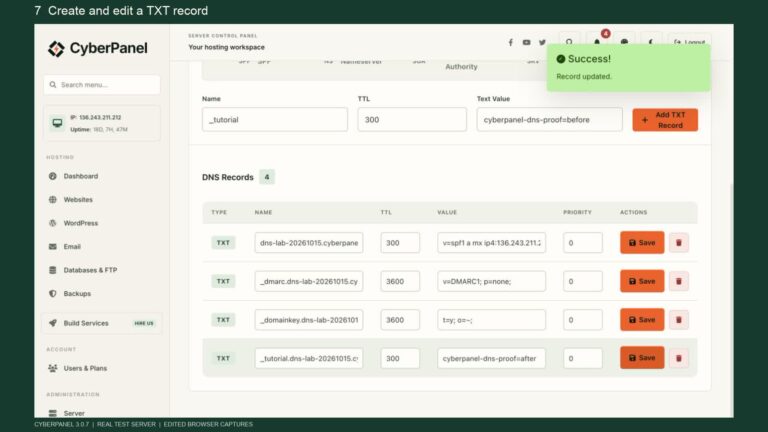
A proper setup means having a hosting environment you can actually manage: SSL, DNS, email, backups, and file access, all in one place. Tools like CyberPanel sit on top of your VPS and give you that control without needing to live in the command line. It’s the difference between owning your infrastructure and renting it blindly.
What’s usually missing: A control panel that gives the business owner (or a trusted team member) visibility and access without depending entirely on a developer.
Layer 2: Website and CMS
Status: Present. Often the wrong choice for where the business is trying to go.
Almost every SMB has a website. But “having a website” and “having a website that supports growth” are two different things.
The default for most small businesses is WordPress. It’s cheap to start, easy to find help for, and there’s a plugin for everything. For a lot of use cases, it’s still the right call.
But here’s where it gets tricky. WordPress runs on PHP, queries a database on every page load, and depends on a stack of plugins to function. The result: slow load times, inconsistent performance, and Core Web Vitals scores that quietly drag down search rankings. Only 44% of WordPress sites pass Google’s Core Web Vitals benchmarks on mobile. Most owners have no idea.
For businesses where SEO matters (which is most of them), the platform choice has real ranking consequences. If you’re building or rebuilding, it’s worth understanding how your CMS affects SEO performance before you commit to a stack. Switching later is expensive.
What’s usually missing: A platform matched to the actual performance and SEO requirements of the business, not just what the web designer was comfortable with.
Layer 3: Email and Calendar
Status: Mostly covered. Low risk, but worth standardizing.
Google Workspace or Microsoft 365. That’s the answer for almost every SMB. Custom domain email, shared calendar, document collaboration, and mobile access in one subscription.
Free Gmail or Outlook personal accounts for business use is a red flag. It looks unprofessional, limits deliverability, and creates problems when staff turn over.
If you’re not on a proper business email setup yet, it’s the cheapest layer to fix and one of the highest-signal things you can do for how the business comes across externally. Small teams using Google Workspace can also improve consistency in external communication by learning how to add a business card to Gmail signature, making it easier for recipients to quickly save contact details and connect.
What’s usually missing: Standardized business email across the whole team. One person on a custom domain, the rest still on Gmail personal.
Layer 4: Analytics and SEO Visibility
Status: Usually installed. Almost never acted on.
Most SMBs have Google Analytics on their site. GA4 is free, it came recommended, and someone set it up two years ago. The problem: nobody looks at it.
And even when they do, GA4 alone is only half the picture. It tells you what’s happening on your site. It doesn’t tell you why your traffic dropped, what keywords you’re ranking for, what your competitors are doing, or where you’re losing visibility in search.
A complete analytics layer in 2026 looks like:
- GA4 for on-site behavior (sessions, conversions, traffic sources)
- Google Search Console for SEO performance (keywords, impressions, click-through rates, indexing issues)
- An SEO tool (Ahrefs, Semrush, or similar) for keyword tracking and competitive intelligence
Most SMBs have the first one, skip the second, and haven’t touched the third. That’s flying blind on the channel that drives most of their organic growth.
What’s usually missing: Google Search Console set up and actually reviewed regularly. Without it, you have no idea how your site performs in search.
Layer 5: Customer Communication and Inbound Calls
Status: The biggest gap. The most expensive one.
Here’s the scenario that plays out constantly for SMBs.
Marketing is working. The website ranks. The ads are running. A potential customer finds the business, has a question, and calls. It’s 6pm on a Thursday. Nobody picks up. They move on to the next result.
That’s a lost lead that cost real money to generate. And it happens hundreds of times a year for most small businesses.
The standard solution, hire a receptionist or answering service, is expensive and limited. You’re paying for coverage, and even then, it’s business hours only.
What’s changed in 2026 is that AI-powered answering tools have become genuinely good. Tools like Marlie AI act as a 24/7 AI receptionist, handling inbound calls, answering common questions, qualifying leads, and booking appointments automatically. No hold music. No voicemail. No leads falling through the cracks at 7pm.
For trade businesses, local service providers, clinics, and any SMB where phone calls are part of the sales process, this is the single highest-ROI addition to the stack most owners haven’t considered yet.
What’s usually missing: Any system for handling inbound calls outside of business hours. The website works 24/7. The phone doesn’t. That’s a gap.
Layer 6: Payments and Invoicing
Status: Patchwork. Usually functional, rarely clean.
Most SMBs can take payment somehow. But “somehow” often means different tools for different situations: Stripe for one client, PayPal for another, manual bank transfers for a third, invoices going out as PDF attachments with no tracking.
A clean payments layer means:
- One payment processor (Stripe or Square for most businesses)
- Invoicing software that connects to it (Wave, FreshBooks, or QuickBooks)
- Automated payment reminders so you’re not chasing people manually
The goal is that no payment requires a manual follow-up unless something has actually gone wrong.
What’s usually missing: Automated invoice reminders. Most businesses are spending time following up on overdue invoices manually when their software could do it for them.
Layer 7: Automation and the Glue Layer
Status: Usually absent. Surprisingly high ROI when added.
This is the layer most SMBs don’t think about until they’re drowning in repetitive work.
Every time someone fills out your contact form and you manually copy their info into your CRM, that’s a task that shouldn’t require a human. Every time a new booking triggers a manual email confirmation, that’s something that can be automated. Every time you export a spreadsheet and paste it somewhere else, there’s a tool that can handle it.
Make (formerly Integromat) and Zapier are the two main options here. They connect your existing tools to each other and automate the handoffs between them. A typical SMB automation setup might look like:
- New form submission > adds contact to CRM > sends welcome email automatically
- New booking > updates calendar + sends SMS confirmation
- Missed call from Marlie.ai > creates follow-up task in project management tool
None of these are complex to set up. All of them save hours per week at scale.
What’s usually missing: Any automation at all. Most SMBs are doing manually what their tools could handle automatically.
The Full Stack at a Glance
| Layer | Tool Examples | Most Common Gap |
|---|---|---|
| Hosting & Infrastructure | VPS + CyberPanel | No control panel access |
| Website & CMS | WordPress, Next.js | Wrong platform for SEO goals |
| Email & Calendar | Google Workspace | Personal email used for business |
| Analytics & SEO | GA4 + GSC + Ahrefs | Search Console not set up |
| Customer Communication | Marlie.ai | No after-hours call handling |
| Payments & Invoicing | Stripe + Wave | No automated payment reminders |
| Automation | Zapier, Make | No automation at all |
The Self-Audit
Go through each layer above and ask: do we have this, and is it actually working?
Not “do we have a tool for this” but “is this layer doing what it’s supposed to do without constant manual intervention?”
For most SMBs, three or four layers will come back with honest answers in the “we have something but it’s a mess” category. That’s fine. Pick the one that’s costing the most in either time or lost revenue and fix that first.
The goal isn’t a perfect stack. It’s a stack that works while you’re focused on running the business.