
On this page
4MLinux is a lightweight Linux distribution designed for users who want a compact operating system with tools for multimedia, server tasks, maintenance, and desktop computing. If you are looking to explore 4MLinux details and information about versions such as 4MLinux 10.0 and 4MLinux 13.0, this guide covers what you need to know before installing it.
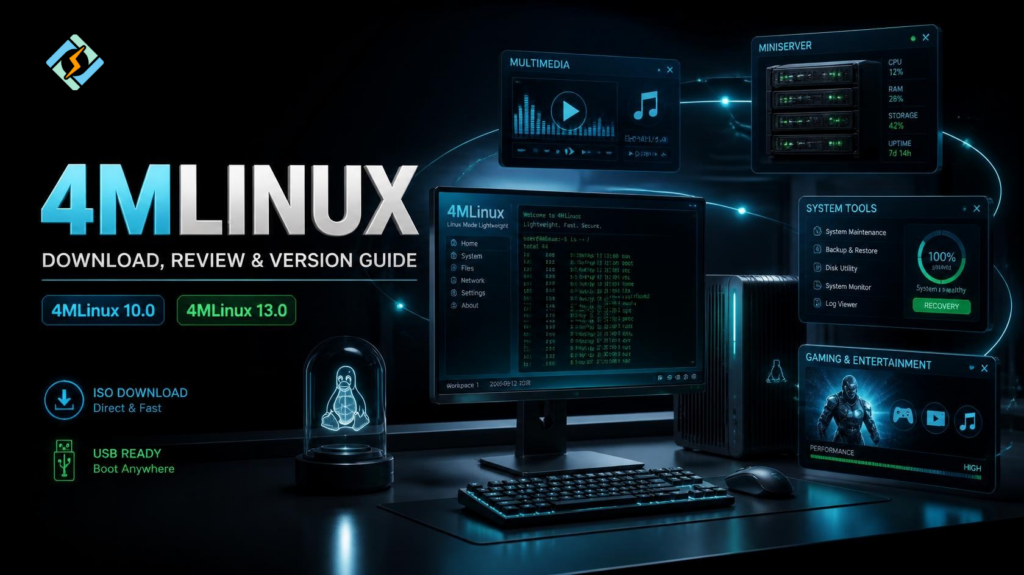
Unlike large mainstream Linux distributions, it focuses on keeping the system small while still providing useful software for different tasks. Its name comes from four areas commonly associated with the distribution: multimedia, miniserver, mystery, and maintenance.
Let’s dive in together!
What Is 4MLinux?
4MLinux is a lightweight Linux distribution that can be used as a desktop operating system, maintenance environment, multimedia system, or small server platform.
Its four main purposes are:
| Area | Purpose |
| Multimedia | Playing and working with media |
| Miniserver | Running lightweight server services |
| Mystery | Playing games and entertainment |
| Maintenance | Repairing and maintaining systems |
This makes it different from a distribution focused on only one use case.
You can use it on older hardware, boot it as a rescue environment, or install it on a system where you do not want a heavy desktop environment consuming significant resources.
Why Is 4MLinux Lightweight?
One of the main reasons people consider 4MLinux is its small footprint.
A lightweight distribution can be useful when a computer has:
- Limited RAM
- An older processor
- Small storage capacity
- Slow hardware
- No need for a full desktop ecosystem
However, lightweight does not mean every application will automatically run faster. Performance still depends on the desktop environment, applications, hardware, and workload.
4MLinux’s compact design is most valuable when you want a practical system without installing a large collection of unnecessary components.
What Can You Use 4MLinux For?
It can handle several different tasks.
Multimedia
It provides tools for working with multimedia files. This makes it useful for users who want a small operating system that can still handle common media-related workloads.
Miniserver
The miniserver concept allows 4MLinux to be used for lightweight server tasks.
It can be useful for experimenting with services or creating a small server environment without installing a large general-purpose distribution.
Maintenance
This is one of the more interesting uses for 4MLinux.
A lightweight bootable Linux system can be useful when troubleshooting another operating system, inspecting files, managing disks, or performing recovery work.
Instead of installing Linux permanently, you can use a bootable environment when maintenance is required.
Games and Entertainment
The “Mystery” component includes games and entertainment-oriented software.
This makes the distribution more versatile than a typical rescue-focused Linux environment.
How Do You Download 4MLinux?
For a 4MLinux download, use the project’s official distribution channels rather than downloading an ISO from an unknown third-party website.
Before downloading, determine which release and architecture you actually need.
After downloading the ISO, verify its integrity if checksums are provided.
You can then create bootable installation media using a suitable USB creation tool.
The general process is:
Download ISO
↓
Verify ISO
↓
Create Bootable USB
↓
Boot Computer
↓
Test or Install 4MLinux
Testing the live environment first is a good idea if you are unsure whether your hardware will work correctly.
Is 4MLinux Good for Old Computers?
It can be a strong option for older computers, particularly when the main goal is to avoid the overhead of a large modern desktop distribution.
Still, you should check your hardware before installing it.
Pay attention to:
- CPU architecture
- Available RAM
- Graphics hardware
- Storage
- Network adapter
- Display resolution
A lightweight operating system can extend the useful life of older hardware, but hardware compatibility remains important.
4MLinux 10.0 vs 4MLinux 13.0
If you are searching specifically for 4MLinux 10.0 or 4MLinux 13.0, remember that these are older releases.
Older versions can be useful when researching the history of the distribution, testing legacy software, or reproducing an old environment.
They are generally not the first choice for a new production installation.
| Version | Typical reason to research it |
| 4MLinux 10.0 | Older release and historical compatibility |
| 4MLinux 13.0 | Older release and legacy testing |
| Current release | New installation and current hardware |
Using an old distribution also means you need to consider outdated packages, security updates, hardware support, and software compatibility.
If you simply want to try this distribution today, choose an actively maintained release rather than an old version unless you have a specific reason to use it.
4MLinux Review: Is It Worth Using?
The answer depends on what you want from Linux.
Advantages
Lightweight:
Its compact approach makes it attractive for older or resource-constrained computers.
Versatile:
The four main areas give the distribution several possible uses.
Useful as a maintenance system:
A bootable lightweight Linux environment can be valuable for troubleshooting.
Different from mainstream distributions:
Users looking for something outside the usual Ubuntu, Debian, or Fedora choices may enjoy experimenting with it.
Limitations
Smaller ecosystem:
You should not expect the same community size or software ecosystem as Ubuntu or Debian.
Different workflow:
Users accustomed to mainstream Linux distributions may need time to understand its tools and structure.
Older releases are not ideal for modern installations:
If you are researching 4MLinux 10.0 or 13.0, remember that historical releases should not automatically be treated as suitable current systems.
Is 4MLinux Good for Beginners?
It can be interesting for beginners who want to experiment with Linux, but it may not be the easiest starting point for everyone.
Ubuntu, Linux Mint, and similar distributions generally provide a larger ecosystem of beginner-focused documentation and community support.
4MLinux becomes more appealing when the user specifically wants:
- A lightweight system
- A rescue environment
- A multimedia-oriented Linux system
- A compact server environment
- Something different from mainstream distributions
For someone learning Linux administration, trying multiple distributions can also help build a better understanding of how Linux systems differ.
Can 4MLinux Run on a VPS?
4MLinux can be considered for lightweight server workloads, but VPS compatibility depends on the hosting provider, supported architecture, boot method, and the services you plan to run.
A VPS intended for a modern server stack may be better served by a mainstream server distribution with extensive documentation and package support.
For experimentation or a specialized lightweight workload, however, 4MLinux can be an interesting option.
Can CyberPanel Run on 4MLinux?

CyberPanel is a free and open-source web hosting control panel. It is designed around specific supported Linux server environments. Therefore, you should not assume that 4MLinux is a supported operating system for a CyberPanel deployment.
If your goal is to run CyberPanel, use an operating system from its currently supported list rather than choosing 4MLinux simply because it is lightweight.
It can still be useful for separate testing, maintenance, or lightweight Linux workloads.
Frequently Asked Questions
Can I run 4MLinux from a USB?
Yes, a bootable USB can be used to test or run a Linux environment without immediately installing it to the internal drive.
Is 4MLinux based on Ubuntu?
No. 4MLinux is its own Linux distribution rather than simply being an Ubuntu-based desktop variant.
Should I download 4MLinux 10.0 or 13.0?
Use an older version only when you specifically need that release for compatibility, testing, or historical purposes. For a normal new installation, choose the current supported release.
Conclusion
4MLinux is an interesting lightweight Linux distribution that combines multimedia, miniserver, maintenance, and entertainment capabilities in a compact system.
Its biggest attraction is its lightweight approach. That makes it worth considering for older computers, rescue work, experimentation, and specialized environments.
If you are searching for a 4MLinux download, start with the current release rather than automatically choosing an old ISO. Versions such as 4MLinux 10.0 and 4MLinux 13.0 are more relevant when you need historical software or compatibility testing.
For production servers, choose your operating system based on support, security, compatibility, and workload requirements rather than size alone.
Download the appropriate current 4MLinux release, test it from a bootable USB first, verify your hardware, and then decide whether its lightweight approach fits your specific workload.


