
On this page
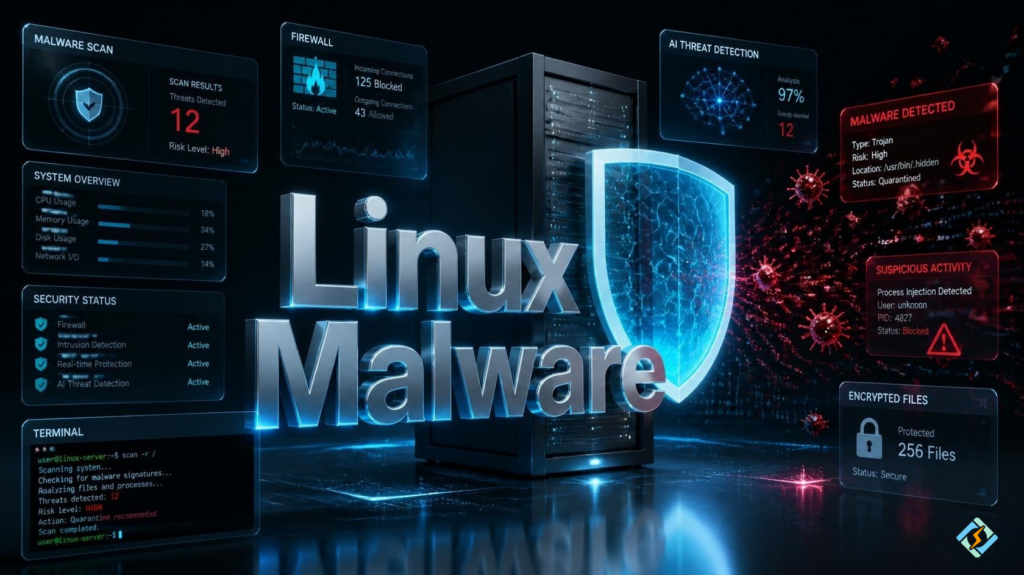
Linux is one of the most secure operating systems known, but that does not mean that it cannot get infected by malware. Linux is now a bigger draw for hackers than ever before due to the number of cloud servers, enterprise, containers, and even personal computers that run on it.
If you are searching for Linux malware, Linux malware scanner, Linux and malware, Linux malware detect, or Malwarebytes Linux.
Linux malware exists, and while Linux can be targeted successfully, it is not often the OS that is at fault for the breach. More often than not, it was a simple lack of security on the user’s part.
This article will cover what Linux malware is, how Linux malware spreads, how to detect Linux malware, and how to protect Linux from malware.
Linux Malware Basics
Linux malware is any form of malicious code that is created for the sole purpose of compromising Linux operating systems.
Depending on what type of malware it is, it can do varying levels of damage, from extracting information to holding your system’s data hostage, but they all have the same objective of compromising your computer in some way.
Types of Linux malware are:
- Trojans
- Ransomware
- Rootkits
- Worms
- Spyware
- Cryptominers
- Botnets
- Backdoors
Why Attack Linux?
Linux is the foundation of the majority of the internet, and it is used for a number of different things, such as:
- Cloud servers
- Hosting
- Enterprise and web applications
- Containers
- Virtual machines
- Network appliances
- DevOps workstations
An attack on one server or application compromises potentially hundreds of thousands of web services or applications.
How does Linux Malware Infect Computers?
The majority of malware attacks on Linux are done by first exploiting some security vulnerability on the system. Common ways of doing this are:
- Weak SSH passwords
- Exploiting software vulnerabilities
- Rogue shell scripts
- Vulnerable web apps
- Insecure repositories
- Insecure downloads
- Administrative account compromise
Having good security habits can help avoid most of these issues.
How to Protect Linux from Malware?
There are a number of different ways to help protect your Linux computers from being compromised. Some are common sense and easy, while others may be more time-consuming.
Keep the system updated.
Make sure you have the latest versions of everything you can, and that system updates are set to install automatically. Vulnerabilities are usually patched in newer versions.
Make sure you install software from trusted sources
Only download software from your distro’s official repositories or sites you trust.
Make sure you and your users have good credentials
SSH keys or strong passwords can prevent many breaches, as can enabling multi-factor authorization if supported.
Enable a firewall and restrict access
Firewalls like UFW and firewalld are excellent at restricting unwanted traffic from reaching your system.
Make sure you scan your system with a reliable Linux malware scanner
Malware scanners can detect known malicious programs before they cause too much damage. Some common Linux malware scanners are:
- ClamAV
- Chkrootkit
- RKHunter
- Lynis
Monitor your system for any suspicious activity.
Suspicious activity can be anything from processes running that you don’t recognize to network activity that you know is malicious. The earlier you detect an issue, the easier it is to fix.
Make sure your users do not have too many permissions.
The best way to do this is to not let them have root access or have access to anything they can potentially damage.
Always have backups of your data or software and make sure you can easily restore them.
It’s important to know that ransomware and other attacks can encrypt your backups, so it’s wise to keep one somewhere offline.
Make sure you perform regular security audits
Security audits help make sure that everything you have is up to date, running smoothly, and that nothing unnecessary is running.
Best Linux Malware Scanner Tools
| Tool | Primary Purpose |
|---|---|
| ClamAV | Malware detection |
| RKHunter | Rootkit detection |
| Chkrootkit | Rootkit scanning |
| Lynis | Security auditing |
| Fail2Ban | Blocks brute force attacks |
No single scanner can detect every threat, so combining multiple security tools provides better protection.
Is Malwarebytes Linux Available?
There is no doubt that many users are interested in Malwarebytes Linux, but at the moment, the company does not provide a complete consumer antivirus software for Linux desktops as an alternative to its Windows and macOS counterparts.
Linux users rely on open-source security software like ClamAV, RK Hunter, and Chkrootkit.
Malware symptoms on Linux
If you suspect that your Linux system is compromised, look out for the following symptoms:
- High CPU usage
- High load on the system
- Suspicious processes
- Unusual network activity
- Disappearance of files
- Unauthorized root accounts
- Tampered files
- System instability
These are not all signs of malware infection, but if you notice any of these, it would be a good idea to check your system with some of the free and open-source antivirus scanners listed below.
Malware prevention for Linux

If you have Linux servers, CyberPanel, an innovative web hosting control panel, can help you get the most out of them. It enables you to manage hosting services effortlessly while maintaining a high level of information security. You can view and manage the website, certificates, databases, backup data, users, and server settings. In addition, a competent cybersecurity strategy, including regular antivirus scans, OS updates, and secure authentication methods, will increase the level of protection of your Linux hosting servers.
Conclusion
Linux provides robust security, yet it is not impervious to malware. The only protection is keeping the system updated, installing programs from reliable sources, performing regular malware checks, and ensuring safe practices in general. It is always better to rely on the combined protection of several security measures instead of one universal solution.
Strengthen your Linux security today by combining regular malware scans, proactive system updates, and smart server management before threats become serious problems!
People Also Ask
How often should I perform a Linux security audit?
For production servers, monthly security audits are a good starting point. High-risk environments may require weekly reviews, continuous monitoring, and automated security checks.
Does Secure Boot prevent Linux malware?
Secure Boot helps prevent unauthorized software from loading during startup, but it does not protect against every type of malware after the operating system has booted.
Should I scan Linux servers even if they seem secure?
Yes. Routine malware scans can identify hidden threats, compromised files, or suspicious changes before they lead to larger security incidents.


