Limited time offer! 25% off Lifetime Add-ons with code LMT25 at checkout. View plans →

The Best FREE Control Panel to Manage your Websites

CyberPanel is a free, open-source control panel for hosting websites on your own server. It brings websites, email, DNS, databases and backups into one place.
Built on OpenLiteSpeed. Free and open source.
Free Forever

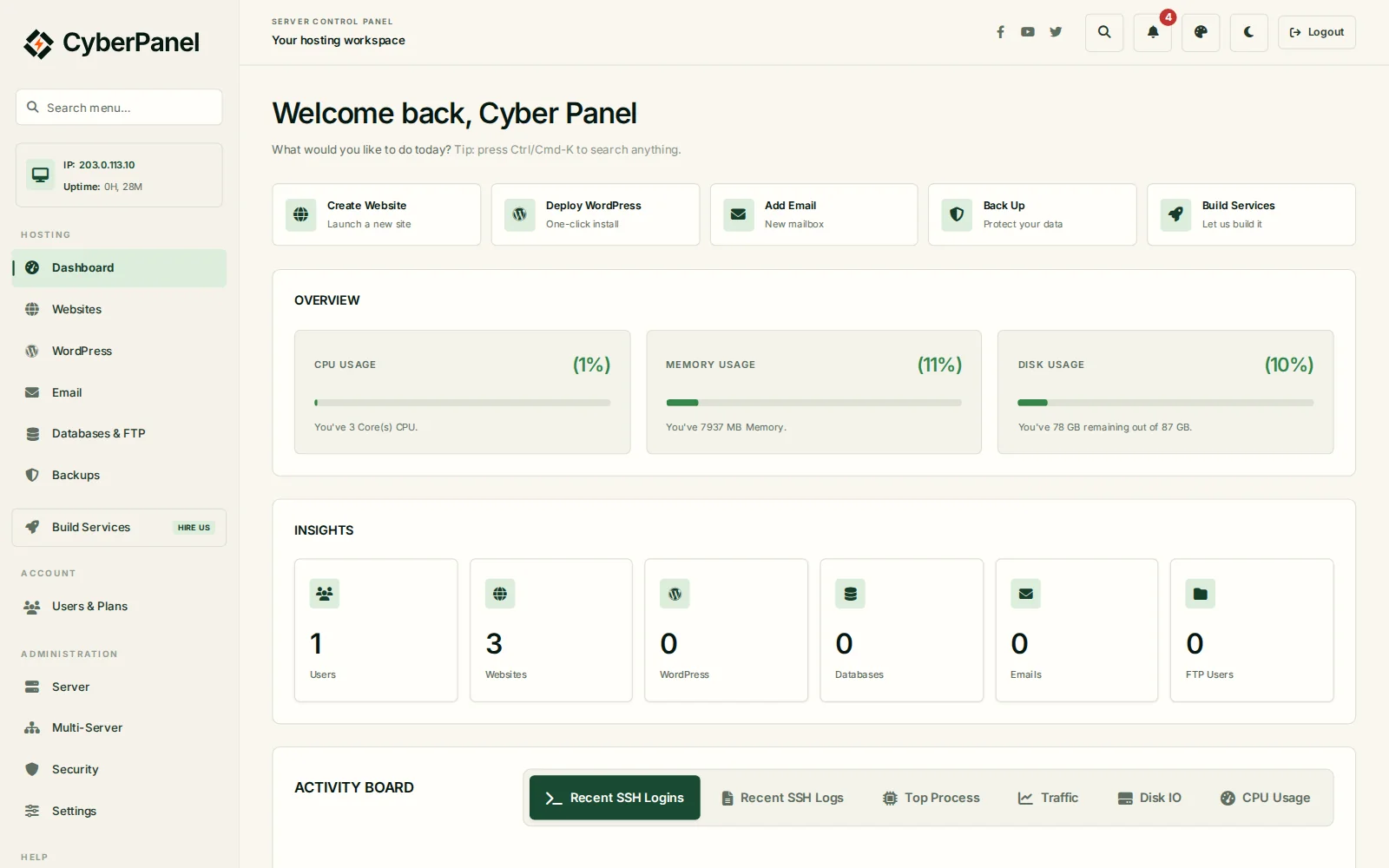
CyberPanel 3.0: your server in one panel

The dashboard shows CPU, memory and disk use, with quick actions for common tasks. Press Ctrl or Cmd and K to search for any page.
CyberPanel 3.0 dashboard: quick actions to create a website, deploy WordPress, add email and back up, above an overview of CPU, memory and disk use

Open source, developed in the open

CyberPanel is open source under the GPLv3 license. The code is on GitHub, and each release is listed in the changelog.

The panel is written in Python with the Django framework. If you know both, read the contributing guide.

The Version Management page shows the version you run and the latest release, and upgrades the panel from there.
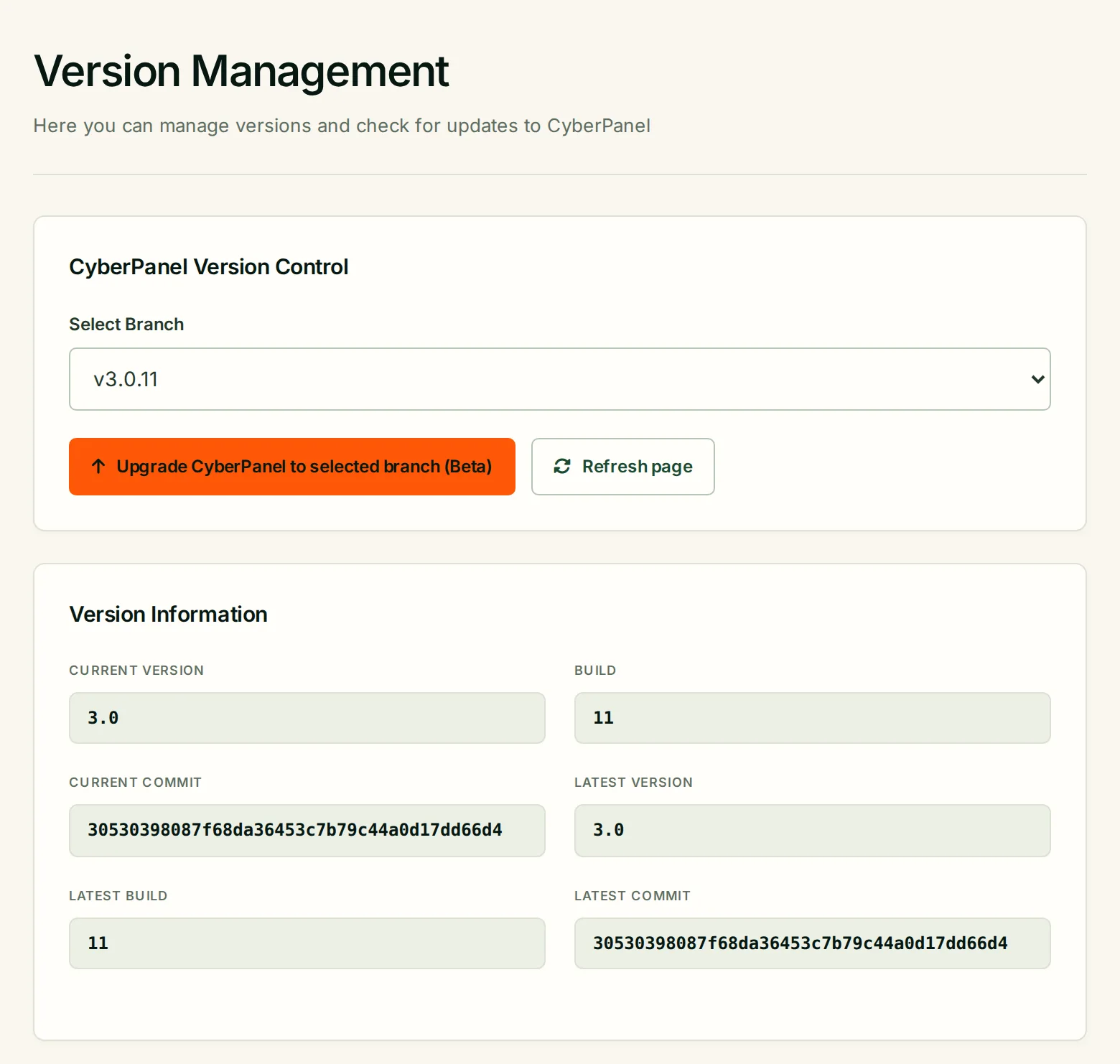
Version Management page in CyberPanel showing branch v3.0.11, an upgrade button, and the current and latest version, build and commit

Runs on OpenLiteSpeed

CyberPanel installs OpenLiteSpeed, the open-source edition of LiteSpeed Web Server, with HTTP/3 support switched on.

The LiteSpeed Status page shows the server version and its loaded modules. You can also run CyberPanel on LiteSpeed Enterprise.
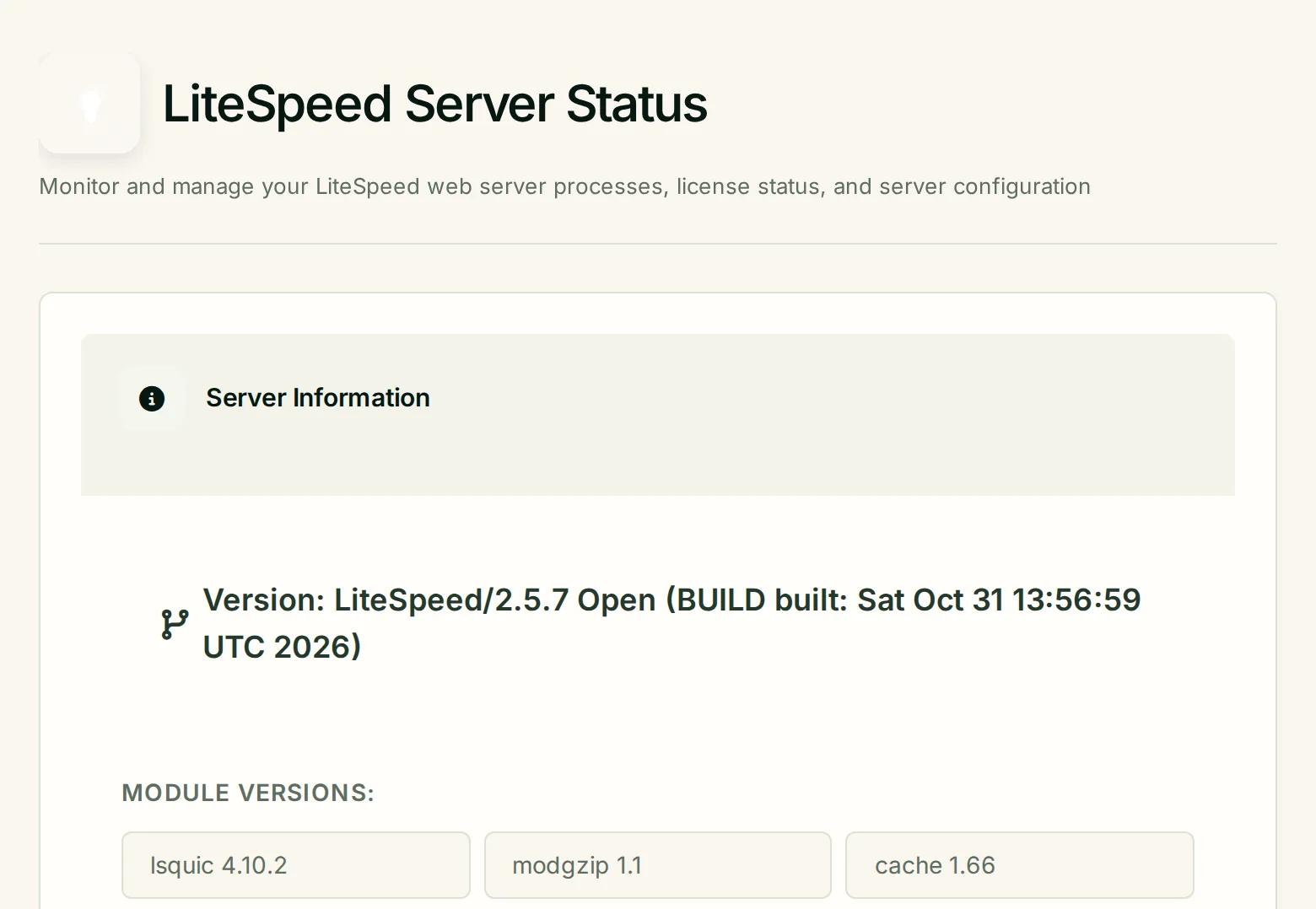
LiteSpeed Server Status page in CyberPanel showing OpenLiteSpeed 2.5.7 with its lsquic, modgzip and cache modules

Easy to use File Manager

Upload, download, compress, extract, edit and view the files of a website in your browser. Text files open in a built-in code editor.
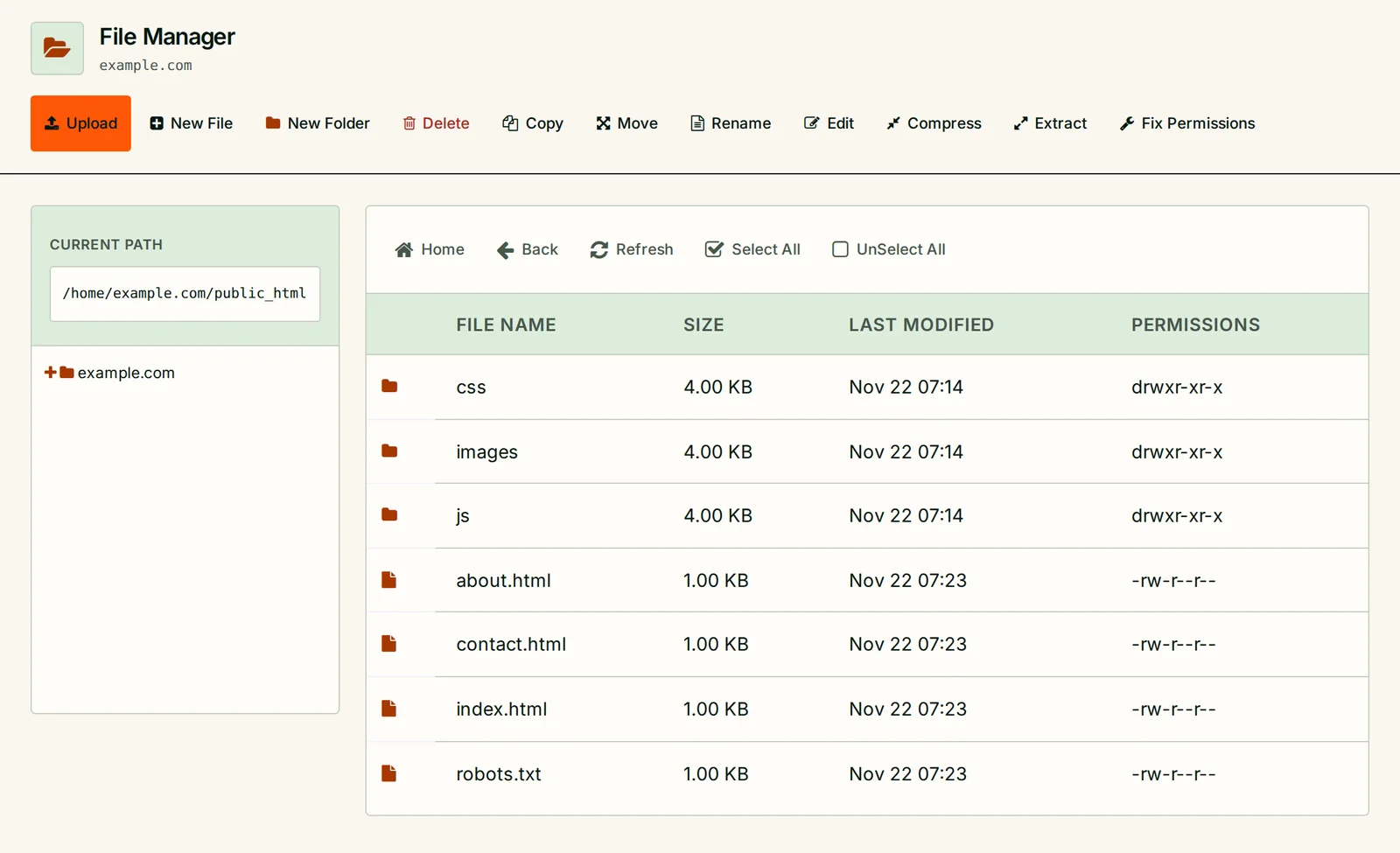
CyberPanel File Manager listing the folders and files of example.com, with Upload, Edit, Compress and Extract in its toolbar

ModSecurity and a firewall, managed from the panel

Install ModSecurity, a web application firewall, from the panel and add the OWASP or Comodo rule packs.

The Firewall page controls which ports are open. Secure SSH changes the SSH port and manages SSH keys.
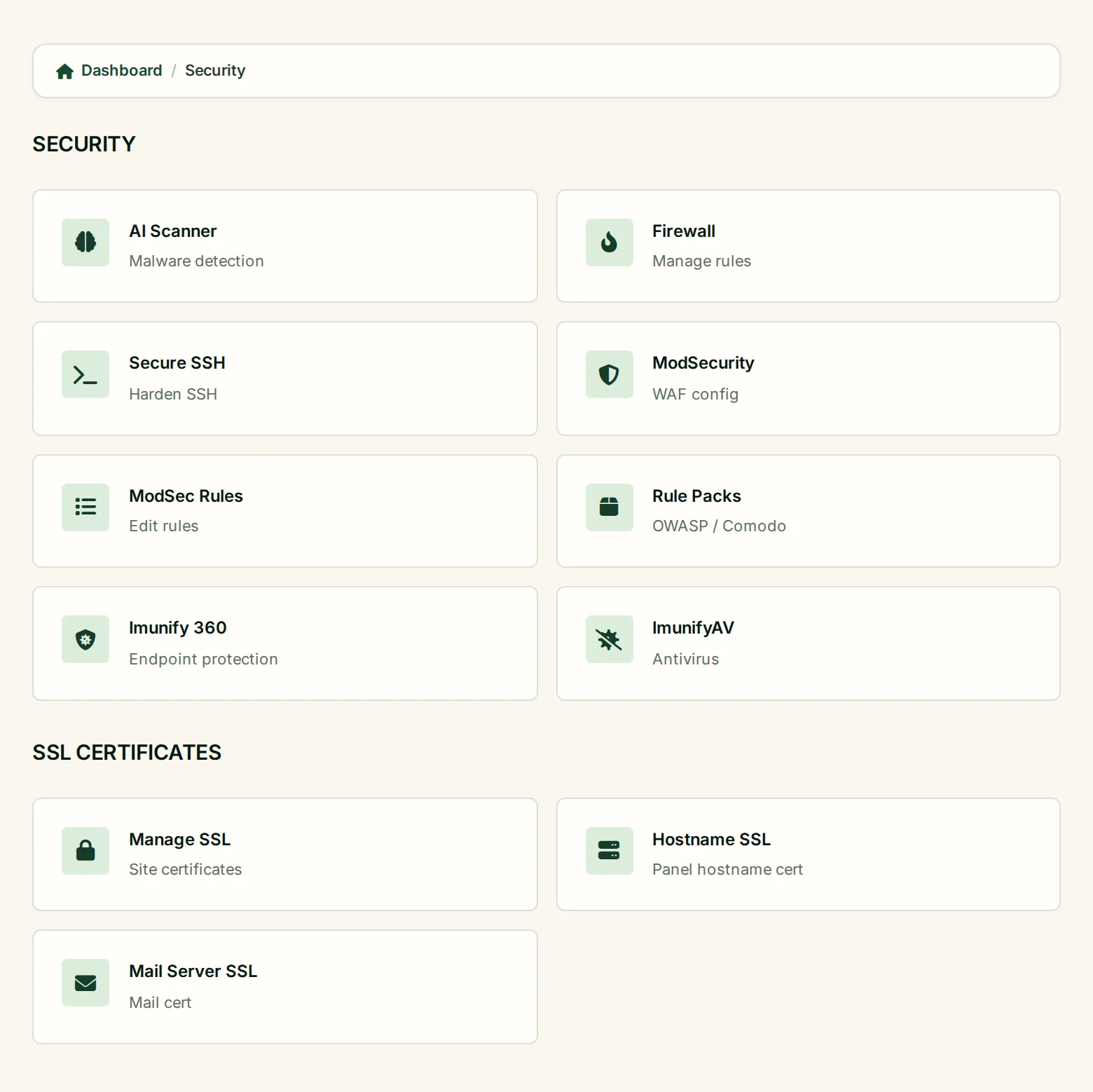
Security section of CyberPanel with tiles for Firewall, Secure SSH, ModSecurity, rule packs, Imunify and SSL certificates

Free forever, with no limit on websites

CyberPanel with OpenLiteSpeed is free. There is no license to buy and no limit on the number of websites you create.
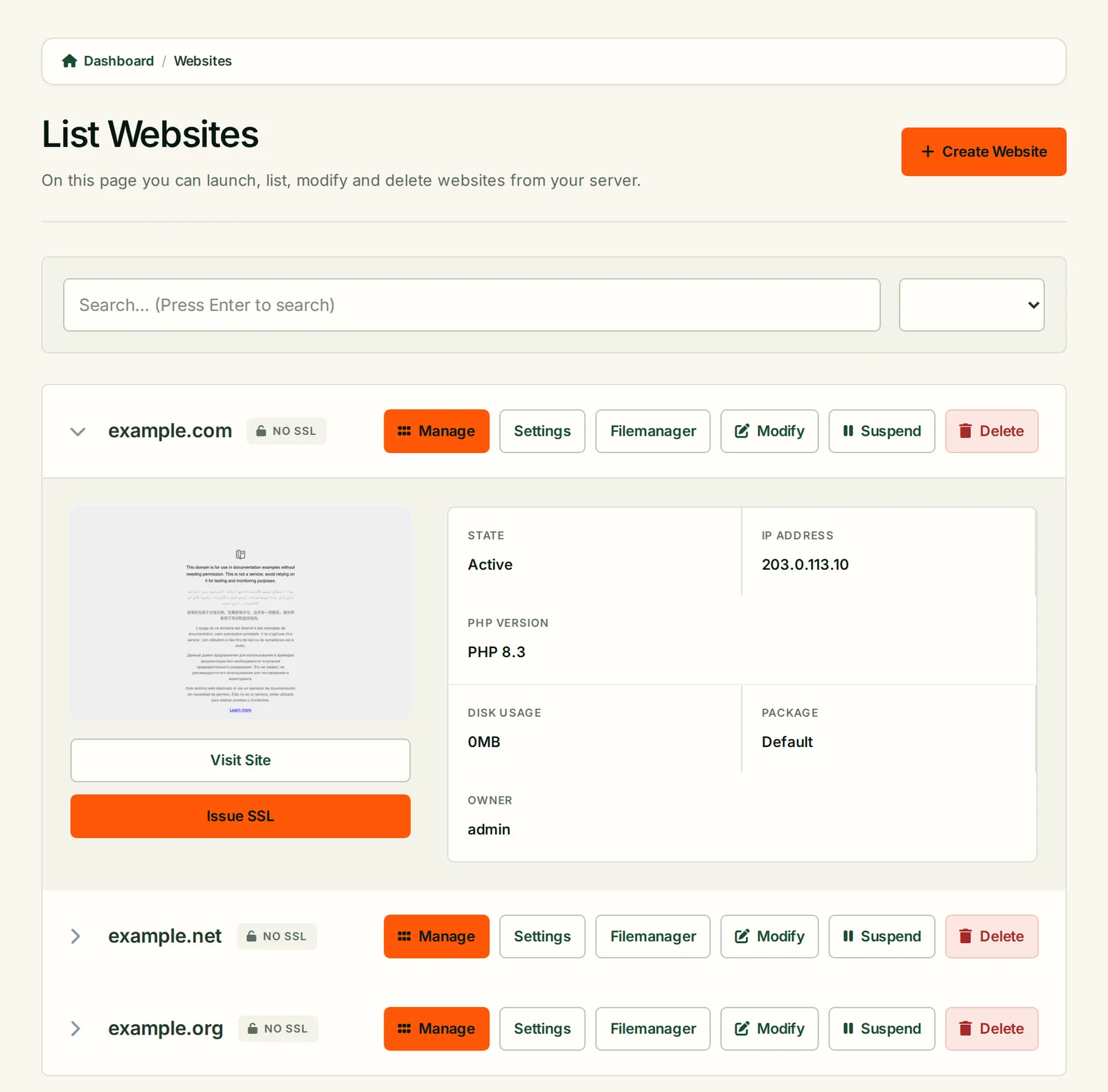
List Websites page in CyberPanel with three example websites, each with Manage, Settings, File Manager, Modify, Suspend and Delete buttons

Also in the free panel

LiteSpeed Cache

OpenLiteSpeed has a page cache built into the server. The free LiteSpeed Cache plugin for WordPress uses it.
Illustration of a file browser, a hard drive and a person holding a folder
Illustration of a person holding an SSL shield beside a browser window with a padlock

One Click SSL

Issue a free Let’s Encrypt certificate for a website with one click. CyberPanel renews certificates automatically before they expire.

Services Status

DNS

Git Deployment

SSL Manager

Website Manager

Subdomains

User Levels

Email

FTP

Docker Manager

SSH Access

Webmail

File Manager

CloudLinux tools

Imunify installer

Add-ons

CyberPanel Add-ons

The core of CyberPanel is free: websites, email, DNS, databases, FTP, backups and SSL certificates.

Paid add-ons extend the panel and support its development.

One package, six add-ons

The Add-ons package unlocks six tools in the panel. A license covers one server, by its IP address.

SSL V2

Issues certificates, including wildcard certificates, and validates them through DNS.

WordPress Manager Pro

Installs WordPress and manages plugins, themes, staging and backups for each site.

Backup V2

Takes incremental backups and stores them remotely, for example over SFTP or on Google Drive.

Email Debugger

Checks the mail services on the server and repairs the mail settings of a website.

Root File Manager

Opens the file manager for the whole server, not only for one website.

Rspamd Manager

Installs Rspamd spam filtering and manages its settings from the panel.

Add-on prices

Prices are in US dollars. The .htaccess Module and Multi-Server Manager are separate products and are not part of the Add-ons package.
ProductMonthlyYearlyLifetimeDetails
Add-ons package (six add-ons)$7.99$59$169View plans
.htaccess Module for OpenLiteSpeed–$59$199Learn more
Multi-Server Manager–$49$149Learn more

WordPress Manager Add-on

WordPress Manager is part of the Add-ons package. It installs WordPress and manages each site from the panel: plugins, themes, staging, backups and sign-in to the WordPress dashboard.

One Click Install

Install WordPress on a website from the panel. CyberPanel creates the database, downloads WordPress and writes its configuration.
Illustration of a person on a sofa watching a phone screen that says loading
Illustration of a sign-in screen and a person holding a key

Auto Login

Open the WordPress dashboard from the panel without typing the WordPress password.

Staging Site

Create a staging copy of a site, test your changes there, then deploy the copy to production.
Illustration of a file browser, a hard drive and a person holding a folder
Illustration of a person sending files from a server to cloud storage

Backup

Back up the files of a WordPress site, its database, or both, and restore a backup from the panel.

LiteSpeed Enterprise

CyberPanel also runs on LiteSpeed Enterprise, the commercial edition of LiteSpeed Web Server. See the plans and prices.

Frequently Asked Questions

Do I need to be a Linux expert to use CyberPanel?

To use CyberPanel, you will need a basic understanding of Linux systems.

How do I install CyberPanel and get started?

Install it from your browser: give us your server’s address and follow every step live. Or follow the CyberPanel installation guide, which lists the requirements and the install command. To compare the ways to begin, see Get started.

How many domains can I host with CyberPanel?

CyberPanel with OpenLiteSpeed does not limit the number of domains you host. With LiteSpeed Enterprise, the limit depends on your license.

What is the difference between OpenLiteSpeed and LiteSpeed Enterprise?

OpenLiteSpeed is open source and free for any number of domains. LiteSpeed Enterprise is the commercial edition and a drop-in replacement for Apache. You can learn more about them.

What is CyberPanel and where do I use it?

CyberPanel is a web hosting control panel for OpenLiteSpeed and LiteSpeed Enterprise. It is an alternative to cPanel or Plesk. You can install it on a VPS or dedicated server that runs a supported operating system, for example from DigitalOcean or Vultr, or start with a cloud server that has CyberPanel installed.

Do you offer refunds?

When you sign up for CyberPanel Add-ons, you are given a 7-day free trial period. During this time, you can use the add-ons without any charges. Once the trial ends and your first payment is processed, you then have a 7-day window to request a refund if you are not satisfied with the add-ons.

Similarly, for one-time payment plans, you also have a 7-day refund period. This means that after purchasing a one-time payment plan, you have 7 days to request a refund if you find that it doesn't meet your expectations or requirements. If you get any plan with discounted price there will be no refund. Also in case of any services abuse no refund will be offered.

Regarding support refunds, they are determined based on the amount of time you have utilized the support services. If you have used support services and later decide to cancel or request a refund, the refund amount will be adjusted based on the support services you have already received.

Have more questions?
Chat on WhatsApp