
On this page
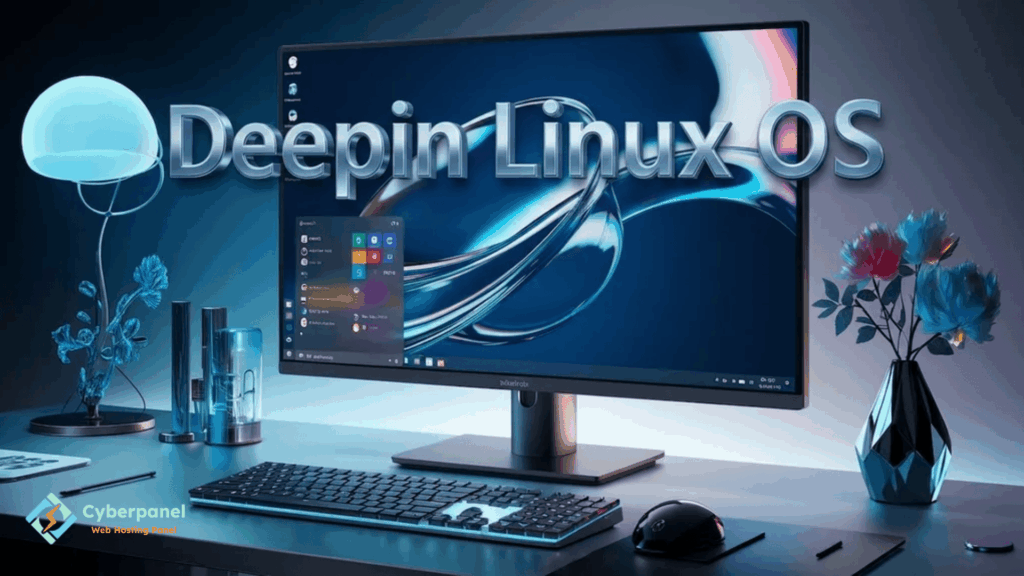
Many Linux distributions prioritize stability, performance, or security. However, Deepin Linux OS is different in that it prioritizes flexibility and a beautiful, modern desktop environment. Its interface looks and feels good and helps new Linux users transition from Windows or Mac OS to Linux more easily.
The OS also provides a stable environment for everyday tasks such as web browsing, making documents, video playback, and programming.
In this article, you will learn about Deepin Linux OS, its benefits and features, system requirements, how to install it, and if it is right for you.
What Is Deepin Linux OS?
Deepin Linux OS is a community-developed, Debian-based operating system created by the Deepin Technology team. It is most notable for being the developer of the Deepin Desktop Environment.
As a desktop environment, Deepin created a user-friendly interface with its own set of applications and design language.
The interface is modern but still prioritizes good usability for everyday computing.
Currently, Deepin Linux OS is a popular choice among students, developers, and the general public who want an aesthetically pleasing alternative to Windows.
Why Use Deepin Linux OS?
For starters, Deepin OS looks great and prioritizes a good user experience.
It does not require as much tweaking as some other Linux distributions because it comes with sane default settings.
Some of its notable features are listed below:
- Elegant Deepin Desktop Environment
- Easy-to-configure control center
- Compatibility with Debian packages
- Modern menu system
- Regular software updates
- Comes with productivity applications
- Easy to use for those new to Linux
Who Is the Deepin Linux OS For?
New Linux users
will have an easier time getting around the OS than with some other Linux distributions.
Overview of the Deepin Linux Desktop
Aside from looking nice, the Deepin Linux desktop has other notable features. Some of these features are listed below:
Modern User Interface
The desktop has modern animations and uses rounded window borders, transparency effects, and modern design elements. It generally looks good and feels familiar to those used to commercial operating systems such as Windows and macOS.
Deepin Control Center
Most Linux distributions have their settings menus divided up between different applications.
However, Deepin has a control panel application that has all the most common settings found in one place. Some of these settings include:
- Display settings
- Network settings
- User accounts
- Bluetooth settings
- Sound settings
- Updates
- Privacy
- Applications
Deepin Applications
In addition to the desktop environment, Deepin provides a set of applications made specifically for the OS. Some of these applications are listed below:
- File Manager
- Music player
- Video Player
- Image Viewer
- Screen Recorder
- Software Store
- Terminal
All of the applications have a similar theme and design language.
Deepin Linux OS System Requirements
| Component | Recommended Specification |
|---|---|
| Processor | Dual-Core 2 GHz or higher |
| RAM | 4 GB minimum, 8 GB recommended |
| Storage | 64 GB or more |
| Graphics | Integrated GPU supported |
| Internet | Required for updates |
Although Deepin can run on modest hardware, additional memory improves overall responsiveness.
How to Install Deepin Linux OS
Installing Deepin follows the same general process as many Linux distributions.
Step 1: Download the ISO
Download the latest Deepin Linux OS image from the official project website.
Step 2: Create Bootable Media
Use tools such as Rufus, Balena Etcher, or Ventoy to create a bootable USB drive.
Step 3: Boot the Computer
Restart your computer and boot from the USB device.
Step 4: Begin Installation
Choose your preferred language, keyboard layout, installation location, and user account details.
Step 5: Restart
After installation completes, restart your system and remove the installation media.
Within a few minutes, you’ll be welcomed by the Deepin desktop.
Deepin Linux OS vs Ubuntu
Choosing between Deepin and Ubuntu depends on your priorities.
| Feature | Deepin Linux OS | Ubuntu |
|---|---|---|
| Desktop Experience | Modern and polished | Traditional GNOME |
| Ease of Use | Excellent | Excellent |
| Software Availability | Large | Very Large |
| Performance | Moderate | Good |
| Custom Interface | Yes | No |
| Debian Based | Yes | Yes |
Users who value design often prefer Deepin, while Ubuntu remains popular because of its large community.
Using Deepin Linux Desktop for Daily Work
Deepin is suitable for a wide variety of everyday tasks.
It performs well for:
- Office work
- Web browsing
- Online learning
- Software development
- Content writing
- Graphic design
- Multimedia playback
Most popular Linux applications install without difficulty using Debian packages or Flatpak support.
Managing Linux Servers With CyberPanel

If you are using Deepin Linux OS on your PC, it does not mean that you cannot take care of your own sites or servers. CyberPanel is a web hosting control panel that allows you to manage your Linux servers via a browser. It contains all the necessary utilities: from creating droplets and databases to setting up SSL certificates, email accounts, DNS zones, backups, and much more. This way, you can look after your server without leaving your beloved Deepin OS.
Deepin Linux OS: Is This the Desktop Environment of the Future?
Deepin Linux OS is great for people who want something beautiful but do not want to spend a lot of time configuring their system.
It is perfect for those who want to enjoy the convenience of the graphical interface and Debian stability without breaking their heads over the command terminal. Of course, compared to some light Linux distributions, Deepin consumes more RAM and CPU, but the beauty and productivity that it offers are worth the extra hardware resources.
Conclusion
In this article, you got to know Deepin Linux OS, which offers a unique approach to the Linux experience. It has a nice desktop environment, is easy to customize, configure, and use, and has many built-in utilities. All this is combined with the stability and security of the Debian system. So if you are tired of the bland interfaces of Windows or other Linux distributions and want to change your desktop environment, give Deepin a try!
Have you already used Deepin Linux OS? Let us know in the comments below what your thoughts on this distro are, what you like or dislike about it, and what customizations you have applied to your Deepin desktop!
FAQs
Can I install software from Debian repositories?
Yes. Since Deepin is based on Debian, it supports Debian packages along with many popular Linux applications.
Does Deepin Linux OS support gaming?
Yes. Many Linux-compatible games and platforms such as Steam work on Deepin, depending on hardware compatibility.
Can I customise the Deepin Linux Desktop?
Yes. Users can change themes, wallpapers, dock positions, display settings, and other desktop preferences.


