
On this page
Batocera Linux has risen in popularity as it provides a fast, smooth retro gaming experience without any complex setup. There are still many users who are looking for a proper way to install it and how to boot Batocera Linux from USB, as well as how the new Batocera Linux 41 version works.
If you are not proficient in retro gaming, but need a clean setup that runs perfectly on old and new hardware, Batocera Linux is what you are looking for. It’s compatible with PC, laptops, Raspberry Pi and handheld consoles as well as a few gaming mini systems. The purpose of this guide is to explain Batocera Linux in very simple terms, so no technical knowledge is needed at all.
This in-depth guide covers everything from Batocera Linux features to installing Batocera on a PC. Linux tools, the setup process for USB boot, and the best Batocera Linux alternatives. It aims at beginners, casual gamers, and systems administrators who do not want to use their hardware for server monitoring in a small office. It is focused on simple steps, clear decisions, and responses to questions that most sites skip over.
Let’s go!
What Is Batocera Linux?
Batocera Linux is an emulation operating system for various versions of the Raspberry Pi, Odroid, Tinkerboard, and other single-board computers. No coding or settings are required to use it.
Key points
• Runs from USB or hard drive
• Works on old and low-end machines
• Supports many consoles and game engines
• Simple menu and ready controllers
Who Should Use Batocera Linux
- Kids who want easy games
- Retro lovers
- Users with old hardware
- People who want portable gaming
- People who want zero setup work
How to Kick Off Batocera Linux?
When you are booting the Batocera Linux operating system, it loads from the USB or drive. All you need is a flash drive and an image file.
Steps
• Download Batocera Linux image
• Flash it to a USB with some application
• Restart your PC
• Choose the USB from which you want to boot in the Boot menu
• Batocera starts without installation
Batocera Linux 41: What’s New?
Batocera Linux 41 is one of the better optimized, improved system handling releases.
Highlights
- Better game speed
- Updated menus
- Stronger controller support
- Clearer video output
- More stable sound
- Support for more devices
Batocera.linux Features Table
| Feature | Details |
|---|---|
| System type | Gaming-focused OS |
| Install method | USB, SSD, SD card |
| Supported devices | PC, Pi, handhelds |
| Update style | Image-based |
| Version focus | Speed and stability |
Batocera Linux Setup Guide
This explains the setup process for new users.
What you need
• A USB
• Batocera Linux image
• Flashing tool
• Basic PC boot access
Setup steps
• Flash the image
• Insert USB
• Boot the system
• Load menu
• Add game files
Best Batocera Linux Alternatives
| System | Easy Setup | Devices | Speed |
|---|---|---|---|
| Batocera Linux | Yes | Wide | Fast |
| RetroPie | Medium | Pi only | Good |
| Lakka | Medium | Many | Moderate |
| Recalbox | Easy | Pi, PC | Stable |
Role of CyberPanel
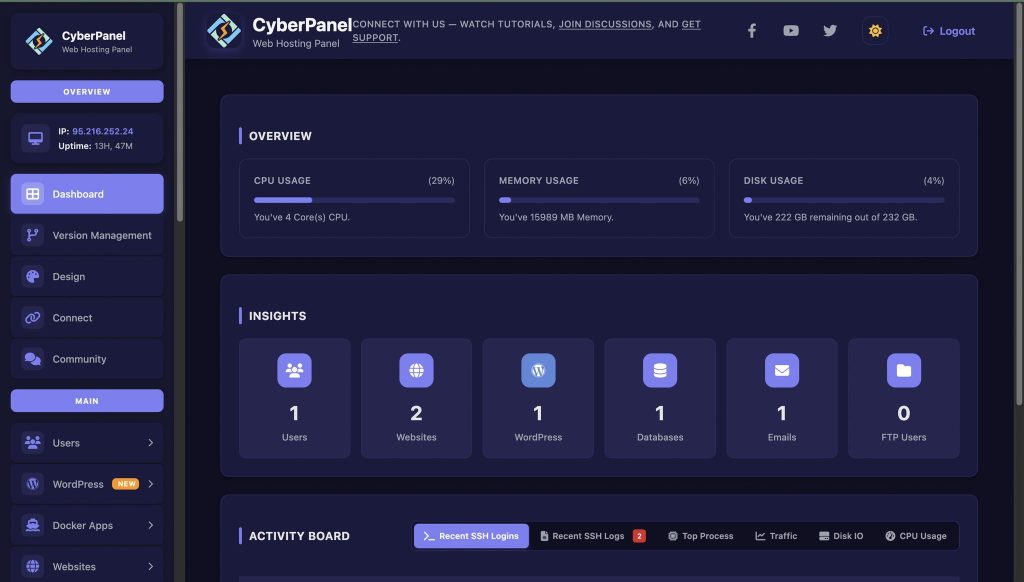
CyberPanel is your web hosting control panel. It is intended for people who would like to store, organize, or share their ROMs, themes, and setup files online. It provides you with clean panel access to create, manage files, or host your game pack, and you can generate a copy of your existing servers, too. You can also upload the builds in Batocera, exchange links to download or synchronize builds. This is useful for small gaming groups, retro communities, or whoever has more than one version of Batocera Linux. CyberPanel makes the process a snap with quick servers and easy file management.
Final Thoughts!
To sum up, Batocera Linux is growing because it provides people with a good method for playing outdated games on updated hardware. It loads fast and runs smoothly on almost any device. With new updates and improved performance, version 41 makes your experience even better. The system remains friendly, the menu buttons remain clean, and everything stays stable for noobs. If you want options, the ones above can serve as alternatives for comparing to find out which best suits you.
You can use CyberPanel to keep files, distribute builds, and organize backups in a tidy and secure location. In combination, they form a versatile and durable system ideal for gamers, hobbyists, and small community groups.
Start now. Install Batocera Linux, explore your games, and enjoy your full setup without limits!
People Also Ask
Q1. Does Batocera Linux work without installation?
Yes. It runs directly from USB, so you don’t need to install it.
Q2. Does Batocera support Bluetooth controllers?
Yes. Many Bluetooth controllers work and pair from the menu.
Q3. Is Batocera Linux safe for low-end PCs?
Yes, it is light and works well on old hardware.
Q4. Does Batocera Linux need drivers?
No. It includes built-in drivers for most hardware.
Q5. Can I use Batocera Linux without a keyboard?
Yes, it works with a controller once booted.


