On this page
CyberPanel 3.0.8 brings together the maintenance fixes developed on the 3.0.7 branch. This release focuses on backups, database administration, File Manager, mail configuration, and safer upgrades.
Backups that report problems more clearly
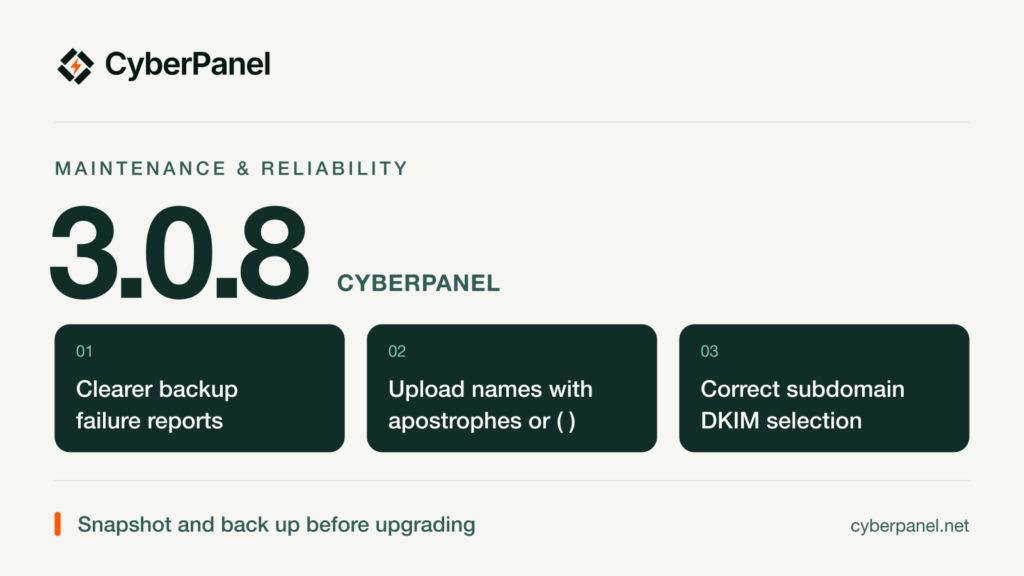
Scheduled backups now distinguish an all-site schedule from a selected-site schedule more clearly. The panel also detects backup workers that fail or exit, instead of leaving a job looking as though it is still running. Restore handling preserves website ownership, private file permissions, and certificate chains.
Database deletion retries no longer remove MySQL filesystem paths. Remote transfers receive improvements to callbacks, SSH-port handling, and failure reporting.
Small fixes for daily administration
- File Manager uploads: filenames containing apostrophes or parentheses are accepted while ownership and path checks remain in place.
- phpMyAdmin: sign-on respects the configured panel port, and access failures avoid duplicate handoffs.
- Mail: subdomain DKIM selects the correct record; optional Sieve configuration and mail SNI receive additional checks.
- Webmail: long Unicode subjects retain their inbox headers, sender, and date.
- Fresh installations: required email-filter tables are initialized so native website deletion can complete.
- Websites: domain-alias routing and certificate names, WordPress Docker readiness, explicit port bindings, and exact image tags receive fixes.
- OpenLiteSpeed: the .htaccess watcher reloads once for an observed change, instead of on every polling cycle.
- Interface: secondary-administrator greetings, theme fallback, and Brazilian Portuguese coverage are improved.
Upgrade, session, and SSL safeguards
The upgrader preserves working Python environments and can restore the panel runtime if a rebuild fails. It also limits retained rollback directories and preserves operator firewall and optional-service policies.
Session binding handles IPv4 and IPv6 more consistently, rejects ambiguous legacy bindings, and permits a fresh login after the address attached to a stale session changes. ACME staging state is isolated, production certificates are validated before deployment, and already-installed staging certificates are reissued.
Before upgrading
Take a server snapshot and verify a current backup of your websites, databases, and panel configuration. Keep a copy of any local customizations. Upgrade during a maintenance window so you can check your hosted sites and mail afterward. Run the official updater below from a root shell.
curl -fsSL https://raw.githubusercontent.com/usmannasir/cyberpanel/stable/preUpgrade.sh -o /root/cyberpanel-upgrade-3.0.8.sh &&
sh /root/cyberpanel-upgrade-3.0.8.sh
After the upgrade completes, check the command exit status, sign back into CyberPanel, and confirm the dashboard shows 3.0.8. Check your existing websites, databases, backups, and mail services before ending the maintenance window.
Known limitation: ionCube and OPcache lint crashes
Issue #1924 remains open. PHP syntax checks can crash when ionCube and OPcache are enabled together. This release does not claim to resolve that runtime compatibility issue and does not disable OPcache globally.
On the tested PHP 8.3 setup, a separate PHP CLI syntax check completed with OPcache disabled for that invocation:
/usr/local/lsws/lsphp83/bin/php -d opcache.enable_cli=0 -l /path/to/file.phpUse the PHP version and file path appropriate to your server. This is a syntax-check workaround, not a production runtime fix.
Read the complete changelog for the release details. If you report a problem, include your operating system, CyberPanel build, the exact steps, and relevant logs with passwords and tokens removed.
Which workflow will you check first after upgrading: scheduled backups, phpMyAdmin, or File Manager uploads?