
On this page
Do you need a clean Linux? Or you just want to avoid complex commands? If you feel the same, Zorin Linux might be the answer. It gives a Windows-like layout for comfort. It also offers pure Linux speed. This blend makes it attractive for students, remote workers, and everyday computer users.
In this article, we explore Linux Zorin, explore Linux Mint vs Zorin OS, and see why users enjoy this polished system.
If you want smooth performance without a steep learning curve, this guide will show you how Zorin Linux works and why it is a good fit.
What Is Zorin Linux?
It is a distribution built to make Linux easy for new users. It has a familiar layout that feels close to what people know from other operating systems. It also runs well on older machines. So, Linux Zorin is useful for students or budget users.
It focuses on:
- Easy setup
- Smooth performance
- Beautiful interface
- Friendly support
- Beginner-friendly tools
Why Choose Linux Zorin
It offers features that other Linux distributions miss. These features are:
- Fast boot
- Stable system
- Familiar interface
- Good touchscreen support
- Built-in software store
Linux Mint vs Zorin
Both are popular. But they target slightly different users.
| Feature | Linux Mint | Zorin Linux |
|---|---|---|
| Ease for beginners | High | Very High |
| Look and feel | Traditional Linux | More modern |
| Performance | Good | Strong on old PCs |
| Interface options | Cinnamon, Mate, XFCE | Familiar Windows-like layout |
| User focus | Stability | Easier transition |
If your priority is familiarity and clean visuals, Zorin Linux offers a gentle move from non-Linux systems. Linux Mint is ideal for users who want classic Linux.
Zorin OS vs Linux Mint: Their Daily Use Experience
When examined together, we observe important distinctions.
- Zorin OS has a stylish and contemporary appearance. It conceals complexity and provides an easy user experience.
- Linux Mint emphasizes classic desktop features. The design is straightforward, yet it might seem outdated to certain individuals.
Users transitioning from different operating systems typically choose Zorin initially, then transition to Mint as they gain confidence.
How to Download Zorin Linux
Steps to install:
- Go to the official Zorin website
- Pick the edition that suits your computer
- Download the ISO file
- Create a bootable USB
- Restart and install
The installer guides you with simple steps.
Role of CyberPanel in Zorin Linux
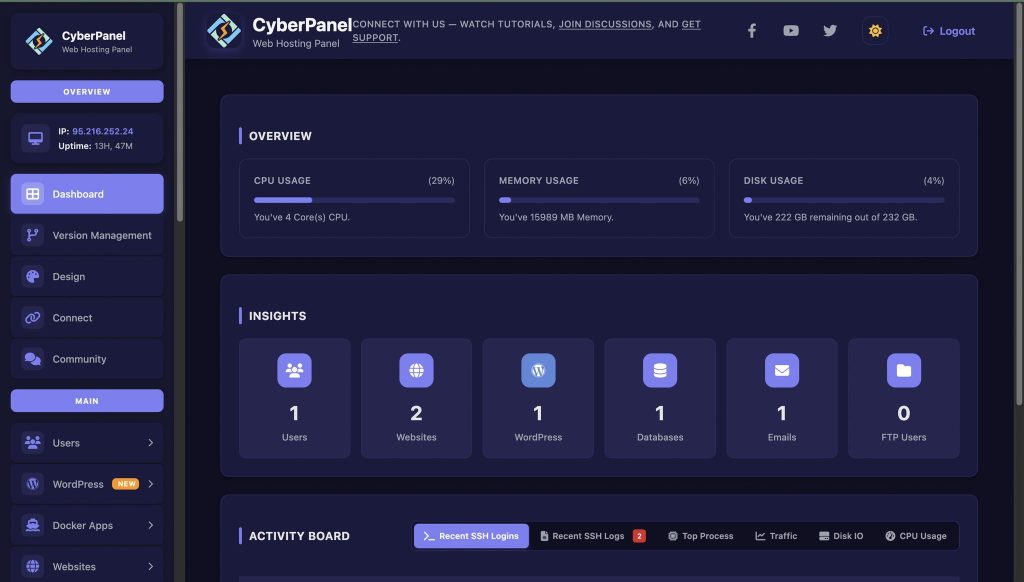
CyberPanel functions effectively with Zorin Linux if you intend to host websites or applications. CyberPanel assists you:
- Build websites quickly
- Oversee databases
- Manage DNS
- Activate SSL
- Observe server performance
It is a contemporary and intuitive web hosting control panel designed for Linux platforms.
Using Zorin for web projects or freelancing, CyberPanel helps streamline time management and organize hosting activities.
Who is Ideal for Linux Zorin?
It is beneficial for:
- Novices who are afraid of instructions
- Learners studying Linux
- Offices transitioning from different systems
- Affordable gadgets
Advantages and Disadvantages of Zorin Linux
Here are the pros and cons of Zorin:
Advantages
User interface feels familiar to Windows users, so migration is easy.
- Comes with built-in apps and codecs for daily use right after install.
- Stable and beginner-friendly since it’s based on Ubuntu LTS.
- Smooth performance on modern systems and responsive UI.
- Zorin Appearance tool makes customization simple.
- Good security features and regular updates through the Ubuntu base.
- Paid Pro edition offers premium layouts, apps, and support.
Drawbacks
- Pro edition requires payment, which some users may dislike.
- Community size is smaller compared to big distros like Ubuntu or Mint.
- Fewer tutorials, documentation, and troubleshooting resources online.
- Updates and new versions come more slowly compared to rolling distros.
- Limited advanced control for users who want deep system tweaking.
Final Thoughts!
Zorin Linux is notable for being user-friendly and seamless. It maintains system speed, even on less powerful hardware. Users receive ease, precise control, and reliability. If you aim to host projects or create websites, CyberPanel provides enhanced capabilities and complete control over your Zorin system.
Ready to experience Linux without any confusion? Get Zorin Linux now and create your website with CyberPanel for a complete, rapid, and safe experience!
FAQs
Is gaming supported on Zorin?
Certainly, numerous games operate via Steam and Proton, but performance varies based on hardware and specific titles.
Is it possible to dual-boot Zorin alongside another operating system?
Certainly, the installer allows dual booting without erasing your disk.
Is Zorin OS secure for online banking and shopping?
It enables safe browsing, and updates enhance security, but continue to follow standard online safety measures.
Is Linux Zorin prompt in receiving security updates?
Certainly. It receives consistent updates according to Ubuntu release channels.
Is Zorin customizable in the same way as other Linux distributions?
Yes. You can change themes, layouts, icons, and settings to match personal preferences.


