
On this page
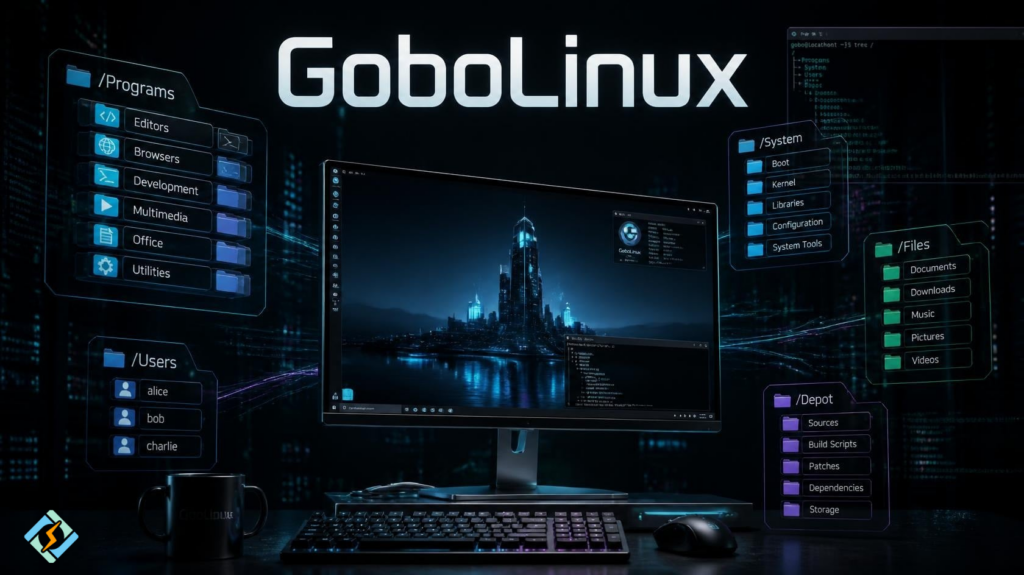
GoboLinux is a Linux distribution that takes a very different approach to organizing the operating system. Instead of following the traditional Linux filesystem layout, it places installed programs in a structured /Programs hierarchy and uses a collection of tools, links, and indexes to make the system work with that layout. The result is a Linux environment designed to make software installation, removal, and management more predictable and easier to understand.
That unusual design is the main reason people search for GoboLinux review, define GoboLinux, DistroWatch GoboLinux, and download GoboLinux. It is not simply another Ubuntu or Fedora alternative with a different desktop. GoboLinux deliberately experiments with how a Linux operating system should organize applications and system files.
The current stable release is GoboLinux 017.01, available as an x86_64 ISO that can run as a Live environment or be installed to a hard drive.
This guide explains what GoboLinux is, how its filesystem works, how software is installed, where to download it, its advantages and limitations, and whether it makes sense to use GoboLinux for a desktop or server.
What Is GoboLinux?
GoboLinux is an experimental Linux distribution built around a redesigned filesystem hierarchy.
Traditional Linux distributions generally follow the Filesystem Hierarchy Standard-inspired structure where applications can have files scattered across locations such as:
/usr/bin
/usr/lib
/usr/share
/etc
/var
GoboLinux takes a different approach. Programs are installed under:
/Programs
with their own directory structures.
For example, the GoboLinux documentation describes /Programs as the location where programs and their files are installed.
A simplified example looks like this:
/Programs
├── Firefox
│ ├── 1.0
│ └── Current
├── GCC
│ ├── 15.2.0
│ └── Current
└── Python
├── 3.x
└── Current
The exact versions and installed programs vary, but the idea is important: each program has a more self-contained home.
GoboLinux then uses its own system indexes and symbolic links to provide compatibility with the conventional Linux environment.
Define GoboLinux in Simple Terms
GoboLinux is an experimental Linux distribution that redesigns the traditional Unix filesystem hierarchy, organizing installed applications under /Programs and using tools such as Compile, Runner, and system indexes to manage them.
The project describes itself as a distribution that explores alternative approaches to Linux distribution design, with the filesystem structure being one of its defining ideas.
In other words, GoboLinux asks a simple question:
What if Linux applications did not have their files scattered across dozens of system directories?
Its entire design grows from that question.
What Makes GoboLinux Different?
The biggest difference is not its desktop environment, package selection, or default wallpaper.
It is the filesystem design.
A conventional Linux installation might place an application’s executable in /usr/bin, libraries in /usr/lib, configuration files somewhere under /etc, and documentation under /usr/share.
GoboLinux instead organizes programs around their own directories.
| Traditional Linux approach | GoboLinux approach |
| Programs can have files across several directories | Programs are organized under /Programs |
| /usr/bin commonly contains executables | Program-specific directories are used |
| Libraries may be grouped globally | Program versions can remain separated |
| Removing software can involve several locations | Program directories make removal more direct |
| Package management depends on the distribution | GoboLinux uses its own tools and recipes |
| Filesystem structure follows familiar conventions | Filesystem structure is deliberately redesigned |
This does not mean GoboLinux completely abandons conventional Linux paths.
It uses compatibility links and other mechanisms so software expecting traditional locations can still function. The project’s filesystem documentation describes the legacy directories as links to corresponding GoboLinux directories.
How Does the GoboLinux Filesystem Work?
The GoboLinux filesystem has several important directories.
A simplified view is:
/
├── Data
├── Mount
├── Programs
├── System
└── Users
The /Data hierarchy contains system and program-related resources, while /Programs contains installed programs. The /System hierarchy provides system-wide components and indexes used by GoboLinux.
One particularly interesting part is the System Index.
Instead of requiring every application to know the complete physical location of every dependency, GoboLinux can create a filesystem view that exposes the appropriate programs and dependencies.
This is one reason the system can maintain its unconventional directory structure without breaking the expectations of software designed for a more traditional Linux environment.
Why Does GoboLinux Use Symbolic Links?
Symbolic links are central to making the GoboLinux approach practical.
Traditional paths can still exist as links into the GoboLinux structure. This means applications looking for familiar locations can often find what they expect while the actual organization remains different underneath.
Think of it like this:
Traditional path
↓
/usr/bin
↓
symbolic link
↓
GoboLinux program structure
This is one of the clever parts of the design.
GoboLinux does not necessarily force every application to understand its filesystem philosophy. Instead, it provides compatibility mechanisms that allow conventional software to coexist with the redesigned hierarchy.
How Does GoboLinux Install Software?
GoboLinux uses its Compile system for building software from source using recipes.
The basic idea is simple:
Compile program-nameCompile obtains the appropriate recipe, downloads the source code, builds it, and installs it according to GoboLinux’s structure. The official project documentation describes Compile as a system that downloads source archives, builds them, and installs software using simple compilation scripts called recipes.
For example:
Compile irssiis documented as a way to compile and install the Irssi IRC client.
This is fundamentally different from simply downloading a prebuilt .deb package on Ubuntu or running dnf install on Fedora.
What Are GoboLinux Recipes?
A Recipe is essentially a set of instructions that tells Compile how to obtain, configure, build, and install a particular piece of software.
A simple recipe can specify information such as:
source URL
recipe type
dependencies
build instructions
installation settings
The GoboLinux documentation describes recipes as instructions used by Compile to configure, build, and install software packages.
One interesting feature is that GoboLinux recipes can be relatively small.
For a conventional Autoconf-based project, a basic recipe can sometimes be reduced to a source URL and a recipe type.
This makes the system attractive to people who enjoy understanding and controlling how software is built.
Does GoboLinux Have a Package Manager?
Yes, but its software-management model is different from what users may know from Debian or Arch.
GoboLinux provides several tools for finding, compiling, installing, and updating software.
| Tool | Purpose |
| Compile | Build and install software from recipes |
| InstallPackage | Install precompiled GoboLinux packages |
| FindPackage | Search for packages and recipes |
| GetRecipe | Download a recipe |
| UpdateRecipes | Update the local recipe collection |
| SuggestUpdates | Find available package updates |
| Dependencies | Examine package dependencies |
| Freshen | Check and manage package availability and upgrades |
These tools are part of GoboLinux’s own package-management approach.
There is an important caveat, though.
The current documentation says GoboLinux has almost no precompiled packages and relies primarily on compiling recipes itself.
That can be a major advantage for users who like source-based software management, but it can also make GoboLinux less convenient for people who expect large repositories of ready-to-install binaries.
Is GoboLinux Based on Ubuntu or Debian?
No.
GoboLinux is not an Ubuntu derivative or a Debian-based distribution.
Its architecture, package-management approach, filesystem hierarchy, and administrative tools are designed around the GoboLinux project itself.
That independence is part of what makes it interesting.
Rather than taking a mainstream distribution and changing its desktop environment, GoboLinux experiments with the underlying organization of the operating system.
What Is GoboLinux 017.01?
GoboLinux 017.01 is the latest stable release currently provided by the project.
The official download page identifies 017.01 as the latest stable GoboLinux release for x86_64.
The 017.01 release is a bug-fix update to the original 017 release. The release notes describe fixes for critical issues discovered after the initial 017 ISO.
The 017 series also represents a significant system update compared with older GoboLinux versions, with updated software and hardware support.
| GoboLinux release | Status |
| GoboLinux 017.01 | Latest stable release |
| GoboLinux 017 | Previous 017-series release |
| GoboLinux 016 | Older release |
| Older releases | Historical |
For a fresh installation, 017.01 is the version to investigate, rather than downloading an older ISO from an unofficial archive.
Where Can You Download GoboLinux?
If you are searching to download GoboLinux, use the official GoboLinux download page.
The official project currently provides GoboLinux 017.01 for x86_64 as an ISO image. The image can be written to a USB drive or burned to a DVD. It can also run as a Live environment before you install the system.
The official page also provides a BitTorrent option and publishes the SHA-256 checksum for the ISO.
The current ISO checksum listed by GoboLinux is:
8cd66e3e06c865c375134d099b8b483776ef16edc6d3cd617740c36f6ba53bd3Always compare a downloaded ISO’s checksum with the official value before installation if you want to verify that the file was downloaded correctly.
Can You Try GoboLinux Without Installing It?
Yes.
This is one of the easiest ways to decide whether GoboLinux is right for you.
The official ISO doubles as a Live environment, allowing you to boot the operating system from USB or DVD and explore it without immediately installing it to your internal drive. The project describes the Live environment as a runnable system with a graphical interface, browser, and installation wizard.
A sensible testing process is:
- Download the official ISO.
- Verify its checksum.
- Write it to a USB drive.
- Boot the computer from USB.
- Explore the desktop and filesystem.
- Test networking and hardware.
- Try the software-management tools.
- Install it only if the environment suits your needs.
This is especially useful with GoboLinux because its filesystem and administration model are considerably different from mainstream distributions.
How Do You Install GoboLinux?
GoboLinux includes an installer in its Live ISO.
The official documentation says the Installer program handles basic configuration, package selection, and bootloader setup. It can be launched from the graphical environment or from a console.
From a graphical session, the documentation describes launching the environment with:
startxand then selecting the GoboLinux installation tool from the system menu.
For console installation, the documented command is:
InstallerNotice the capital I. GoboLinux utility scripts commonly use an initial capital letter and CamelCase naming.
Before installing, back up important files. Choosing the wrong disk or partition can erase an existing operating system.
What Desktop Does GoboLinux Use?
The GoboLinux 017 release uses Awesome WM as its graphical desktop environment in the Live ISO. The project describes the Live environment as having a graphical desktop featuring Awesome WM.
This is another area where GoboLinux feels different from distributions that ship with GNOME, KDE Plasma, Cinnamon, or Xfce as their primary desktop.
The documentation also covers other desktop environments, including GNOME, Enlightenment, and LXDE.
So GoboLinux is not fundamentally tied to one desktop philosophy. Its more distinctive decisions happen below the desktop layer.
Is GoboLinux Good for Beginners?
It can be, but it is not the easiest Linux distribution for a complete beginner.
The reason is not that Linux itself is difficult.
The problem is that GoboLinux intentionally does things differently.
Someone coming from Linux Mint or Ubuntu already knows concepts such as:
apt updateapt install packageGoboLinux users instead need to understand concepts such as:
/Programs
/System
Compile
Recipes
Runner
System Index
The official documentation itself warns that GoboLinux is quite different from the Linux distributions users may be accustomed to and recommends reading the documentation carefully.
For someone learning Linux internals, however, that difference can become a benefit.
GoboLinux encourages you to understand how software, dependencies, paths, compilation, and filesystem organization actually work.
GoboLinux Review: What Are the Advantages?
A fair GoboLinux review should look beyond the novelty of its filesystem.
1. A cleaner application structure
Putting programs under /Programs makes the relationship between an application and its files easier to understand.
2. Multiple versions can coexist
The filesystem model can keep different versions of programs separated rather than immediately replacing one version with another.
3. Source-based software management
Compile provides a consistent way to build applications from recipes.
4. Strong customization
GoboLinux exposes many of its internal mechanisms rather than hiding them behind a conventional package manager.
5. Excellent learning value
For Linux enthusiasts, GoboLinux provides an opportunity to study an alternative approach to operating-system organization.
6. Live environment
You can test the distribution before installing it permanently.
What Are the Disadvantages of GoboLinux?
GoboLinux’s biggest strengths can also become its biggest weaknesses.
Smaller ecosystem
GoboLinux is a niche project. It does not have the same mainstream user base as Ubuntu, Debian, Fedora, or Linux Mint.
More source compilation
The project’s documentation says it relies almost entirely on compiling recipes rather than providing a large collection of precompiled packages.
Unfamiliar filesystem
The redesigned filesystem is interesting, but users accustomed to conventional Linux layouts need time to understand it.
Smaller troubleshooting community
When something breaks, you may find far fewer ready-made answers than you would for Ubuntu.
More hands-on administration
GoboLinux is not designed around hiding its internal mechanics. Users who prefer automated package management may find it demanding.
GoboLinux Pros and Cons at a Glance
| Pros | Cons |
| Unique filesystem design | Small user community |
| Programs organized under /Programs | Less mainstream software coverage |
| Powerful Compile system | Heavy reliance on source compilation |
| Multiple versions can coexist | Steeper learning curve |
| Live ISO available | Less third-party documentation |
| Highly customizable | Not ideal for every production workload |
| Excellent for Linux experimentation | Different from conventional Linux administration |
Is GoboLinux Fast?
There is no simple answer that makes GoboLinux universally faster than Ubuntu, Fedora, or another Linux distribution.
Performance depends on the kernel, desktop environment, drivers, applications, hardware, compilation choices, and workload.
GoboLinux’s filesystem design is primarily about organization and system architecture, not a promise of dramatically higher benchmark performance.
If someone claims that GoboLinux is automatically faster because it uses /Programs, treat that claim cautiously.
Its real value is the alternative design rather than a guaranteed performance advantage.
Is GoboLinux Secure?
GoboLinux can be used securely, but security depends on how the system is maintained and configured.
Using an unusual filesystem layout does not automatically make a Linux distribution more secure.
You still need to:
- Apply available updates.
- Use strong authentication.
- Limit unnecessary services.
- Configure firewalls appropriately.
- Avoid running unnecessary software as root.
- Verify software sources.
- Monitor logs.
- Keep backups.
Because GoboLinux is a smaller project, users should also pay attention to the availability and freshness of software updates for the applications they depend on.
Is GoboLinux Suitable for Servers?
Technically, GoboLinux can be used as a server operating system, but that does not mean it is the best choice for every server.
Its unusual filesystem and source-oriented software-management approach can be useful in experimental environments, development labs, or systems where administrators specifically want that architecture.
For a conventional production web server, however, compatibility with your software stack and management tools matters more.
This becomes particularly important if you want to use a hosting control panel.
Can You Install CyberPanel on GoboLinux?

GoboLinux is not a supported CyberPanel operating system.
CyberPanel is a free and open-source web hosting control panel. Its current documentation and project code identify supported server operating systems such as Ubuntu, AlmaLinux, Rocky Linux, RHEL, CloudLinux, and related supported environments. GoboLinux is not among them.
The official CyberPanel website currently lists Ubuntu, AlmaLinux, Rocky Linux, and CloudLinux among its supported platforms.
That means you should not install CyberPanel directly on GoboLinux for a production hosting server.
The distinction is important:
| Platform | Role |
| GoboLinux | Experimental Linux distribution |
| Ubuntu | General-purpose/server Linux distribution |
| AlmaLinux | Enterprise-oriented server distribution |
| Rocky Linux | Enterprise-oriented server distribution |
| CyberPanel | Web hosting control panel |
| OpenLiteSpeed | Web server used by CyberPanel |
If your goal is to build a CyberPanel hosting server, choose a supported operating system first and then install CyberPanel on that clean server. CyberPanel’s official installation documentation requires a supported fresh server environment.
GoboLinux can still be interesting as a desktop, testing environment, development machine, or Linux experimentation platform, while your production hosting infrastructure runs on a supported server distribution.
What Is DistroWatch GoboLinux Information?
DistroWatch is a website that tracks and catalogs Linux and other Unix-like distributions.
If you search for DistroWatch GoboLinux, you may find distribution information, historical releases, related links, and community-oriented statistics.
However, DistroWatch should not be treated as the authoritative source for the current GoboLinux ISO.
For the actual download, release status, installation instructions, filesystem documentation, and official project information, use GoboLinux’s own website and documentation.
The official project currently identifies 017.01 as its latest stable release, which is more useful when deciding which ISO to download.
GoboLinux vs Ubuntu
GoboLinux and Ubuntu target very different priorities.
| Feature | GoboLinux | Ubuntu |
| Main philosophy | Experimental filesystem design | Mainstream general-purpose Linux |
| Filesystem | Redesigned /Programs structure | Conventional Linux hierarchy |
| Package approach | Recipes + Compile | APT + packages |
| Precompiled software | Limited | Extensive |
| Community | Niche | Very large |
| Learning curve | Higher | Lower |
| Best for | Experimentation and advanced users | General desktop/server use |
| CyberPanel support | No | Supported versions available |
Ubuntu is usually the easier choice for a conventional workstation or supported hosting environment.
GoboLinux is more interesting if the operating system itself is what you want to explore.
GoboLinux vs Arch Linux
Arch Linux is also popular among technically inclined users, but the two projects have very different philosophies.
Arch generally emphasizes simplicity, user control, and a conventional Unix-like filesystem with a powerful binary package ecosystem.
GoboLinux goes further by questioning the filesystem hierarchy itself.
So:
Arch Linux
↓
Traditional filesystem + maximum user control
GoboLinux
↓
Alternative filesystem + experimental system design
Both can appeal to experienced Linux users, but they teach different lessons.
Is GoboLinux Worth Trying?
For the right user, absolutely.
If your main goal is:
- gaming
- commercial software compatibility
- easy server deployment
- maximum third-party tutorials
- effortless package installation
then GoboLinux may not be the obvious first choice.
But if you are interested in:
- Linux internals
- alternative filesystem designs
- source compilation
- package-management architecture
- operating-system experimentation
- learning how dependencies and paths work
then GoboLinux becomes much more compelling.
Its official documentation and tooling provide a complete environment for exploring those ideas rather than merely presenting them as an academic concept.
Frequently Asked Questions
Why was GoboLinux created?
GoboLinux was created to explore alternative approaches to Linux distribution design, particularly a redesigned filesystem structure. The project intentionally questions conventions that are common across traditional Unix-like systems.
Can GoboLinux run normal Linux software?
It can run a wide range of Linux software, but compatibility can depend on how the application expects the filesystem and dependencies to be arranged. GoboLinux provides compatibility mechanisms and its Compile system to make conventional software work within its environment.
Does GoboLinux use systemd?
GoboLinux does not simply follow the same initialization and system-management stack as mainstream distributions. Its own system scripts and architecture are part of the distribution’s experimental design. If a specific application requires systemd, check its compatibility before installing it.
Can GoboLinux be installed in VirtualBox?
Yes. The GoboLinux documentation includes guidance for running the distribution in virtualization platforms including VirtualBox, VMware Workstation Player, Hyper-V, and GNOME Boxes.
For a first test, virtualization is actually a sensible option because you can explore the filesystem and compile the system without modifying your physical computer.
Is GoboLinux still active?
The project is still providing a current stable ISO, documentation, recipes, and community resources. The official download page currently identifies 017.01 as the latest stable release, while the project’s homepage continues to provide download, documentation, and community resources.
Final Verdict: Is GoboLinux Worth Downloading?
GoboLinux is worth trying if you want to understand Linux from a different angle.
Its biggest innovation is not a flashy desktop or a collection of preinstalled applications. It is the decision to rethink how a Linux filesystem should be organized.
The /Programs hierarchy, system indexes, symbolic-link compatibility layer, Compile recipes, and Runner tools form a coherent alternative to the conventional Linux software-management model.
That same difference makes GoboLinux less suitable for users who simply want a familiar Linux desktop or a production hosting server with broad third-party support.
If you are curious, do not install it blindly on your main machine. Download the official GoboLinux 017.01 ISO, verify its checksum, and run the Live environment or a virtual machine first. The current official release is available for x86_64 and can be tested without immediately replacing your existing operating system.
And if your objective is web hosting, take a different route: use a Linux distribution officially supported by your hosting stack. CyberPanel does not list GoboLinux as a supported operating system, so a CyberPanel production server should use one of its supported platforms instead.
Ready to explore GoboLinux? Start with the official 017.01 Live ISO, test its /Programs filesystem and Compile workflow in a virtual machine, and decide whether its unconventional approach fits the way you work. If you need a production hosting server, choose a CyberPanel-supported OS and keep GoboLinux for experimentation and learning.


