

On this page
Void Linux is different in a good way from most other Linux distributions. It is an independent, fast, and user-friendly operating system for people who want to have full control over their system. As most Linux distros are based on Debian or Arch, Void Linux is a distro that is built from scratch. In fact, it is the only reason why it is different from others.
If you are fed up with slow updates, heavy tools, or forced design, Linux Void is the way to make a fresh start for your system. In this guide, you will learn about what Void Linux is, how its packages work, where to download it, and how to install it safely.
That article will be a great help for you if you are a beginner to Linux or even an expert. It is up to you to decide whether Void Linux meets your needs or not.
What Is Void Linux?
Void Linux is an independent Linux operating system. It is not based on Ubuntu, Debian, or Arch. It has its own package system and tools.
The idea behind the system is to make it fast, simple, and user-controllable. It does not start unnecessary background services. It also does not use systemd, which is disliked by many users.
Some of the main features of Void Linux:
- Independent Linux distribution
- Uses runit for service management
- Rolling release model
- Very fast boot and performance
- Clean and minimal by default
Users who want a lightweight system that stays predictable love Linux Void.
Void Linux Packages Explained
Void Linux packages are handled using XBPS. It stands for X Binary Package System. XBPS is simple and reliable. It can install, update, and remove software quickly. Moreover, it also handles dependencies well.
Basic package commands look like this:
- Install a package
- Update the system
- Remove unused software
Void Linux packages are:
- Lightweight
- Well tested
- Frequently updated
- Easy to manage
There is also a source-based option for users who want deeper control.
Void Linux Download Options
You can get Void Linux right from the official website. Several images are available.
Typical download options:
- Base image for building your own setup
- Desktop images with XFCE or any other desktop
- Glibc version for the majority of users
- Musl version for advanced users
If you were a newbie, then you would select:
- XFCE desktop
- Glibc version
This provides you with stability and ease.
Void Linux Install
It is simple to install but manual. This gives you more control.
Here are the basic steps:
- Download the ISO
- Create a bootable USB
- Boot into the live environment
- Start the installer
- Select disk and system options
- Install and reboot
The installer is text-based but clear. It explains each step. You choose your disk, desktop, and user setup. After installation, the system boots fast and stays clean.
Why Void Linux Is So Fast
It feels fast because it removes extra layers. It uses runit instead of systemd. You don’t have to wait for service to start; it is quick and easy to manage. The base install is small. You only add what you need. This ensures that memory use will remain low and performance will be high.
Users often choose Void Linux for:
- Old laptops that need speed
- Development machines
- Minimal desktops
- Learning how Linux really works
Speed is not a feature here. It is the result of smart design.
Void Linux Desktop Experience
Void Linux does not force a desktop style. You choose what fits you.
Popular choices include:
- XFCE for simplicity
- i3 for keyboard users
- KDE for a full desktop
- Minimal window managers
The system stays light regardless of choice. No unwanted apps are installed.
Void Linux vs Other Distributions
| Feature | Void Linux | Ubuntu | Arch |
|---|---|---|---|
| Base | Independent | Debian | Independent |
| Init system | runit | systemd | systemd |
| Speed | Very high | Medium | High |
| Ease | Medium | Easy | Advanced |
| Control | Very high | Limited | High |
Role Of CyberPanel With Void Linux
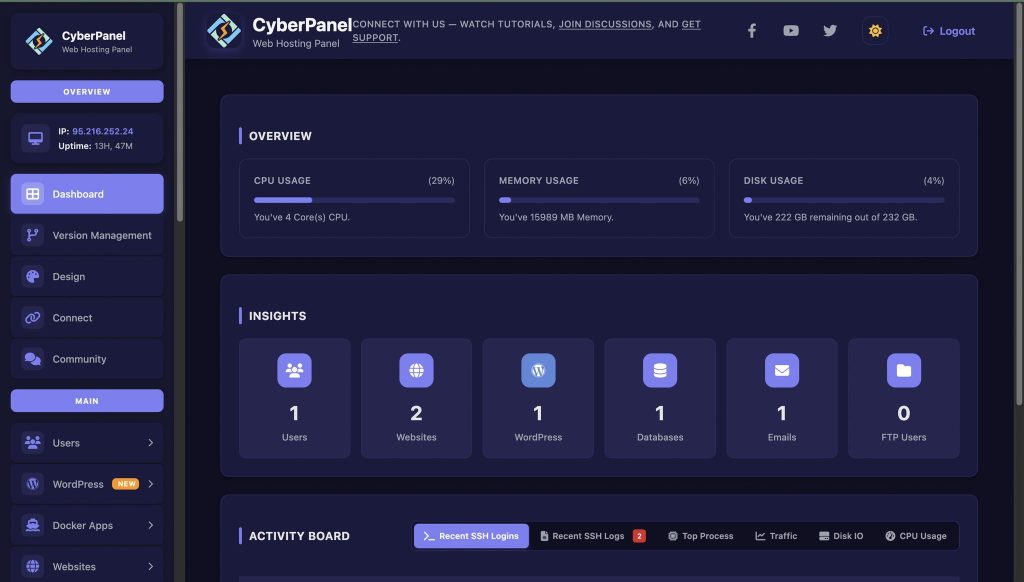
Void Linux is often used on servers and development machines. When hosting websites, a control panel helps.
CyberPanel is a web hosting control panel that simplifies server management. It provides:
- Website setup
- DNS management
- Database tools
- Security features
CyberPanel works best on supported Linux systems, but Void Linux users often use similar lightweight setups inspired by CyberPanel’s approach.
For those who prefer speed and clean servers, CyberPanel shows how simple server management can be.
Who Should Use Void Linux?
Void Linux is ideal for:
- Users who want speed
- People avoiding systemd
- Developers
- Linux learners who want control
- Users with older hardware
It may not suit users who want heavy automation or beginner tools.
Final Thoughts
Void Linux is quiet, fast, and powerful. It does not try to impress with visuals. It focuses on performance and freedom.
If you want a Linux system that stays out of your way and lets you decide everything, Void Linux is worth trying.
Download Void Linux today. Install it once. Build it your way. That is the real Linux experience!
People Also Ask
Does Void Linux support automatic updates?
Yes. Updates are manual by design. It gives users full control.
Does Void Linux support Flatpak or AppImage?
Yes, both can be added easily.
Can Void Linux be used on servers?
Yes. Its speed and stability make it suitable for servers.


