

On this page
Do you want to add the power of PowerShell to your Linux system? PowerShell scripts on Linux are a popular request among developers and IT professionals. Some professionals also want to know how to run PowerShell in Docker containers. We will tell you in this guide how the use of PowerShell Linux works, the benefits, practical setup, and even how CyberPanel can make your Linux server management easier.
This guide is for users of any level and presents the information in a very manageable manner.
What is PowerShell Linux?
PowerShell is Microsoft’s cross-platform framework for automation of repetitive tasks and configuration management. It was initially designed for Windows, but is now also available for Linux and macOS. Basically, it gives you the ability to:
- Automate tasks by executing scripts
- Manage files, services, and processes
- Use Docker and cloud environments
Since the application is also available on Linux, the developers have no excuse to leave their Linux environment to code PowerShell scripts.
Can You Use Linux on PowerShell?
Using Linux commands within PowerShell is possible, as PowerShell is cross-platform compatible. What you can do with PowerShell on Linux is the following:
- Get full access to regular Linux commands
- Create automation scripts that use both Linux and PowerShell syntaxes
- Control Linux services such as systemd, cron, etc.
Therefore, it is a powerful and flexible tool for administrators who have to deal with both Windows and Linux environments.
How to Install PowerShell on Linux
Installing PowerShell on Linux is straightforward. The steps differ slightly depending on the distribution:
For Ubuntu/Debian:
sudo apt update
sudo apt install -y wget apt-transport-https software-properties-common
wget -q https://packages.microsoft.com/config/ubuntu/22.04/packages-microsoft-prod.deb
sudo dpkg -i packages-microsoft-prod.deb
sudo apt update
sudo apt install -y powershell
For CentOS/RHEL:
sudo dnf install https://packages.microsoft.com/config/rhel/9/packages-microsoft-prod.rpm
sudo dnf install powershell
For Arch Linux:
sudo pacman -S powershell
Once installed, you can launch PowerShell by typing pwsh in your terminal.
Running PowerShell Scripts on Linux Docker Containers
You can run PowerShell script on Linux Docker container stopping tasks automatically when a container stops or restarts.
- Pull a base Linux Docker image:
docker pull ubuntu:22.04
- Install PowerShell in the container:
docker run -it ubuntu:22.04
apt update
apt install -y wget apt-transport-https software-properties-common
wget -q https://packages.microsoft.com/config/ubuntu/22.04/packages-microsoft-prod.deb
dpkg -i packages-microsoft-prod.deb
apt update
apt install -y powershell
- Run PowerShell scripts:
pwsh
./myscript.ps1
This setup is particularly useful for automating cloud or containerized applications using PowerShell on Linux.
Benefits of PowerShell on Linux
| Feature | Benefit |
|---|---|
| Cross-platform | Use the same scripts on Windows and Linux |
| Automation | Manage servers, services, and containers efficiently |
| Docker integration | Run scripts in isolated environments for testing |
| Task scheduling | Combine cron jobs with PowerShell scripts |
| Admin control | Manage system settings without switching OS |
Role of CyberPanel with PowerShell Linux
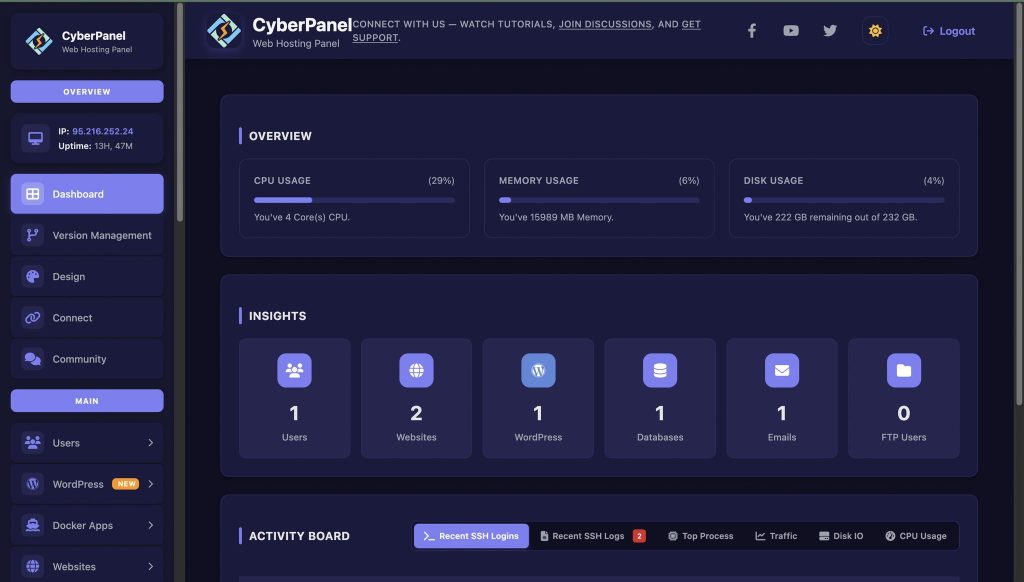
PowerShell is used for automation of tasks and system management. Meanwhile, CyberPanel is a web hosting control panel. It offers:
- Simplified website and app deployment
- Management of the database and DNS
- Security automation and SSL integration
- Support for the Dockerized environments
When PowerShell is used together with CyberPanel, Linux users can carry out their work more quickly and in a more secure way by automating the tasks that are repeated and at the same time managing the web servers.
Pros and Cons of PowerShell on Linux
Here are a few advantages and disadvantages of PowerShell Linux:
Pros:
- PowerShell scripts can be run on any platform.
- Integration with Docker and cloud services.
- As a tool, it can be used for the automation of system administration tasks.
- It is a plus for Windows administrators who are familiar with it and are moving to Linux.
Cons:
- Some cmdlets are designed only for Windows and hence cannot work in Linux.
- For those who are used to Linux, the transition to PowerShell might not be so easy.
- Needs additional components to be installed if it is a very basic Linux system.
How to Effectively Use PowerShell in Linux
- Launch PowerShell with pwsh
- Merge Linux commands with PowerShell scripts for hybrid automation.
- Test scripts without touching your system by using Docker containers.
- To schedule scripts: cron and/or systemd timers
- Do log and system health monitoring through PowerShell commands
Closing Remarks
PowerShell on Linux brings to Linux systems the best of Windows automation. From running scripts on your machine to automating containerized workflows, it is a powerful tool for developers, IT admins, and enthusiasts alike. With the integration of PowerShell and CyberPanel, one has a full-stack solution for Linux server management and web hosting automation.
Get started with PowerShell on Linux today and supercharge your Linux workflows using CyberPanel for faster, safer, and smarter server management!
People Also Ask
Is PowerShell Linux suitable for beginners?
Yes. Any beginner can run basic scripts and learn cross-platform automation gradually.
Is PowerShell usable in headless Linux servers?
Certainly. It works fully in CLI mode for servers without a GUI.
Does PowerShell support Azure management on Linux?
Yes, Azure modules for PowerShell work on Linux, enabling cloud management.


