

On this page
Looking for an easy way to manage mods and game add-ons on Linux? CurseForge Linux lets you enjoy your favorite games with mods seamlessly. Unlike other platforms, CurseForge works smoothly on Linux and keeps your mods organized and updated. In this guide, we’ll show you how to download, install, and use CurseForge on Linux.
Whether you are a beginner or an advanced Linux user, this guide covers everything you need, including tips for stable installation, usage, and even server management using CyberPanel.
What Is CurseForge Linux?
It is a platform that manages game mods for games like Minecraft, World of Warcraft, and others. It allows Linux users to download, install, and update mods easily.
- Organizes mods and add-ons
- Works on multiple Linux distributions
- Ensures compatibility with mods for popular games
- Simplifies updates and management
Does CurseForge Work on Linux?
Yes. While CurseForge was initially Windows-focused, recent versions support Linux through native builds or via tools like Lutris or Wine. Linux users can now enjoy a fully functional mod management experience without switching platforms.
Why it Works Well on Linux:
- Lightweight installation
- Open-source friendly
- Works with Wine or Lutris for compatibility layers
How to Download CurseForge Linux
Downloading CurseForge on Linux is straightforward. Follow these steps:
Visit the official CurseForge website.
Choose the Linux version or AppImage.
Then, download the file to your system.
Make it executable:
chmod +x CurseForge.AppImageRun the application:
chmod +x CurseForge.AppImage
| Step | Action | Notes |
|---|---|---|
| 1 | Visit official site | curseforge.com |
| 2 | Select Linux version | AppImage recommended |
| 3 | Download file | Choose folder location |
| 4 | Make executable | chmod +x command |
| 5 | Run app | Double click or terminal command |
| 6 | Start adding mods | Configure your games |
How to Install CurseForge on Linux
You have two main options: using AppImage (recommended) or Lutris.
Using AppImage:
- Download the AppImage file
- Give executable permissions
- Run it from your file manager or terminal
Using Lutris:
- Install Lutris via your distro’s package manager
- Add CurseForge as a new game in Lutris
- Follow the installer prompts
Tips for Using CurseForge on Linux
- Keep your mods updated regularly
- Backup game profiles
- Avoid conflicting mods by checking compatibility
- Use Wine or Lutris for games not natively supported
CyberPanel’s Role
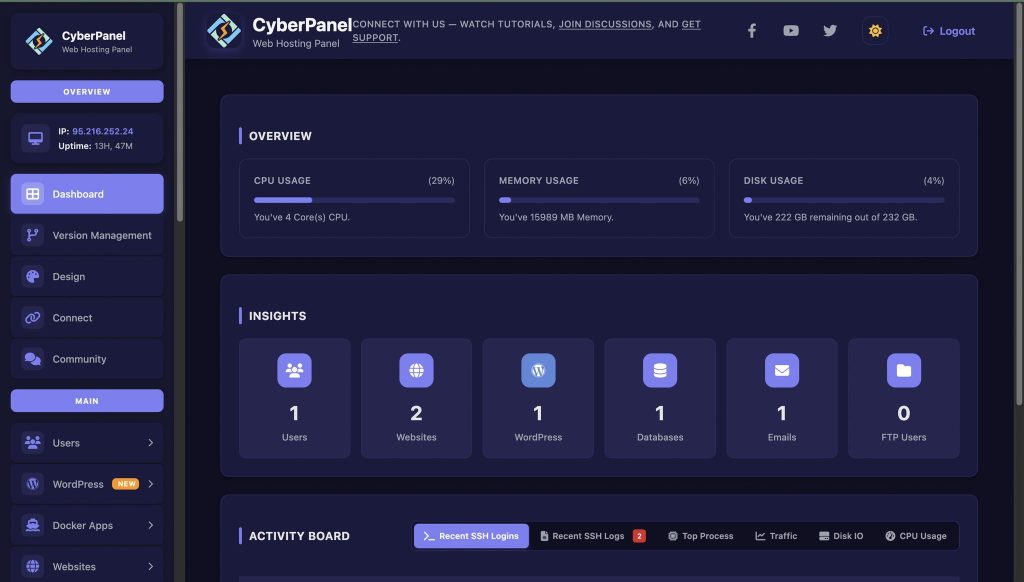
For Linux users hosting game servers with mods, CyberPanel streamlines server management. It’s a free web hosting control panel that allows you to:
- Deploy and manage game servers easily
- Automate security and updates
- Handle databases and DNS for multiplayer games
By combining CurseForge Linux with CyberPanel, you can host modded servers efficiently, even on lightweight Linux systems.
Advantages of CurseForge for Linux
- Works on multiple Linux distros
- Simplifies mod management
- Reduces installation conflicts
- Keeps mods up to date automatically
Limitations
- Some mods may need Wine for full functionality
- Native support is limited for certain games
- Requires familiarity with Linux for installation
Final Thoughts!
CurseForge Linux is about mod management for your favorite games without having to leave Linux. It is handy for both casual gamers and modding enthusiasts as it makes the process of installing, updating, and running mods easy. Use it along with CyberPanel to mod servers in an efficient and safe manner.
Why not download CurseForge Linux today and start exploring endless mod possibilities on your system?
People Also Ask
How do I troubleshoot mods that fail on CurseForge Linux?
Check for missing dependencies, ensure the correct Java version, and confirm mod compatibility with your Linux distro. Logs in the CurseForge app provide guidance.
Is CurseForge Linux compatible with Wine or Proton for Windows mods?
Yes, you can run Windows-only mods via Wine or Proton, but native Linux mods are recommended for stability.
Can I run CurseForge Linux on any Linux distro?
Yes, it works best on popular distros like Ubuntu, Fedora, and Debian-based systems. Some lightweight or niche distributions may require additional dependencies.


