
On this page
Have you ever questioned if an old computer gathering dust could still be made useful today? In general, people’s view is that once new operating systems start requiring more RAM, storage, and processing power, the old hardware becomes useless. But it is not always the case. Lightweight Linux distributions demonstrate that even very old computers can still be used when the right software is installed.
That is the point at which DSL Linux comes into play. Formerly known as Damn Small Linux, DSL achieved one of the highest recognitions among the lightweight Linux distributions that ever existed. The only thing that was quite simple to outline was the original objective: to come up with a complete desktop operating system that was able to work effectively even on very constrained hardware. While the rest of the operating systems were getting more and more resource-consuming, DSL was the latest novelty that gave a solution for web-browsing, file management, productivity tools, and networking in an extremely small implementation measure.
The Linux enthusiasts, system administrators, hobbyists, and people who wanted to give a second chance to the older machines were the ones who the project attracted as a devoted fan base. The reawakening of the DSL Linux project after several years of stagnation caused a renewed involvement in the accessibility of one of the most legendary lightweight distributions in the history of Linux.
For example, if you want to use an old pc again, make a light VM, learn Linux system, or be a minimalist OS, knowing DSL Linux in detail will enable you to check whether this classic distro still has its place in the modern computing scene.
What Is DSL Linux?
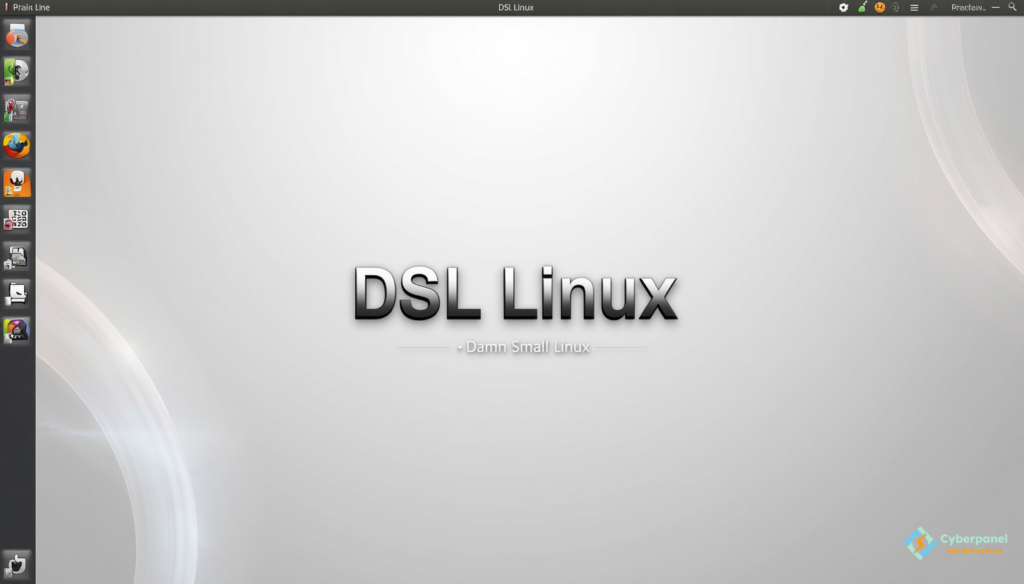
Abbreviated for Damn Small Linux, DSL Linux is a super lightweight Linux operating system that was To be exact created to function on computers with a very limited amount of resources.
Compared to current desktop operating systems, which sometimes need gigabytes of RAM and a large storage space, DSL keeps things simple and efficient.
History Behind Damn Small Linux
Originally, this distribution was known for its ability to pack a complete desktop environment into a very small size while still offering the most basic functions. People could surf the internet, do word processing, handle their files, set up their networks, and carry out other typical computer operations without the need for new hardware components.
Among the factors that contributed to the spread of DSL was that it could revive old computers as efficient systems. Computers that were having difficulties with current operating systems could quite often run DSL without problems, prolonging their lifetime and minimizing the production of e-waste.
Linux DSL presently still appeals to those who want a very light system, love tinkering with old hardware, need a tool for teaching, or want an operating system that doesn’t consume a lot of resources.
DSL was born at a time when many Linux flavors were evolving into bigger and more demanding systems. Although powerhouse operating systems provided more features, older PCs were left out.
Damn Small Linux’s developers chose a totally different path. They decided not to add more features but to look into ways to use the least amount of resources without sacrificing the ability to use the system. This was a distro that could run quite happily on hardware that most of the people would, in fact, consider junk.The
DSL community gradually grew and became very involved, and held what comes next groups of people interested:
- People giving a second life to old computers
- Linux geeks
- Schools
- Fans of embedded systems
- People setting up home labs
Even though at one point the work on it stopped, the fame of the project persisted. There was enough interest to bring about the modern rebirth of the distribution, and so it was introduced to the new users.
Why DSL Linux Will Still Be Relevant In 2026?
It’s a common view that lightweight distros are outdated in the present-day tech scenario. But certain developments still keep DSL Linux on the map.
Firstly, hardware recycling is getting more and more significant. Both institutions and private persons are looking for means to give a new lease of life to old computers instead of throwing them away.
Secondly, such lightweight operating systems are highly handy in the field of testing, research, and study via virtual machines.
Thirdly, quite a few people around choose computer systems that mainly focus on speed and minimal use of resources, rather than looking nice with effects and running a lot of background stuff.
DSL Linux ticks all these boxes with its minimalist setup that can even run on hardware where newer operating systems are too much.
Key Features Of DSL Linux
One of the main reasons why DSL still has a strong fan base is its commitment to providing efficient working without the burden of too many features.
Extremely Small Installation Size
DSL Linux takes very little disk space. So, it is capable of functioning just as well on old hard drives, flash storage devices, and also small virtual environments.
Low Memory Requirements
The major difference between many current distributions and DSL is that whereas the former need several gigabytes of RAM, the latter can work with very low resources.
That is why it can be used in:
- Old desktop computers
- Outdated laptops
- Systems dedicated to a single production
- Places for experimentation
- Fast Boot Times
At night, the operating system’s start-up is much faster compared to heavy desktop distributions.
Lightweight Desktop Environment
DSL focuses on performance rather than fancy graphics. So users get a neat interface that is still very much usable on limited hardware.
Hardware Revival Capabilities
In fact, the very top benefit of DSL Linux is its feature of being capable of giving a second life to devices that might already be disposed of.
Who Should Use DSL Linux?
DSL Linux is not trying to be a replacement for all modern desktop operating systems. On the contrary, it is very good at serving certain specific situations exceptionally well.
This distribution works best for:
- Linux learners
- Home lab enthusiasts
- Retro computing projects
- Hardware restoration projects
- Educational environments
- Lightweight virtual machines
Compared to these users, people who require support for the latest games, do multimedia work at a very advanced level, or want enterprise features at the desktop level will probably be better off with the more mainstream distributions.
DSL Linux Vs Modern Lightweight Distributions
Most people who contemplate DSL Linux also think about Puppy Linux, antiX, Tiny Core Linux, and Lubuntu.
In reality, all these distributions are focused on streamlining or efficient utilization of resources. DSL is evolving quite distinctly due to the very aspects that connect it to the past and the focus on extreme minimalism.
If you want a Linux environment as small as possible without compromising on functionality, then DSL is still an option worth considering.
How To Download DSL Linux?
People who want to use DSL Linux should only get the installation materials from the official project web page.
Just before installation, check that:
- The system is capable
- RAM is sufficient
- There is enough storage
- The boot method is supported
- The hardware architecture is supported
Most of the time, running DSL in a VM is the easiest way to check if it is compatible without actually installing it on hardware.
How CyberPanel Works With Lightweight Linux Deployments?

Lightweight Linux distributions are often chosen by companies and hobbyists for servers, labs, and infrastructure projects.
CyberPanel is a free and open-source web hosting control panel based on LightSpeed. It enables you to easily do website hosting, database backup, DNS security, and server deployment.
Those who want to keep going with lightweight Linux and build a good platform for managing web services could get a good balance with CyberPanel and the minimalism and resource efficiency of DSL Linux.
Conclusion
DSL Linux remains one of the best-known lightweight Linux distributions of all time. Despite In reality modern computer hardware has become very powerful, there is still an increasing demand for efficient operating systems that can run on old machines, virtual environments, and systems with limited resources.
Its minuscule footprint, tiny hardware requirements, rapid performance, and historical importance still lure Linux fans worldwide. So, whether your objective is to restore hardware, get to know Linux, do experiments, or use a lightweight computer, DSL Linux reveals that an operating system doesn’t need huge system requirements to be valuable.
Are you thinking of giving a computer that has not been used for a long time a new life? Download DSL Linux, try it on your hardware, and see for yourself how much performance can still be extracted from old systems.
FAQs
Can DSL Linux be installed on USB drives?
Yes. Many users deploy DSL Linux on bootable USB drives for portable computing, troubleshooting, hardware diagnostics, and system recovery tasks. Its small size makes it particularly well-suited for removable media installations.
What file systems does DSL Linux support?
DSL Linux supports several common Linux file systems, including ext4 and other widely used formats. Support may vary depending on the specific release and kernel version, so users should consult official documentation for detailed compatibility information.
Is DSL Linux-based on Debian?
The modern revival of DSL Linux is based on antiX, which itself is built on Debian. This gives DSL access to Debian-compatible software repositories while maintaining the lightweight design philosophy that made the distribution famous.
Is DSL Linux suitable for embedded or kiosk systems?
Yes. Due to its small footprint and low resource consumption, DSL Linux can be adapted for specialized deployments such as kiosks, information terminals, digital signage, and dedicated-purpose devices where minimal overhead is important.
Can DSL Linux be used as a recovery or rescue operating system?
Yes. Many users keep DSL Linux available as a rescue environment for troubleshooting systems, recovering files, accessing damaged installations, testing hardware, and performing maintenance tasks on computers that cannot boot normally.


