
On this page
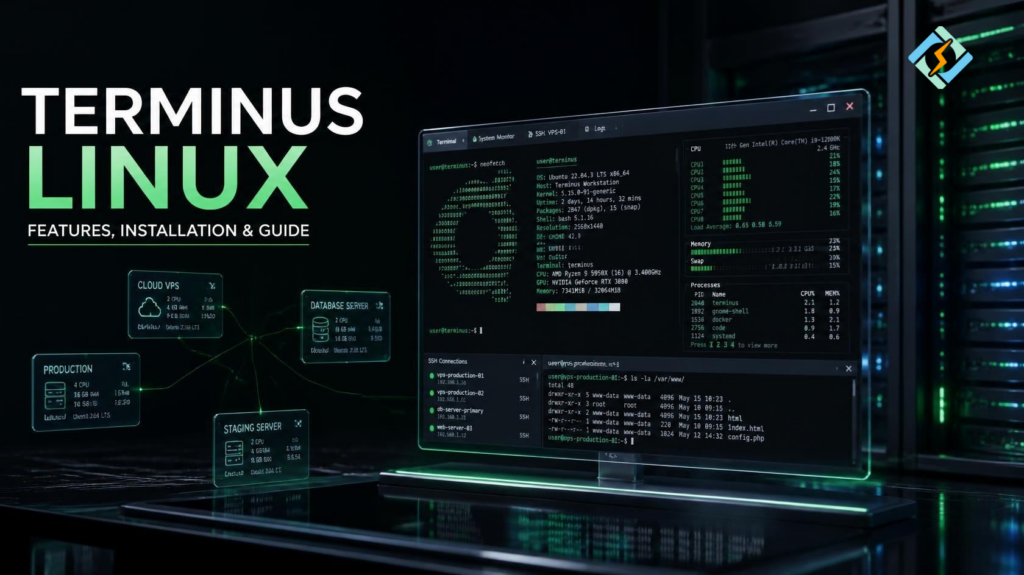
Terminus Linux is apparently the keyword to look for if you want to know more about the terminal emulator that aims to offer a more capable and customizable replacement for your standard command-line utilities
In other words, if you are searching the web for Terminus for Linux, you are probably interested in learning how to install Terminus, its features, which Linux distributions support it, and the differences between using this terminal emulator and the default one.
As opposed to a standard terminal application, Terminus offers greater customization and flexibility with tabs, themes, plugins, and a modern graphical interface while maintaining access to the Linux shell
This can be really useful for people who use the terminal on a daily basis, as it makes the command-line operations much easier and better organized.
What Is Terminus Linux?
Terminus Linux generally refers to using Terminus, a modern terminal emulator, on a Linux operating system.
A terminal emulator provides a graphical window through which you interact with a shell such as Bash, Zsh, or Fish.
The basic relationship looks like this:
Linux Operating System
↓
Terminal Emulator
↓
Shell
↓
Commands
↓
Programs and System Tools
Terminus sits between the graphical desktop and your shell. It does not replace Linux itself, nor does it replace Bash or another shell.
Instead, it provides the interface through which you interact with the shell.
What Is Terminus for Linux Used For?
Terminus for Linux can be used for almost any task that you would normally perform through a graphical terminal.
Common examples include:
- Running Linux commands
- Managing files
- Installing packages
- Connecting to remote servers
- Using SSH
- Managing Git repositories
- Running development tools
- Working with Docker
- Managing cloud servers
- Running scripts
- Monitoring processes
- Configuring Linux systems
Its main advantage is the user interface surrounding these tasks.
For example, you can organize multiple terminal sessions using tabs instead of opening several separate terminal windows.
What Makes Terminus Different From a Normal Linux Terminal?
A traditional Linux terminal is often deliberately simple.
That is not necessarily a bad thing. Simple terminals are fast, reliable, and easy to maintain.
Terminus takes a more modern approach.
It focuses on features such as:
- Tabs
- Split panes
- Themes
- Custom fonts
- Custom shortcuts
- Plugins
- Color schemes
- Modern graphical settings
- Multiple shell sessions
This makes Terminus particularly interesting for developers and system administrators who spend a large portion of their working day inside a terminal.
Terminus Linux Features
The exact features available can depend on the version and platform, but the project has historically focused on making the terminal more customizable and extensible.
| Feature | Purpose |
| Tabs | Keep multiple sessions in one window |
| Split panes | Work with several sessions simultaneously |
| Themes | Change the terminal’s appearance |
| Plugins | Extend functionality |
| Custom fonts | Improve readability |
| Keyboard shortcuts | Speed up common actions |
| Shell support | Work with Bash, Zsh, Fish, and others |
| Cross-platform design | Use a similar terminal experience across systems |
The important point is that Terminus is still a terminal emulator.
The shell remains responsible for interpreting commands.
Does Terminus Linux Replace Bash?
No.
This is an important distinction.
Terminus is not a shell.
Bash is a shell.
Zsh is a shell.
Fish is a shell.
Terminus is the graphical terminal application through which you can run those shells.
For example:
Terminus
↓
Bash
↓
Linux commands
Or:
Terminus
↓
Zsh
↓
Linux commands
Changing the terminal emulator does not fundamentally change how Linux commands work.
Can You Use SSH With Terminus?
Yes.
SSH is one of the most common reasons developers and administrators use terminal applications.
You can use an SSH command such as:
ssh username@server-ipOnce connected, you can manage a remote Linux server from the Terminus interface.
For example:
Your Computer
↓
Terminus
↓
SSH
↓
Remote Linux VPS
↓
Server
This can be useful when managing:
- VPS servers
- Web servers
- Cloud infrastructure
- Development machines
- Remote databases
- Linux hosting environments
Is Terminus for Linux Good for Developers?
It can be.
Developers often need several terminal sessions open at once.
One terminal might run a development server.
Another might run Git commands.
A third might be connected to a remote server.
A fourth might run tests.
Tabs and split panes can make this workflow easier to manage.
For example:
+——————-+——————-+
| Development | Git |
| npm run dev | git status |
+——————-+——————-+
| Server | Testing |
| ssh server | npm test |
+——————-+——————-+
Instead of managing several windows, you can organize related sessions within one terminal environment.
Is Terminus Linux Good for System Administrators?
Terminus can also be useful for system administration.
Linux administrators frequently work with:
- SSH
- systemctl
- journalctl
- top
- htop
- Docker
- Git
- package managers
- configuration files
- logs
- networking commands
A terminal that supports tabs and panes can make this workflow more manageable.
For example, an administrator might keep:
Tab 1: Production server
Tab 2: Database server
Tab 3: Monitoring
Tab 4: Local configuration
This becomes especially useful when managing several servers at the same time.
How Do You Install Terminus on Linux?
The installation process depends on the specific Terminus project and Linux distribution you are using.
For Linux software distributed as a package, you should first identify the correct package format for your system.
Common Linux package formats include:
| Format | Common distributions |
| DEB | Ubuntu, Debian, Linux Mint |
| RPM | Fedora, RHEL-based systems |
| AppImage | Many Linux distributions |
| Tar archive | Broad Linux compatibility |
Do not install a random package simply because its filename contains “Linux.”
Always make sure the package matches your architecture and distribution.
How Do You Install Terminus on Ubuntu?
If a compatible Debian package is provided for your version of Ubuntu, installation generally follows the standard package workflow.
For example:
sudo apt install ./package-name.debReplace package-name.deb with the actual downloaded package.
You may also need to install dependencies if they are not already present.
Before installing, check:
uname -mThis helps identify your system architecture.
On most modern PCs, you will typically see:
x86_64Can Terminus Run on Linux Mint?
If the version of Terminus you choose supports the underlying Ubuntu or Debian environment used by your Linux Mint release, it may work.
Linux Mint is closely related to Ubuntu, but that does not mean every Ubuntu package is automatically compatible.
Before installing, check:
- Your Linux Mint version.
- The package’s supported distributions.
- CPU architecture.
- Required dependencies.
- Application version.
This avoids dependency problems later.
Terminus Linux System Requirements
A terminal emulator does not normally require extremely powerful hardware.
A typical modern computer should have no trouble running a graphical terminal application.
However, the actual resource usage depends on what you run inside it.
Running a simple Bash session is very different from running:
- Multiple shells
- Large development applications
- Node.js processes
- Docker containers
- Monitoring tools
- Remote sessions
- Heavy scripts
So there is no need to buy powerful hardware simply to run a terminal.
Terminus vs GNOME Terminal
GNOME Terminal is the standard terminal emulator associated with the GNOME desktop.
Terminus takes a more feature-oriented approach.
| Feature | Terminus | GNOME Terminal |
| Terminal emulator | Yes | Yes |
| Tabs | Yes | Yes |
| Split-pane workflow | Strong focus | More limited depending on setup |
| Themes | Yes | Yes |
| Customization | Extensive | Moderate |
| Plugins | Supported by project | More limited |
| Lightweight philosophy | Moderate | Relatively lightweight |
| Best for | Custom terminal workflows | Simple reliable terminal use |
If you want simplicity, GNOME Terminal may be enough.
If you enjoy customizing your working environment, Terminus may be more appealing.
Terminus vs Konsole
Konsole is KDE’s terminal emulator and is a mature choice for Linux users.
| Feature | Terminus | Konsole |
| Modern interface | Yes | Yes |
| Tabs | Yes | Yes |
| Split views | Yes | Yes |
| KDE integration | No | Excellent |
| Customization | Strong | Strong |
| Resource usage | Depends on configuration | Depends on KDE environment |
| Best fit | Cross-platform workflow | KDE users |
For KDE Plasma users, Konsole remains a very strong option.
Terminus becomes more interesting if you want its particular interface and customization model.
Is Terminus Linux Lightweight?
It depends on what you mean by lightweight.
Terminus is designed as a modern graphical terminal rather than an ultra-minimal terminal emulator.
A basic terminal such as xterm can be extremely small and resource-efficient.
A modern application with tabs, themes, plugins, and graphical customization will naturally require more resources.
For a modern desktop computer, however, the difference may not matter much during normal use.
Can Terminus Work With Zsh?
Yes, a terminal emulator can run Zsh as long as Zsh is installed on your Linux system.
For example:
zshYou can also configure your terminal profile to launch Zsh automatically.
The same basic idea applies to other shells.
Terminus
├── Bash
├── Zsh
└── Fish
This separation between terminal emulator and shell gives you considerable flexibility.
Can You Customize Terminus?
Customization is one of the main reasons users look at Terminus.
Depending on the version, you may be able to customize things such as:
- Fonts
- Font size
- Colors
- Themes
- Background
- Tabs
- Keyboard shortcuts
- Shell profiles
- Plugins
- Pane layouts
A good terminal setup is not about making it flashy.
The goal is to make commands easier to read and repetitive tasks faster to perform.
Is Terminus Linux Good for CyberPanel Users?

If you manage CyberPanel servers, a terminal emulator can become part of your daily workflow.
CyberPane is a free and open-source web hosting control panel. It provides a graphical interface for server and website management, but administrators still frequently need SSH access.
A typical workflow could look like:
Terminus
↓
SSH
↓
CyberPanel VPS
↓
Linux Server
↓
Websites / Services
From the terminal, you can perform tasks that may be faster through command-line tools, such as checking logs, inspecting processes, managing files, restarting services, or troubleshooting networking.
CyberPanel handles the hosting management layer, while Terminus simply gives you a convenient interface for interacting with the underlying Linux shell.
This makes the two complementary rather than competing products.
Is Terminus Linux Worth Using?
If you spend a lot of time in the Linux command line, Terminus can be worth trying.
Its strongest appeal is the combination of a familiar shell with a more customizable graphical environment.
It is particularly useful for people who regularly manage multiple terminal sessions.
However, you do not need Terminus to use Linux effectively.
GNOME Terminal, Konsole, Xfce Terminal, Alacritty, Kitty, and other terminal applications can perform the same fundamental job.
The best choice comes down to workflow, performance, customization, and personal preference.
Frequently Asked Questions
Is Terminus a Linux distribution?
No. Terminus is a terminal application, not a Linux distribution. You still need an operating system such as Ubuntu, Debian, Fedora, or Linux Mint underneath it.
Can Terminus connect to multiple Linux servers?
Yes. You can create separate terminal sessions and use SSH to connect to different remote machines. Tabs and panes make this particularly convenient.
Can I use Terminus without knowing Linux commands?
You can open and use the application, but its real purpose is to interact with a command-line shell. Learning basic Linux commands will make Terminus much more useful.
Final Verdict
Terminus Linux is best understood as a modern terminal experience for Linux rather than a separate operating system. It provides a graphical environment for interacting with shells such as Bash and Zsh while adding features that can make terminal-heavy workflows easier to manage.
Its strongest use cases are development, system administration, SSH, server management, and users who regularly work with multiple command-line sessions.
If you are searching for Terminus for Linux, first decide what you actually need from a terminal. If tabs, panes, customization, and an organized interface matter to your workflow, Terminus can be a useful option. If you prefer maximum simplicity and minimal resource usage, a traditional terminal may be better.
For CyberPanel administrators, Terminus can also be a practical companion because it provides a convenient interface for SSH access to Linux hosting servers.
Start with your existing Linux workflow, install Terminus on a supported system, configure your preferred shell and shortcuts, and build a terminal setup that makes your daily server and development work faster rather than simply making the terminal look different.


