The landscape of frontend development has shifted dramatically in recent years. We have moved away from simple jQuery scripts to complex, component-based architectures that power entire businesses. In my experience as a technical writer and developer, few frameworks have managed to balance approachability with raw power as effectively as Vue.js. However, writing clean code is only half the equation. The way we manage the environment where that code lives, specifically web hosting control and server configuration, is just as critical to the success of an application.

Understanding the Core Architecture of Vue 3
Vue has evolved significantly since its early days. The introduction of Vue 3 marked a paradigm shift, moving us from the Options API to the Composition API. This change was not just syntactic sugar. It fundamentally altered how we organize logic, making it easier to group related features together rather than splitting them across data, computed, and method properties.
The Composition API allows for better type inference, which is a massive win if you are using TypeScript. It also enables “composables,” which are reusable pieces of stateful logic. In my projects, I find that this reduces code duplication significantly compared to the old mixin pattern, which often led to namespace collisions and opaque data sources.
When you are building large-scale applications, the architectural decisions you make early on will dictate your velocity later. If you need to scale your team quickly, you can hire Vue.js developers to accelerate this process and ensure your foundational architecture is solid. Expert developers understand that Vue is not just about the view layer anymore. It is about the entire ecosystem.
The Build Ecosystem: Vite and Pinia
We cannot discuss modern Vue development without mentioning the tooling. Gone are the days of complex Webpack configurations that took days to debug. Vite has emerged as the standard build tool, and it is blazingly fast. Because Vite leverages native ES modules in the browser during development, the server start time is almost instantaneous, regardless of the size of your application.
For state management, Pinia has effectively replaced Vuex. I prefer Pinia because it is modular by default. You no longer have a single giant store but rather discrete stores that your components can import as needed. This modularity plays directly into performance, as code-splitting becomes much more natural. The API is also much cleaner, removing the complex boilerplate of mutations and actions in favor of simple functions.
Web Hosting Control Strategies
Once your application is built, the challenge shifts to hosting. “Hosting control” refers to the mechanisms and interfaces we use to manage the server environment. This is where many developers stumble, as hosting a Single Page Application (SPA) or a Server-Side Rendered (SSR) app requires specific configurations that differ from traditional static sites.
Static vs Dynamic Hosting Control
The first decision involves the nature of your deployment. If you are building a standard SPA where the browser handles the rendering, your hosting control needs are relatively simple but specific. You are essentially serving static files (HTML, CSS, JS). However, you cannot simply drag and drop files onto a server and expect it to work perfectly without configuration, specifically regarding routing.
Configuring Nginx for Vue.js Routing
One of the most common issues I see developers face is the “404 on refresh” error. This happens because Vue Router (in history mode) manipulates the browser’s URL without actually reloading the page. When a user hits “refresh” on a sub-route like /dashboard, the browser asks the server for a file named dashboard, which does not exist.
To control this behavior on an Nginx server, you must modify your server block. You need to intercept every request and check if a static file exists. If it does not, you must serve the index.html entry point and let Vue handle the routing internally.
Here is the logic you need to implement in your Nginx configuration:
location / { try_files $uri $uri/ /index.html; }
This single line is the difference between a broken app and a functioning one. It tells the server: “Try to find the file. If you can’t find the file, try to find the directory. If you can’t find that either, just give the user the index.html file.”
Traditional vs Modern Control Panels
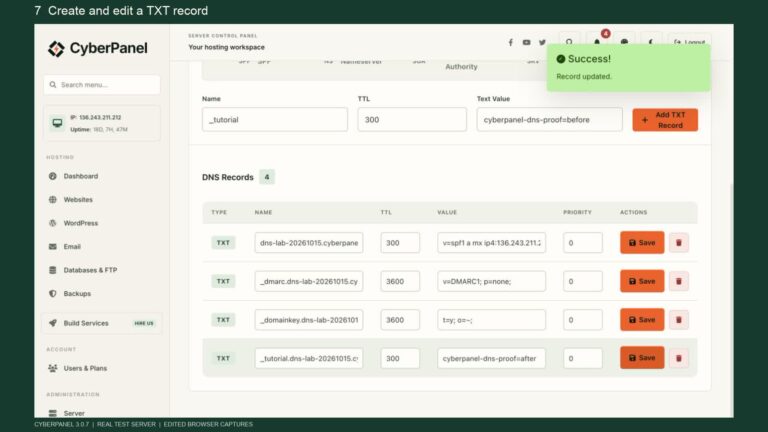
For years, control panels like cPanel or Plesk were the industry standard. They offer a graphical interface to manage databases, email, and files. If you are using these for a Vue app, you often need to use their “Node.js Selector” or “Application Manager” features if you are running a Nuxt.js application (SSR).
- cPanel/Plesk: Good for clients who want a GUI for everything including email. However, deploying a modern Vue app here often feels like fighting against the system. You usually have to manually upload build artifacts to the public_html folder.
- VPS with Docker: This gives you ultimate control. You containerize your Vue application using a Dockerfile. This ensures that the environment on your local machine matches production exactly. You control the OS, the Node version, and the Nginx config directly.
- PaaS (Platform as a Service): Services like Vercel, Netlify, or AWS Amplify abstract the “control” away from the server hardware and focus on the deployment pipeline. In these environments, “hosting control” is done via a vercel.json or netlify.toml configuration file in your repository.
Comparison of Hosting Control Models
| Feature | VPS (DigitalOcean/Linode) | Managed PaaS (Vercel/Netlify) | Shared Hosting (cPanel) |
| Control Level | Root access (Maximum) | Configuration based (High) | GUI based (Low) |
| Scaling | Manual or scripted | Automatic | Limited/None |
| Deployment | CI/CD pipelines or manual | Git-push automation | FTP or File Manager |
| Cost | Fixed monthly | Usage-based | Low fixed monthly |
| Best For | Complex backends, Custom architectures | SPAs, Nuxt.js, Jamstack | Simple static sites, tight budgets |
Server-Side Rendering (SSR) and Nuxt
If SEO is a primary concern, standard Vue SPAs might struggle because web crawlers sometimes fail to execute JavaScript efficiently. This is where Nuxt.js comes in. Hosting a Nuxt application changes your control requirements. You are no longer just serving static files, you are running a Node.js server process that needs to accept requests, render HTML on the fly, and send it back.
For this, you need a process manager like PM2 on your server. PM2 ensures that if your application crashes, it restarts automatically. It also allows you to run your application in “cluster mode,” utilizing all available CPU cores. Your hosting control workflow involves logging into the server via SSH and managing these processes directly, or setting up systemd services to handle them at the OS level.
Performance Optimization Techniques
Controlling your hosting environment is not just about keeping the site online, it is about keeping it fast. Performance is a feature.
- Lazy Loading Routes: Do not bundle your entire application into one JavaScript file. Use dynamic imports in your router configuration. This tells the bundler to create separate chunks for each page. The browser only downloads the code for the “Settings” page when the user actually visits that page.
- Gzip and Brotli Compression: This is a server-level configuration. You should configure your web server (Nginx/Apache) to compress text-based assets (HTML/CSS/JS) before sending them to the client. This can reduce payload sizes by up to 70%.
- CDN Integration: A Content Delivery Network puts your static assets on servers close to the user. In your Vue config, you can set the publicPath to point to your CDN URL. This ensures that while your main server handles the HTML document, the heavy JavaScript files are loaded from a super-fast edge server.
Security Considerations in Hosting Control
When you manage your own hosting environment for a Vue app, security falls on your shoulders.
- HTTPS is Mandatory: Modern browser APIs (like Service Workers for PWA capabilities) require HTTPS. You can use Let’s Encrypt to generate free SSL certificates. Most modern control panels have auto-renewal scripts for this.
- Environment Variables: Never hardcode API keys in your Vue code. While it is true that anything in the frontend code is technically “public”, you should still use .env files during the build process to inject configuration. On the server side (for Nuxt), environment variables are crucial for keeping database secrets safe.
- Headers: Configure your web server to send security headers. The Content-Security-Policy (CSP) header is particularly important for Vue apps to prevent Cross-Site Scripting (XSS) attacks.
Troubleshooting Common Deployment Issues
Even with the best planning, things go wrong. Here is a checklist I use when a deployment fails:
- Check the Build Logs: Did the build fail because of a TypeScript error or a missing dependency?
- Verify Node Versions: Is the server running the same version of Node.js as your local machine? Use nvm (Node Version Manager) to control this.
- Inspect Network Tabs: If the site loads but data is missing, check for CORS (Cross-Origin Resource Sharing) errors. This is a server-side configuration issue where the backend API is rejecting requests from your frontend domain.
Conclusion
Building a Vue.js application is a rewarding experience, but the journey does not end when you commit the final line of code. The way you approach web hosting control, from the server configuration to the deployment pipeline, defines the stability and performance of your product. Whether you choose the raw power of a VPS with Docker or the streamlined automation of a PaaS like Vercel, understanding what happens “under the hood” makes you a better developer.
Take the time to audit your current hosting setup. Are you handling the history mode routing correctly? Are you utilizing Gzip compression? Is your build pipeline automated? Mastering these controls will ensure your Vue applications are not just functional, but exceptional.