On this page
Studies cited by SuperAGI indicate that AI online form creators can boost form building by up to 80% faster.
Creating online forms may seem simple, but anyone who has done it repeatedly knows how time-consuming it can be. Setting up structure, logic, and design, plus all the adjustments and drag-and-drop work, takes a lot of time.
But AI form tools are creating a positive gap of up to 80%. So, we’ve listed some of the top AI form tools on the market today. You’ll get a look at their backgrounds, pros, and best use cases. Furthermore, we’ll also highlight the tools that best suit your business needs.
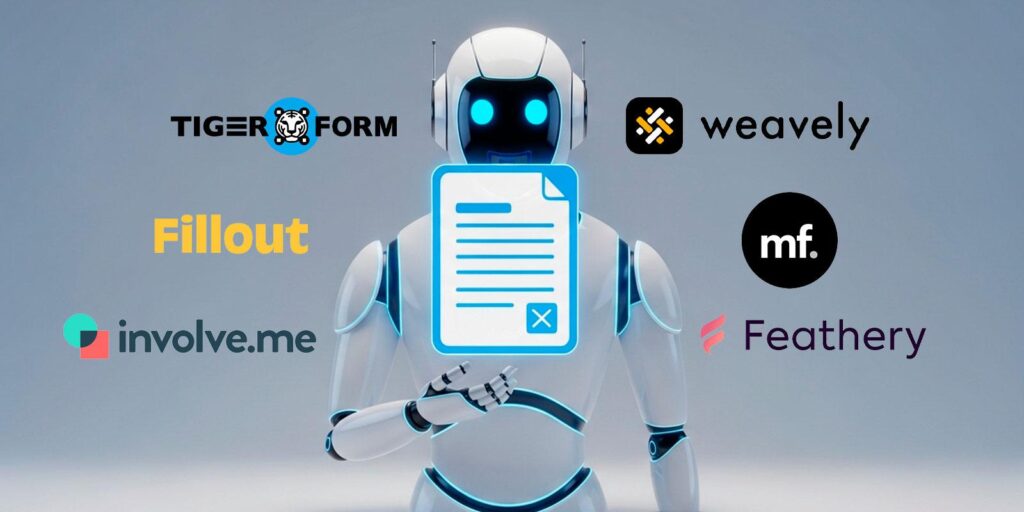
6 AI online form creators for faster form setup
TIGER FORM
TIGER FORM is an advanced form solution from the makers of QR Tiger. The tool uses dynamic QR forms to remove any inconvenience of traditional form access. And aside from QR codes, they also launched their AI builder to add even more convenience for users.
Pros:
- The AI automations understand the user’s context and create the form from it within minutes.
- The AI also handles intelligent field recognition. If it detects a ‘Phone Number’ field, it automatically sets the numerical limits and validation rules.
How does it work?
You type a simple prompt or describe the form you want, such as “Build a full school enrollment form,” then click the generate button. After that, the AI automation structures the complete form draft with relevant fields in seconds.
Now, if you worry about your control, you can still adjust everything after it has been generated. The form you receive is a suggested draft you can tweak to your satisfaction.
With TIGER FORM’s AI online form creator and QR codes working together, users will have a convenient channel for data collection. Learn more at Form QR code generator.
Weavely.io
At first, Weavely.io just wanted to build forms within Figma serving the design community, but later realized that speed and accuracy should work better for all users.
So, they offered their AI form as a standalone tool, accessible to users outside of Figma. The feature focuses on fast prompt-to-publish output for users who want quick form creation.
Pros:
- The AI feature digitizes text, voice, or a PDF upload into online versions as the prompt.
- It suggests optimized questions, helping users frame items more clearly and accurately.
How does it work?
You can choose to describe what you need or upload a file. The AI scans the content, breaks down the structure, and converts it into a working form instantly. Once the base draft is built, you can adjust the layout to your needs. Weavely.io’s AI and multi-input form setup will shorten the design-to-form gap faster.
Fillout
Fillout is for deeper automation. It works best if you want your forms to be part of a database system. It allows smooth integration with tools like Airtable, Notion, and Salesforce. So, its AI feature doesn’t just help form creation but also the setup within data workflows.
Pros:
- Its AI supports advanced workflows, including approvals and data routing.
- It connects directly to databases for updating records or pre-filling fields.
How does it work?
You describe the form you want or upload an existing draft. The AI builds the form and suggests field structures. Then, you can use the AI tool to map fields to your database or set rules such as email triggers.
MakeForms
MakeForms focuses on users who need strong security and privacy. It is designed for teams that need strong form compliance, secure data handling, and fast generation of complex forms.
Pros:
- You interact with a chat-style AI that builds forms from plain descriptions.
- It includes a compliant AI lead form generator that adapts forms to your industry.
How does it work?
You can type a brief prompt, such as “A HIPAA patient intake form,” and the AI will generate the form accordingly, while checking it against the needed compliance standards.
MakeForms stands out because it supports standards such as HIPAA, GDPR, and SOC 2, reducing the typical review time required by IT or compliance teams.
Involve.me
Involve.me creates forms for conversion and lead generation through interactive content funnels. It works best for marketers and teams focused on lead engagement and personalization.
Pros:
- Includes an AI funnel builder that creates multi-step flows for quizzes, calculators, and survey funnels.
- Produces AI analytics reports to help you understand behavior patterns.
How does it work?
Like other AI form tools, Involve.me starts with a prompt such as “Qualify real estate leads.” It then creates a funnel with questions, branching, and layout. You can adjust the steps or change the tone of the questions as needed.
Feathery
Feathery is a low-code platform designed for product developers who require advanced logic and pixel-level control. It works well for onboarding steps, finance forms, or any process that needs clear approval flows.
Pros:
- Document intelligence captures structured data from uploaded files.
- It offers SDKs and a white-label editor for embedding within products.
How does it work?
You describe the flow or logic you want, and the AI generates the form structure and conditional rules. If you upload a document, the AI maps the text and turns it into data-ready fields. You can then embed the output inside your app through Feathery’s SDK.
The verdict: Which tool fits your business needs?
Every hour spent on form creation takes time away from data analysis and decision-making. We are not saying form creation should be taken lightly, only that it can be 80% faster with AI forms.
Now, how do you know what’s best for your business model?
If you want fewer abandoned forms, Involve.me and TIGER FORM are strong options. Both focus on user experience and conversion. TIGER FORM works well for event signups with its online form builder.
If you operate with Figma or have been a Figma user, Weavely fits naturally into your workflow and removes the usual handover issues between design and development. If you need a tool that works with Notion or Airtable, Fillout cuts the time you would spend on manual data mapping.
If you work in healthcare or finance, where tight security is required, MakeForms provides the compliance you need. And if you are a developer who wants less coding but still needs control over logic, Feathery is the professional choice.
The idea of the ‘best tool’ depends on your needs. Know what you want and get the most out of the AI form tools listed here!