On this page
Optimizing containers involves more than just images and volumes. Labels are crucial for automation and organization within Docker environments. As containers expand to dozens or hundreds, Docker Labels ensure management remains consistent. These metadata labels assist in documenting ownership, automating routing, clarifying container purpose, and standardizing DevOps tasks. When deploying microservices, utilizing Docker Compose, or engaging with Traefik, labels must be incorporated into your workflow from the outset.
Numerous developers overlook labels until their surroundings become disordered. This results in lost traceability, delayed troubleshooting, ambiguous routing rules, and difficult-to-maintain stacks. Labels prevent this by enabling container metadata to reside within the configuration. It is straightforward but effective for ensuring production dependability.
This article describes Docker Labels, Docker Compose Labels, and the interaction of Traefik with labels. You will gain insights into effective methods and examples, enabling you to implement these concepts right away in your applications.
What Are Docker Labels?
A Docker Label is a metadata entry consisting of a key and value linked to an image, container, network, or volume. It specifies or characterizes resources in a uniform manner.
Labels simplify the automation process. They can be used to designate service owners, environment categories, security needs, or route domains in a reverse proxy.
Labels are kept within the container metadata, resulting in more predictable tooling.
Example syntax
label-key="label-value"Reasons for Utilizing Docker Labels in Production
Labels are utilized because:
- They record every container without accessing Dockerfiles.
- They enable automated routing using proxies such as Traefik.
- They assist with auditing and access management policies.
- They monitor versions and manage service ownership.
- They assist in maintaining cleanliness in container orchestration.
Labels incur no runtime weight, and they are simple to understand and reuse.
Here is where Docker Labels are used:
- Containers
- Images
- Docker Compose services
- Swarm services
- Networks
How to Add a Docker Label to a Container?
You use the –label flag with the docker run command.
Example
docker run -d \

 --label environment="production" \

 --label owner="backend-team" \

 nginx:latest
Output
container started with labelsYou can verify it:
docker inspect container_idSearch for the Labels section.
How to Use Docker Compose Labels Correctly?
Docker compose labels are placed under each service inside docker-compose.yml. It lets you configure routing, logging, monitoring, ownership, or version metadata within the file instead of command flags.
Correct example with labels
version: "3.9"

services:

  web:

    image: nginx

    labels:

      app.environment: "production"

      app.owner: "security-team"

      app.version: "v1.4"
This is an example of label definition inside Docker Compose:
services:

  web:

    image: nginx:latest

    labels:

      - "env=production"

      - "maintainer=backend-team"
Traefik Docker Network Label
Traefik utilizes labels for routing and discovering services. Rather than creating extensive configuration files, labels streamline networking operations.
Traefik dynamically retrieves networking rules from Docker events. This speeds up deployments and enhances readability.
Example configuration
services:

  web:

    image: nginx

    labels:

      traefik.enable: "true"

      traefik.http.routers.web.rule: "Host(`example.com`)"

      traefik.http.routers.web.entrypoints: "websecure"

      traefik.http.services.web.loadbalancer.server.port: "80"

networks:

  default:

    external: true

    name: traefik-public
Real Project Examples
Here are realistic use cases showing where Docker labels help teams.
For multi-tenant web hosting
- Identify customer ID
- Route domains dynamically
For CI/CD rollouts
- Add label build version
- Select containers by version
For resource accounting
- Assign labels for cost center
- Create internal billing dashboards
Real Executable Code Example Using Labels
The code below creates two containers with labels and then filters containers using those labels.
echo "Creating containers..."

docker run -d --label env="dev" alpine sleep 200

docker run -d --label env="prod" alpine sleep 200

echo "Filtering prod containers..."

docker ps --filter "label=env=prod"
Output
CONTAINER ID   IMAGE     COMMAND      LABELS

abcd123        alpine    sleep 200    env=prod
This shows how labels can automate container selection.
Frequent Label Errors and Ways to Prevent Them
Here are problems that numerous engineers encounter.
- USING UPPERCASE LETTERS, use lowercase keys.
- Inserting spaces that disrupt YAML indentation.
- Omitting quotation marks around values.
- Embedding secrets directly within a Docker Compose label.
- Employing identical label keys across different services.
- Placing labels in incorrect sections of the compose file.
Docker Label vs Annotation Inside Orchestrators
| Feature | Docker Labels | Annotations |
| Primary use | Metadata and automation | Notes and descriptive text |
| Read by tools | Yes | Mostly ignored |
| Used for routing | Yes | No |
| Persistence | Persists with resource | Persists |
| Useful in compose | Yes | Not available |
Role of CyberPanel in Docker Label Configurations
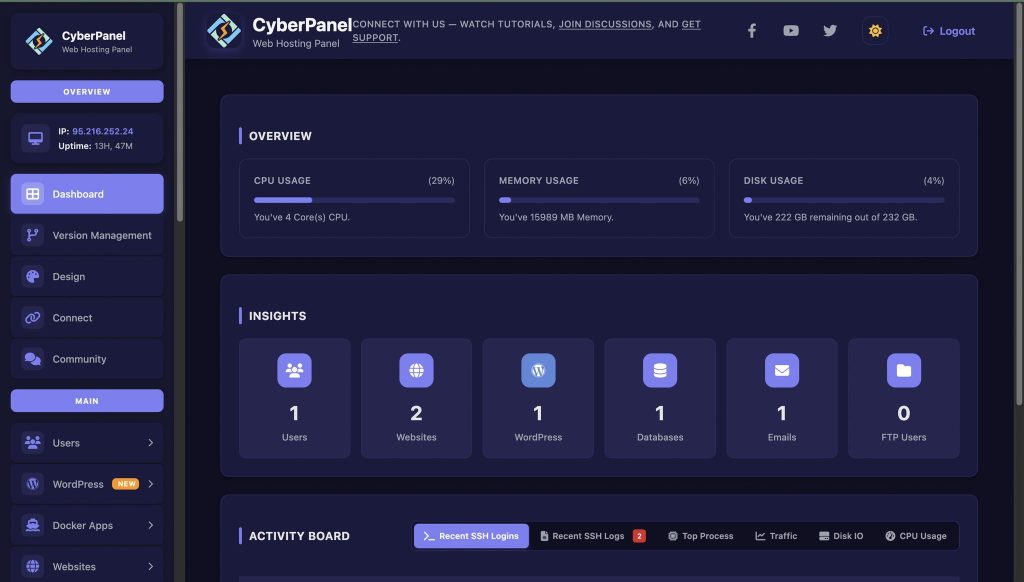
CyberPanel seamlessly integrates with Docker hosting. Deploying services via CyberPanel allows Docker labels to define services for monitoring, logging, and routing. A Traefik stack managed via Docker Compose labels behind CyberPanel is automated. Developers can manage domains, set up SSL, and monitor service metadata without modifying additional proxy configuration files.
Labels within CyberPanel deployments guarantee traceability across clusters and various tenants. CyberPanel, a web hosting control panel, handles and interprets service metadata more reliably when labels adhere to specific conventions
Best Practices for Utilizing Docker Labels
Utilize these models in operational settings:
- Establish naming conventions for keys.
- Employ versioning tags for quick reversions.
- Record definitions of label keys in the repository.
- Ensure labels are applied uniformly throughout clusters.
- Utilize Docker Compose labels whenever feasible to ensure consistency.
- Verify labels before deployments in CI/CD.
- Refrain from keeping sensitive information
Final Remarks!
Labels enhance understanding and streamline processes. Using Docker directly or managing services with Compose and Traefik, labels enhance visibility and assurance. Production environments grow more organized and reliable. First, attach labels to current containers, and subsequently establish labeling standards for upcoming deployments.
Next Steps for You!
Start implementing labels in your Docker projects now. Include explicit metadata, streamline routing, and maintain simpler management of your deployments. Employ Docker Labels in Compose or Traefik for your upcoming service deployment. Establish a clean container setting by setting label guidelines now to facilitate easier scaling in the future.
People Also Ask
Is it possible for Docker Labels to contain sensitive credentials?
No. Labels are readable metadata. Credentials and secrets need to be securely stored away from labels.
Do labels influence container efficiency?
Labels do not hinder the performance of containers. They just include metadata.
Is it possible to modify labels post-deployment?
Affirmative. You may change or include labels, but redeployment might be necessary based on the workflow.
Are labels shared across Docker Swarm nodes?
Nodes that manage the services have access to labels. They assist in recognizing services within Swarm deployments.
What is the suggested number of labels for each container?
There isn’t a set amount. Maintain labels concise and pertinent. Excessive labels reduce clarity.