
On this page
Kernel updates are really important for Linux. These updates fix security problems. Hence, make Linux work better. However, sometimes updates can cause problems with drivers. That is where DKMS Linux comes in and helps with the drivers for Linux.
DKMS is really useful because it helps your drivers rebuild automatically when the Linux kernel changes. This means you do not have to fix everything by hand every time you do an update. The Linux kernel is what DKMS is working with. This guide is going to explain what DKMS is, how DKMS works, and how you can use DKMS on Arch Linux and Kali Linux. DKMS is especially helpful when you are using NVIDIA drivers on these systems.
Let’s dive in!
What Is DKMS Linux?
DKMS stands for Dynamic Kernel Module Support. This is a system that does something useful. It automatically rebuilds kernel modules when you get a kernel. So what is DKMS? DKMS is a system that helps with kernel modules. When you get a kernel DKMS rebuilds the kernel modules for you.
Without DKMS:
- Drivers may stop working
- WiFi or graphics can break
- Manual fixes are needed
With DKMS:
- Drivers rebuild automatically
- Kernel updates are safer
- Less downtime
How Linux DKMS Actually Works
DKMS keeps a copy of your driver’s source code on your system. When your kernel updates, DKMS jumps in and rebuilds the driver for the new kernel—no manual work needed.
Here’s what really happens:
- The kernel updates.
- DKMS spots the change.
- It starts rebuilding your driver.
- The new module loads itself.
- Most of the time, you don’t lift a finger. The whole thing happens quietly in the background.
Why DKMS Matters for Modern Linux
Linux kernels get updated a lot. That’s great for security, but honestly, it’s a headache for drivers. Without DKMS, you end up with stuff like:
- WiFi that just disappears after an update
- NVIDIA graphics refusing to load
- VirtualBox modules breaking
- Audio drivers going missing
- If you’re running a rolling release like Arch Linux, having DKMS is almost a must.
DKMS Arch Linux—What’s the Deal?
Arch Linux moves fast. New kernels show up all the time, so DKMS is a lifesaver here.
When you install DKMS on Arch:
- Your drivers rebuild on their own
- Updates break a lot less stuff
- Your system just works better
Want to check what’s happening? Run:
dkms statusYou’ll see which modules are loaded and ready to go.
Arch Linux NVIDIA DKMS—Why People Love It
NVIDIA drivers don’t play nice with kernel updates. On Arch, lots of people pick the NVIDIA DKMS package instead of the regular one.
Here’s why:
- It keeps working with each new kernel
- No need to reinstall drivers after every update
- Graphics stay stable
- When your kernel updates, DKMS rebuilds the NVIDIA module for you. That means fewer black screens and login problems. For a lot of Arch users, NVIDIA DKMS is just less hassle.
DKMS Kali Linux
Kali Linux is all about security testing—and it updates kernels often too.
With DKMS, important drivers stay working, like:
- WiFi adapters
- VirtualBox modules
- USB drivers
Kali users count on DKMS. It keeps your drivers from breaking in the middle of a job, so you don’t lose hours fixing stuff when you should be working.
Common DKMS Commands You Should Know
These commands help you manage DKMS easily.
Check installed modules:
dkms status
Remove a module:
dkms remove module_name/version --all
Rebuild modules:
dkms autoinstall
Most users do not need these often, but they are useful when troubleshooting.
DKMS Pros and Cons
Now, lets know about some advantages and disadvantages of DKMS:
What’s Good
- Automatically rebuilds drivers
- Makes kernel updates safer
- Cuts down on manual fixes
- Fits perfectly with rolling-release distros
What’s Not So Great
- Updates take a little longer
- Needs driver source code
- Honestly, not every system needs it
For most people, the upsides easily outweigh the hassles.
When Should You Use DKMS Linux?
Go for DKMS if you:
- Run Arch Linux or Kali Linux
- Update your kernel a lot
- Depend on NVIDIA drivers
- Use extra hardware drivers
- Want fewer crashes or headaches
If you barely ever update your system, DKMS probably isn’t worth it.
How CyberPanel Fits In
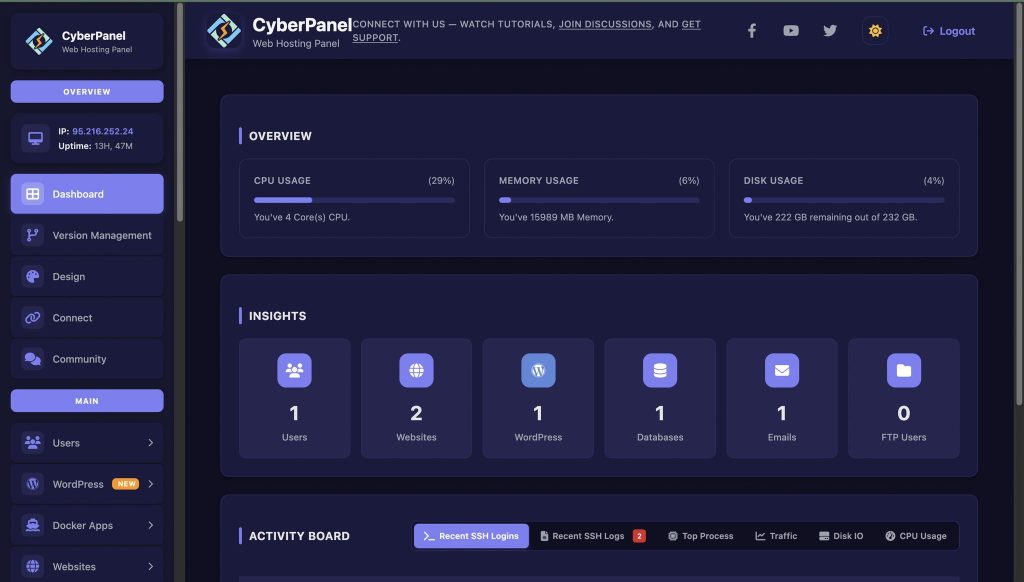
If you’re running servers or hosting websites, stability is huge. DKMS keeps your kernel modules in check, while CyberPanel takes care of your web hosting environment.
CyberPanel is a user-friendly web hosting control panel for supported Linux systems. With it, you can:
- Manage your sites with less hassle
- Handle databases
- Set up and manage DNS
- Boost your server’s security
Put DKMS and CyberPanel together, and managing your server gets a whole lot smoother—and safer.
Final Thoughts
DKMS doesn’t get enough credit. It quietly saves you from driver disasters and makes system updates way less painful. If you’re on Arch, Kali, or rely on NVIDIA, DKMS isn’t just a nice-to-have, it’s essential.
Here’s what you should do:
- Take a look at your system.
- If you’re always fighting with broken drivers after updates, get DKMS installed and start using DKMS-friendly packages.
- Your future self will thank you.
People Also Ask
Can DKMS fail during rebuilds?
Yes, it can. However, failuers usually indicate missing headers or incompatible kernels.
Is DKMS safe for production servers?
Yes, it is safe for production servers. It improves uptime by reducing driver-related crashes after updates.
Does DKMS work with custom kernels?
Yes. As long as headers are installed, DKMS can rebuild modules.



Such 🎉 thoughtful and well crafted content that deserves all the recognition possible