On this page
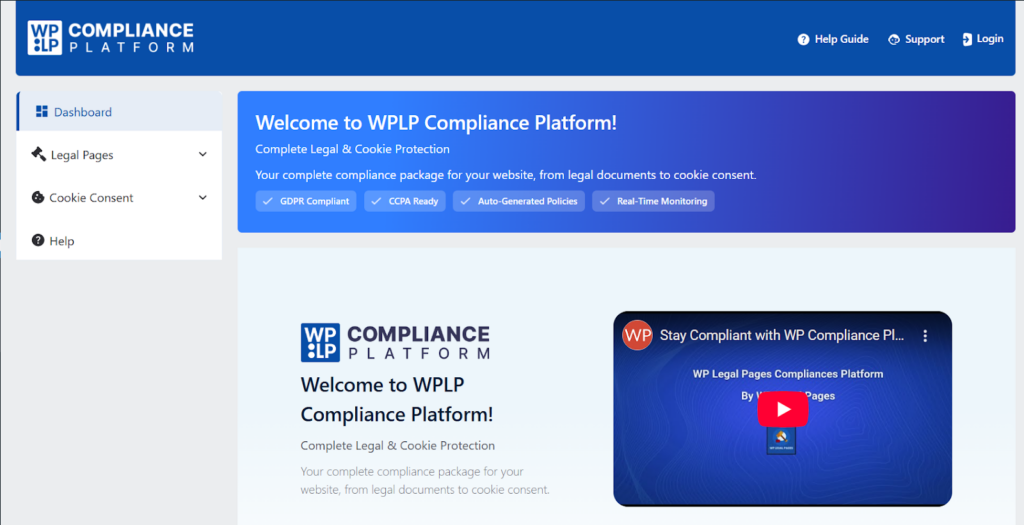
WPLP Compliance Platform is an all-in-one WordPress package that offers site owners a hassle-free way to administer their security pages and other compliance-related functions. WP denotes WordPress, and LP refers to Legal Pages.)After a user successfully logs in, a glance at the dashboard gives them a summary of their linked websites, the condition of the cookie banner, and the general advancement of the compliance setup. The front-end is simple and user-friendly, thereby allowing users to easily locate and navigate through the core units like Legal Pages and Cookie Consent management.
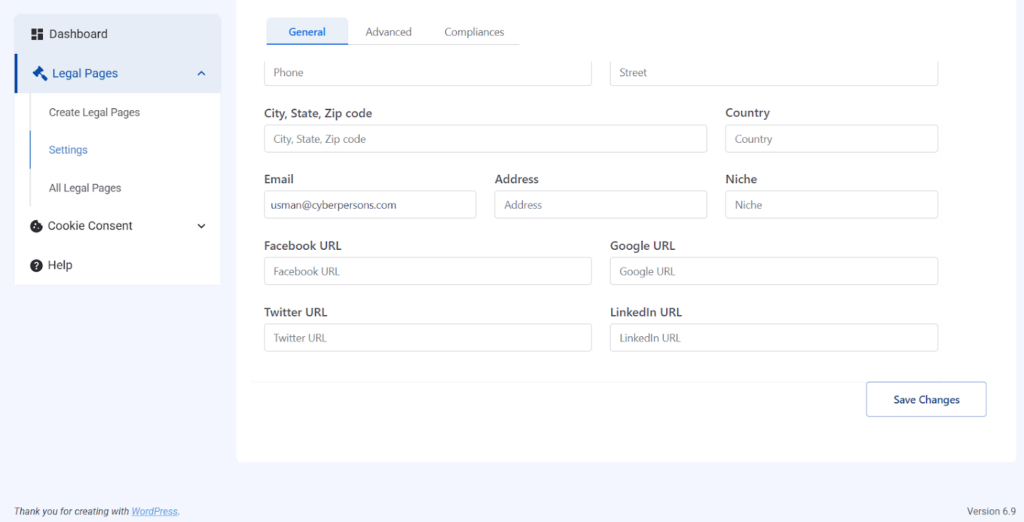
The WPLP Compliance Platform features an easy-to-use. The legal page creation tool aimed at helping WordPress site owners produce essential legal documents that include Privacy Policies, Terms & Conditions, and compliance pages.
Essentially, the platform offers 30+ styled templates for a vast array of international privacy laws, such as GDPR, CCPA, and LGPD, that should allow users to conserve both their time and energy instead of writing their policies from scratch.
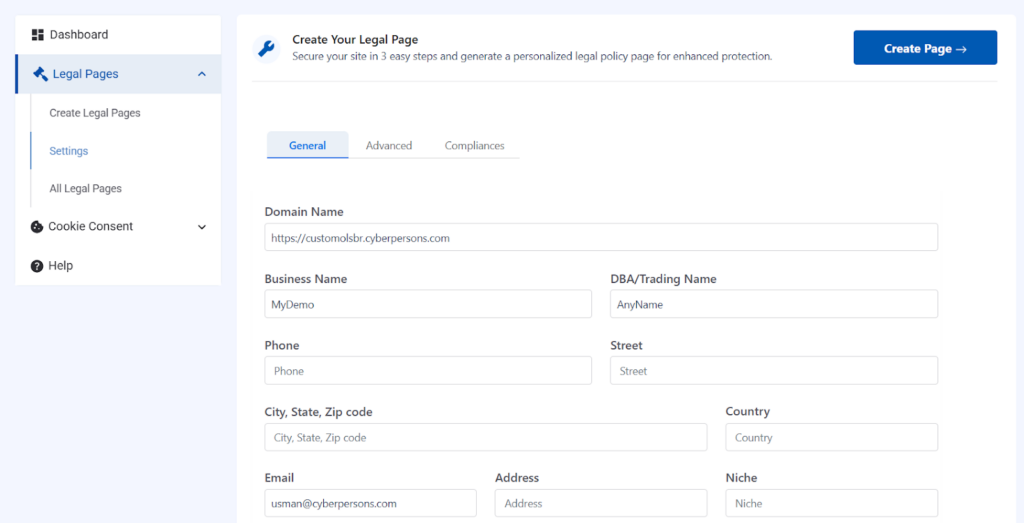
At least in the demo that is available for the public, I managed to get to the Legal Page Creation location, where users have to provide basic site and business information to have legal pages customised for them automatically. The step gathers typical data like domain name, business name, email, address, and niche. Nevertheless, in this demo setting, after inputting the placeholder information, there was no rendering of the final page content, probably because the staging environment was not fully set up for the generation workflow to run.
Apart from that, the template interface visually communicates that generating legal pages is supposed to be a user-friendly, step-by- step, and organised method.
The legal page creation section offers intuitive navigation with well-known fields like domain, contact details, and business information being displayed. The configuration is in line with the standard workflow recorded for the platform, whereby users provide their information and then select the legal templates for generating.
WPLP Compliance Platform’s Cookie Consent
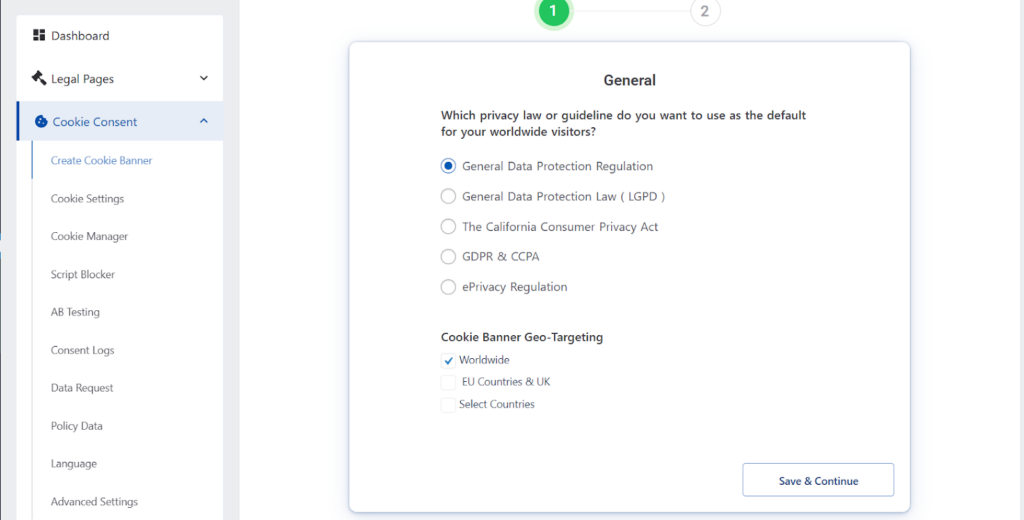
This section starts with a guided setup wizard. This wizard aims to help website owners make their cookie consent process compliant with the main privacy laws worldwide without the need for a legal or technical expert.
First of all, users are required to indicate which privacy law should apply to their visitors. The choices comprise the General Data Protection Regulation (GDPR), California Consumer Privacy Act (CCPA), Brazil’s LGPD, a combined GDPR & CCPA option, and the ePrivacy Regulation. The platform is not only a single-region solution but also supports multiple compliance frameworks for different parts of the world.
The wizard also offers cookie banner geo-targeting so that website owners decide from which locations the visitors will see a cookie banner. There are options such as worldwide visibility, EU and UK visitors only, or even the selection of particular countries. Such versatility is suitable for those companies that have a global footprint but desire to behave differently in terms of compliance in each region.
It is worth mentioning that the wizard is optional and does not hinder the user from performing other tasks. Users can check the available compliance solutions without the necessity of finishing the setup immediately. Thus, onboarding is a learning process rather than a constraint.
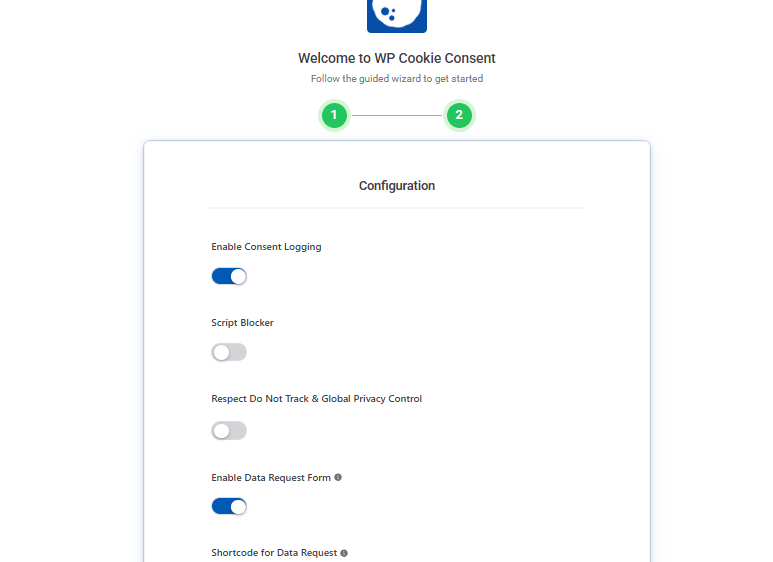
During the second step of the WP Cookie Consent wizard, the website presents the most important configuration options for legal compliance with the data privacy laws. Those options are the logging of the consent given by the user, the blocking of scripts, and the support of privacy signals sent by the browser, like Do Not Track or Global Privacy Control.
The design also provides the possibility to deal with the user requests for data via email notifications and response templates ready to use. At the bottom of the page, there is a live preview of the cookie banner showing how the consent notice will be displayed to the users. There, readers have the options to accept, decline, or manage their cookie preferences.
Without requiring that they be configured at once, this step demonstrates the existence of the key features for managing the consent given.
Cookie Banner Activation Confirmation
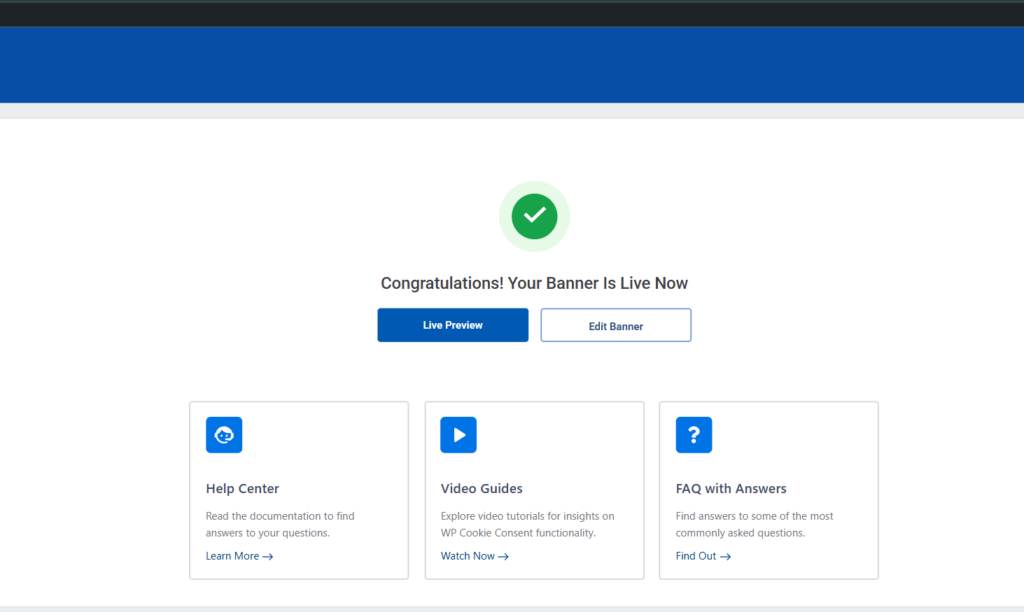
After completing the guided setup, the platform displays a confirmation screen indicating that the cookie banner is now live. This confirms that WP Cookie Consent can activate a compliant banner using the default configuration.
The page also provides quick access to documentation, video guides, and FAQs, helping users understand features without requiring immediate technical assistance.
Pros & Cons
Here are the advantages and disadvantages of the WPLP Compliance platform:
Pros
Guided Legal Page Creation: The service provides a stepwise procedure for creating main legal documents, thus saving time and making fewer mistakes for WordPress site owners. Supports Multiple Regulations: The templates and tools comply with GDPR, CCPA, LGPD, and other international privacy laws, so they can be used by any global website.
Simplified Cookie Consent Management: The wizard enables users to prepare cookie banners that meet regulations without the need for technical or legal knowledge.
Centralized Dashboard: It offers a compliance overview, the status of cookie banners, and the connected websites, which helps users to be efficient in tracking their tasks.
Cons
- Not a Substitute for Legal Advice: While it simplifies compliance, businesses with complex or heavily regulated operations should still consult a legal professional.
- Demo Limitations: In staging or demo environments, final page content may not render fully, and some features require a live account to function properly.
Ease of Use & Setup
The WPLP Compliance Platform aims to be a simple tool for WordPress site owners to set up legal pages and cookie consent. No technical expertise is required to do this. The dashboard’s first design shows the user at a glance compliance progress, cookie banner status, and tasks that are waiting, making navigation almost self-explanatory.
Setting up legal pages is done through a guided form, based workflow where users enter essential site and business data like domain, business name, email, address, and niche. The system then creates the required legal documents automatically based on this data. The UI even in demo mode, is showing a step, by, step, well, structured method that makes it easy to understand how to do something that is pretty complicated.
The Cookie Consent setup wizard is also a very useful tool. Users can indicate which privacy laws apply (GDPR, CCPA, LGPD, etc.), set geo-targeting to show banners depending on the visitor’s location, and see how the cookie banner looks. Features for consent recording, script blocking, and email notifications are available but not mandatory, thus allowing novices not to be overwhelmed.
How do CyberPanel’s Users Benefit from it?

WPLP is a great tool for CyberPanel users who are hosting WordPress sites. It offers various benefits like:
- Fast Implementation: Necessary legal pages, along with cookie banners, can be created without the need to install additional plugins or perform custom coding.
- Compliance Management at a Glance: All the compliance tools are available from a single dashboard, and checking and maintaining them becomes very easy.
- Ready for Any Global Regulation: It adopts several different international privacy laws so that websites hosted on CyberPanel can comply with different regions.
- .Automation that Saves Time: By creating legal documents and setting cookie consent automatically, the users get more time, which they can devote to website content or other business-related activities.
In short, the whole setup is very intuitive, performant, and neatly organized, which makes it possible for users without any technical knowledge to get their site legally compliant in a very short time.
Overall Value for WordPress Users
The WPLP Compliance Platform is a one-stop compliance package for WordPress sites. Its automatic legal page creation and cookie consent setup with the help of a wizard not only saves time but also lessens the chance of mistakes, which is a great tool for small businesses, online shops, or content creators that lack a legal background.
It even shows a user-friendly workflow, a centralized dashboard, and step-by-step guidance in demo mode. CyberPanel, a web hosting control panel, offers users a particular advantage because the plugin guarantees compliance with various privacy regulations (GDPR, CCPA, LGPD) without extra configuration, thus simplifying legal management for hosted sites.
Optional advanced features such as consent logging, email notifications, and geo-targeting empower businesses to grow their compliance gradually as they wish, thus making WPLP a versatile choice that suits both beginners and more experienced site owners.
Final Thoughts!
The WPLP Compliance Platform ranks high in terms of design and user- friendliness. It offers a range of features such as easy setup of legal pages, efficient cookie consent management, and a transparent compliance overview that makes managing tasks a breeze. It bestows a great advantage to CyberPanel users owing to its seamless integration with WordPress hosting, resulting in time savings during the setup process. Additionally, it allows compliance with multiple global privacy laws.
Although there are some limitations in free and demo environments, the platform is a perfect fit for site owners who want a simple and centralized way to take care of legal compliance without the need for technical or legal expertise.